SoloInter
Clients
-
Joined
-
Last visited
Everything posted by SoloInter
-
Impossible to get something by clicking "clear cache". It's do nothing. I follow your instructions on the red message on top of the site. It was asking to go to settings and update. I just follow the step in the description. We was on 5.0.7 We did not updated 5.0.8 Beta 1. So now what can I do ? Nobody can post anything. All is stuck. Menu can not be open.
-
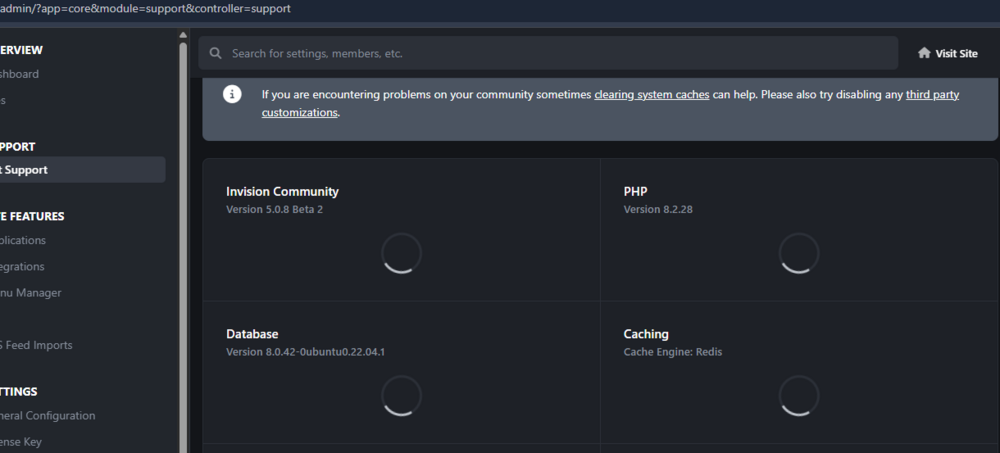
Because of the security update I had to go for Beta 2. Now I get some issue with Javascript I think. This is still loading : e We can not post any message because the box doesn't react when we click on here.
 Updated to 5.0.7 All good thanks !Ok thanks.@Jim M Thanks. It's nothing to do about our last tickets ? : Re: Topics sorts is strange Check yours emails you are in the discussion with @Daniel F . It was on 15th / 16th march Last message from your side was : "I have applied a patch to your system which resolves this."I get that when I start the process : Then if I click I get this : I'm afraid to go on. @Matt is it "safe" ? 5.0.6 -> 5.0.7
 On this page : /events/?view=overview Is there a way to do put in first place the events and after the search block / near you block ?
 All good for us. SmoothI will do it after the event of the day : Champion's League 1/4 final Inter vs Bayern. FORZA INTER 🖤💙All good for us. Thanks for the taggggg !!!5.0.5 installed with no issues. Thanks.After update I get this in the logs : System Logs Delete The log entry was triggered by a guest (Invités) 1 minute ago The URL of page the error occurred on was https://www.internazionale.fr/admin/upgrade/?controller=upgrade&key=xxxxxx&mr=1&_=xxxxxxxx Error (1060) Duplicate column name 'pf_contains_pii': addColumnsAndIndexes ["core_pfields_data",[{"name":"pf_contains_pii","type":"TINYINT","length":null,"decimals":null,"values":null,"allow_null":true,"default":"0","comment":"","unsigned":false,"auto_increment":false}],[]] Backtrace #0 /home/damien_prod/Internazionaleprod/public_html/system/Application/Application.php(1810): IPS\Log::log() #1 /home/damien_prod/Internazionaleprod/public_html/applications/core/sources/Setup/Upgrade.php(565): IPS\Application->installDatabaseUpdates() #2 /home/damien_prod/Internazionaleprod/public_html/applications/core/sources/Setup/Upgrade.php(369): IPS\core\Setup\Upgrade->step1() #3 /home/damien_prod/Internazionaleprod/public_html/applications/core/modules/setup/upgrade/upgrade.php(60): IPS\core\Setup\Upgrade->process() #4 /home/damien_prod/Internazionaleprod/public_html/system/Helpers/MultipleRedirect/MultipleRedirect.php(104): IPS\core\modules\setup\upgrade\upgrade->IPS\core\modules\setup\upgrade\{closure}() #5 /home/damien_prod/Internazionaleprod/public_html/applications/core/modules/setup/upgrade/upgrade.php(45): IPS\Helpers\MultipleRedirect->__construct() #6 /home/damien_prod/Internazionaleprod/public_html/system/Dispatcher/Controller.php(139): IPS\core\modules\setup\upgrade\upgrade->manage() #7 /home/damien_prod/Internazionaleprod/public_html/system/Dispatcher/Setup.php(261): IPS\Dispatcher\Controller->execute() #8 /home/damien_prod/Internazionaleprod/public_html/admin/upgrade/index.php(38): IPS\Dispatcher\Setup->run() #9 {main}Google Chrome Version 134.0.6998.118 (Build officiel) (64 bits) Also 52 pages of tags :
 20250321-1349-40.3133947.mp4 More you add, more it take time @MattI noticed that since update 5.0.4 Beta 3, tags are very very long to open the list. I don't know if you worked on tags recently but it take so much time now to choose a tag.Mmmh I get something. Pages, with CSS included, can not reach anymore the css file. I had to edit & save (without doing anything else) each page to get back the css file well linked. Before that move, the link to the css file was in the Page but was unable to find the file. Edit/save the page seems to update the link to the css files.All good for usAll good for us ! ThanksPatch number two installed. All good. ThanksPatch installed. Pictures are back, thanks.Only available for Cloud customers I guess ?? Downloads ? We do not have this. It occurs with records from Page and for the Gallery. Calendar is not impacted.