


thompsone
Clients
-
Joined
-
Last visited
-
-
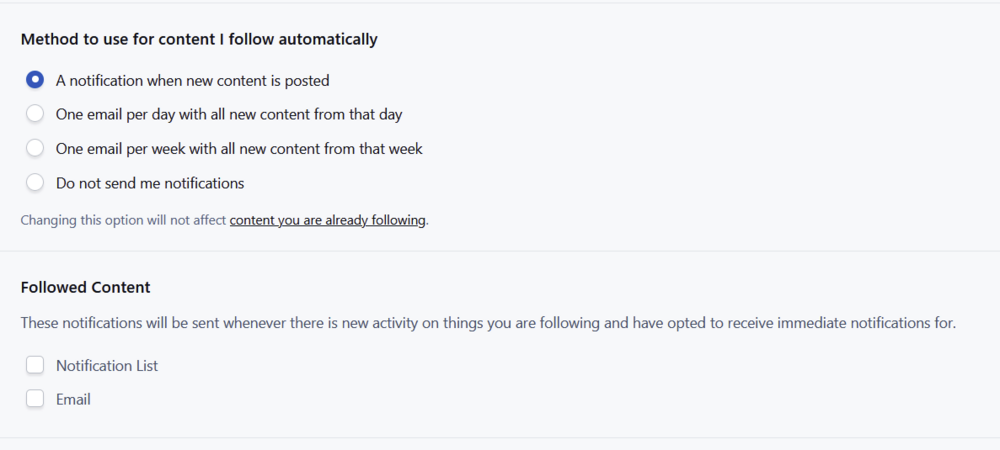
Intel Core i9 - Win11 25H2 - Firefox 150.0 64bit I deleted both (old/new) site caches and cookies, re-logged in, looks like it resolved itself. Maybe a stale cache or binary hemorrhoids on my machine. Apparently not broken so no fix needed. Thanks.Are notifications for the new site not working for anyone else, or just me? No matter what I select, "Notification List (this is what I want)" or "Email" the setting doesn't set. Refresh the page and the options are both unchecked.
 What you're looking for is called a paywall or ad-blocker detection script. For Invision Community (IPS) forums, you'll want an IPS-specific plugin from the Invision Community Marketplace (or third-party vendors like Invisionize) or a custom JavaScript snippet that detects missing ads by checking elements/script execution, which you'd integrate into your forum's themes/hooks, often using solutions from the IAB Tech Lab, AdSanity, or Advanced Ads for inspiration, as these solutions work by looking for blocked ad requests or zero-height ad containers I'll bet one of the third party guys has something already but they take a lot of updating because adblock browser plugins continually change to thwart ad-blocker detection scripts. forum.invisionize.pl - Support Invision Community (IPS4, Invsion Community 5,IP.Board)[IPS Marketplace] Enhanced AdBlock BlockerWith this plugin you will be able to detect AdBlock browser plugin that blocks your website ads. It will display a block message that will disable all website if the user didn't disable his AdBlocker.The above as a starting point but you'll obviously want something updated and current. You'll just have to start contacting people and looking around. I know SOSinvision has a lot of stuff and so do a lot of the other third party guys which I hope will chime in since I don't know them all. Good luck.ACP > type Lazy in the ACP search window > Turn off Lazy load media content Support Tab > Clear System Caches The site looks and works fine in my firefox browser but I can see where lazy load is really being lazy and you have click multiple times on images to get the full image to render and not the black box.



