


Paras
Clients
-
Joined
-
Last visited
Everything posted by Paras
-
has been updated smoothly
-
No welcome email is received by new registrants. Oh, it turns out the welcome email came in 3 (or 8, I'm not sure) minutes later.
-
5.0.13 final release?
-
How to create wellcome message?
-
Your comment isn't nonsense. As for my statement, "who wouldn't want to move to the Cloud," it was an exaggeration or perhaps a rhetorical question. I'm not sure what the exact term for it is in English. I agree 101% with your statement.
-
Who doesn't want to move to the Cloud? Everyone does. The issue isn't whether they want to or not, but whether they can or can't.
-
Sadly this not for me, Self Hosted going to die.
-
I can't wait to see this feature.
-
-
When I am here at https://invisioncommunity.com/forums/ When I'm here at https://invisioncommunity.com/forums/topic/482358-invision-community-505-releases What is the reason for the hover text being hidden behind?


-
What does this mean?

-
Wwhat I've been waiting for has finally arrived.
-
The update went smoothly
-
I'm lucky :)
-
Successfully updated smoothly.
-
It's Firday. Still, sitting here waiting for the promised release 😊
-
Sitting here waiting for the promised release 😊
-
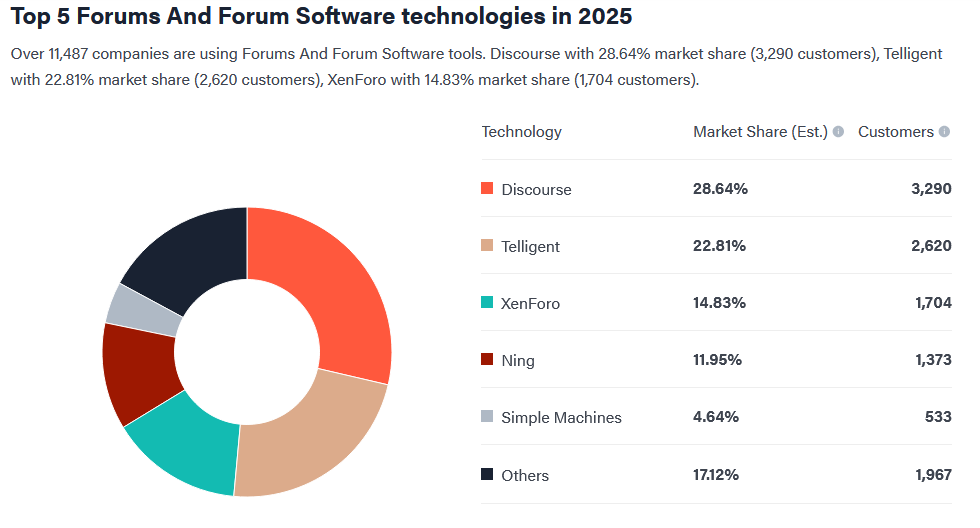
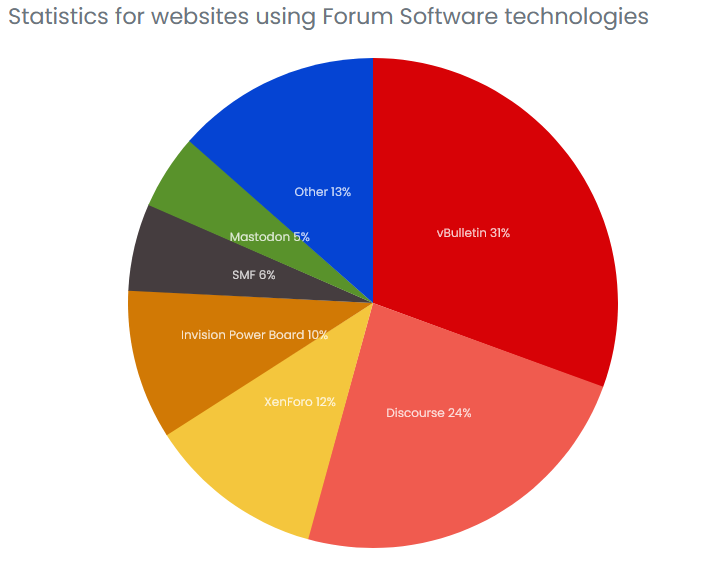
I went out of my way to buy this software, so it's only natural that I'm looking forward to the promised final version. I've had experience with other software forums before, at least two.
-
But they were confident in the final product, which is why the statement came out.
-
That's an official statement, so the final version will be out soon. Soon means around 1 or 2 weeks.
-
Everyday I come here hoping the final version is released 🫠
-
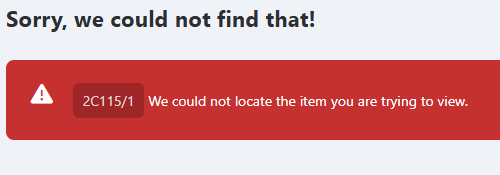
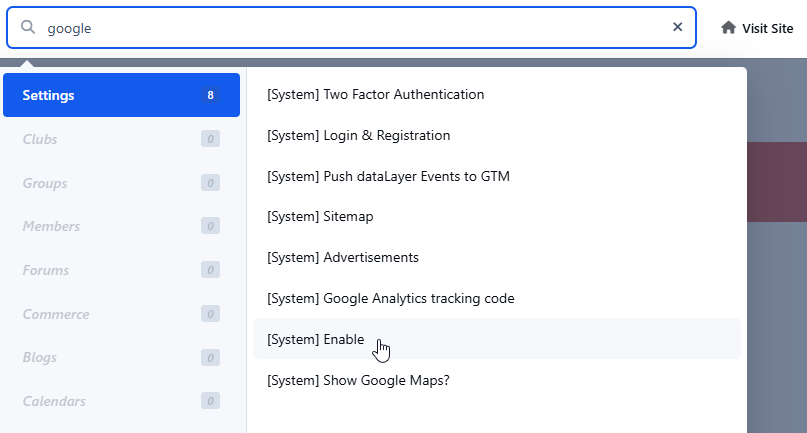
I successfully set up registration with Google. But I wonder why I get an error when I click Enable (see image). I don't think it has anything to do with Login and Registration.
-
What I'm actually looking for is how to set it up so that users can login/register with a Google account. It should be Login and Registration, right?
-
Fixed v5 beta 9.1
-
Upgrade went smoothly via ACP.







