


NSPN
Clients
-
Joined
-
Last visited
Everything posted by NSPN
-
Was this fixed in 5.0.9 release? I don't see it in the release notes, but so many things were fixed that I might have missed it.
-
How does this relate to following events?
-
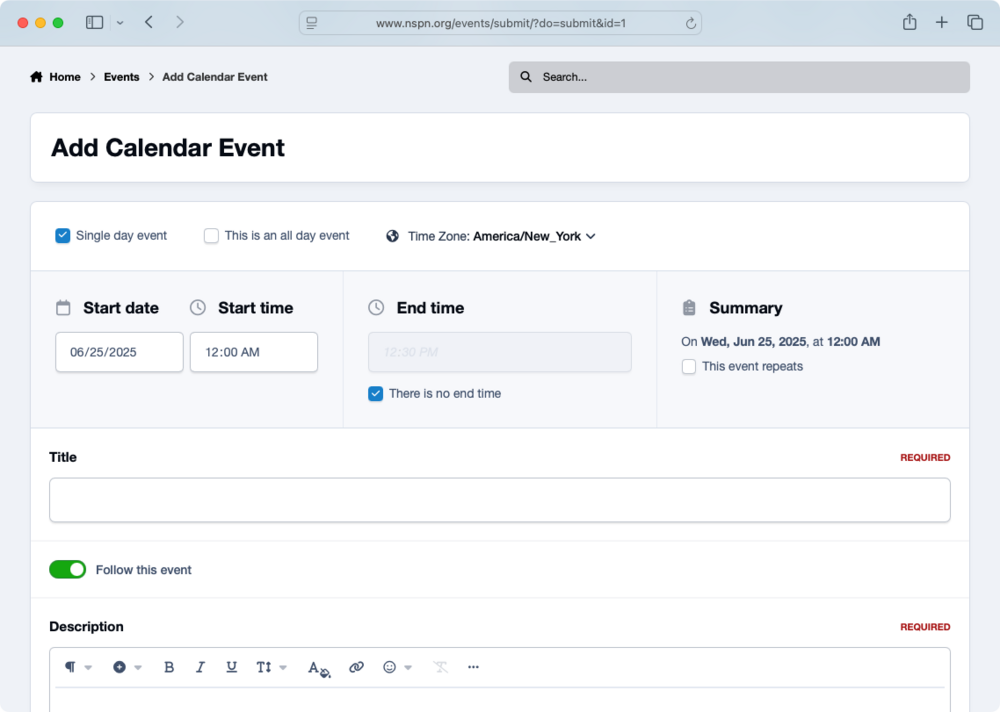
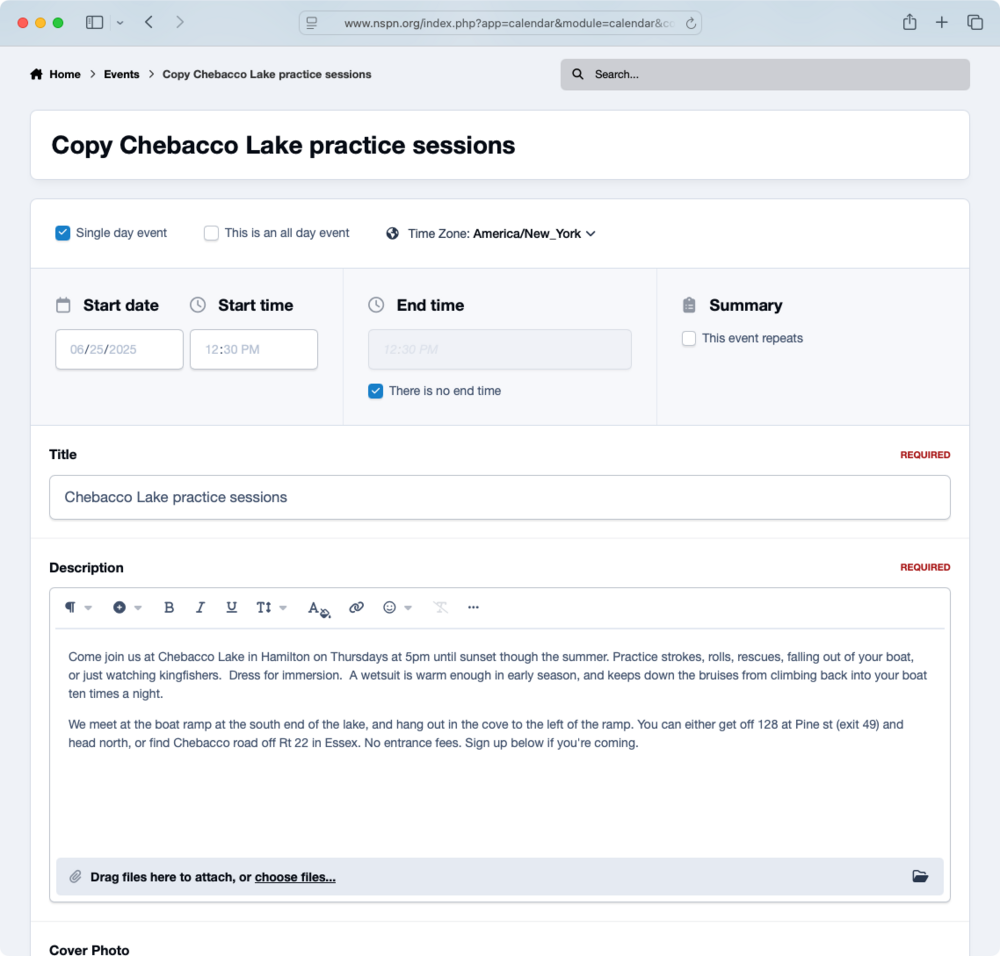
Create new event has toggle for Follow this event Add similar event (copy) does not have toggle
-
When you create a new event, there's a toggle to follow the event. This can be set on or off as a default in CP/Member settings/Notifications. When you add a similar event (copy), the toggle doesn't display. Even if you were following the event that you're copying and follow is default on, you're not following the copied event. You have to go to the event and select follow. The copied event should inherit either the default or the status of the event copied. The toggle should display as it does for create new event.
-
Customization or new feature, a worthwhile one to my thinking.
-
I know that. I want to set defaults for everyone. Ah, I see it...CP/Member Settings/Notifications. (I was looking under Forums/Settings.) This applies to "content"...wonder if that's just forum posts or if it includes events as well. This still doesn't cause those who RSVP to an event to follow the event, which we really need.
-
On this forum, if you create a new topic or comment on a topic, the default is to follow the topic. I'd like to do the same on our forum, but don't see such a setting. Creating an event should also default to following the event. I'd also like those who RSVP to an event to follow the event. This one's especially useful, since events can change...weather, etc.
-
That feature is broken.
-
I don't see a fix listed in 5.0.9 beta 1 release notes. This issue is a real problem for us.
-
Great, thanks! This is critical to us, so a fix or patch soon would be welcome.
-
See above. User mhabich, event Portsmouth 8 June, also 11 June event.
-
User mhabich. NSPN calendar. Other users report not getting notifications too. I'm not aware of any who are receiving them.
-
Correct. Not getting notifications for newly created events on a calendar I'm following, nor are other users. I don't know if notifications for comments on followed events are working.
-
My account, mhabich, for one. The Portsmouth event on 8 June is an example. Other users and events as well; I'm not aware of any notifications for events working, at least for some weeks.
-
Notifications of new events aren't being sent to users who follow a calendar. Forum post notifications work, and always have. I can't find a setting that would explain this...perhaps a bug? 5.0.8, cloud hosting, IC mail server.
-
A user asks if those who've RSVPed to an event would receive notifications of comments on the event. As I understand it, those who follow the event would, but those who've RSVPed would not. I think it would be a good idea if they did. If RSVPing to an event were added to the following list, that would do it.Ehren, you're freakin' awesome...but we already knew that. Thanks!Didn't think so. Would be nice, though.In the activity stream, yes, but not marked in event overview, right?New forum topics and comments are marked unread. A member asked if events and comments could be displayed as read or unread as well.I added Upcoming Events in featured mode to the top of the page. This gives us the display we'd like, and pushes the rest off the bottom of the screen. What I'd like to do would be to suppress Featured Events, Happening Near You, and Online Events, as they become redundant. I'll keep Browse by Month, as it lets us look back in time. We do need to get Upcoming Events below the header with the create and subscribe buttons too. To put it more clearly, replace FE, HNY, and OE with Upcoming. @Ehren ?Events page has Featured Events Happening Near You Online Events Browse by Month These elements can't be rearranged or suppressed. This means that an event might show up in three places, or that an event might be pushed off the bottom of the screen. I've been catching hell from my members about this mess. If these could individually be moved or suppressed, and if other blocks like Upcoming Events (which is great with its flexibility) could be dropped in, that would fix it. Seems doable. I was able, at least, to suppress the map in Happening Near You, and that did help. I know full efforts are on squashing bugs rather than adding features, and that's as it should be...but this is a bigger bug, in effect, than a label that's off by a couple of pixels.





