


Chris027
Clients
-
Joined
-
Last visited
Everything posted by Chris027
-
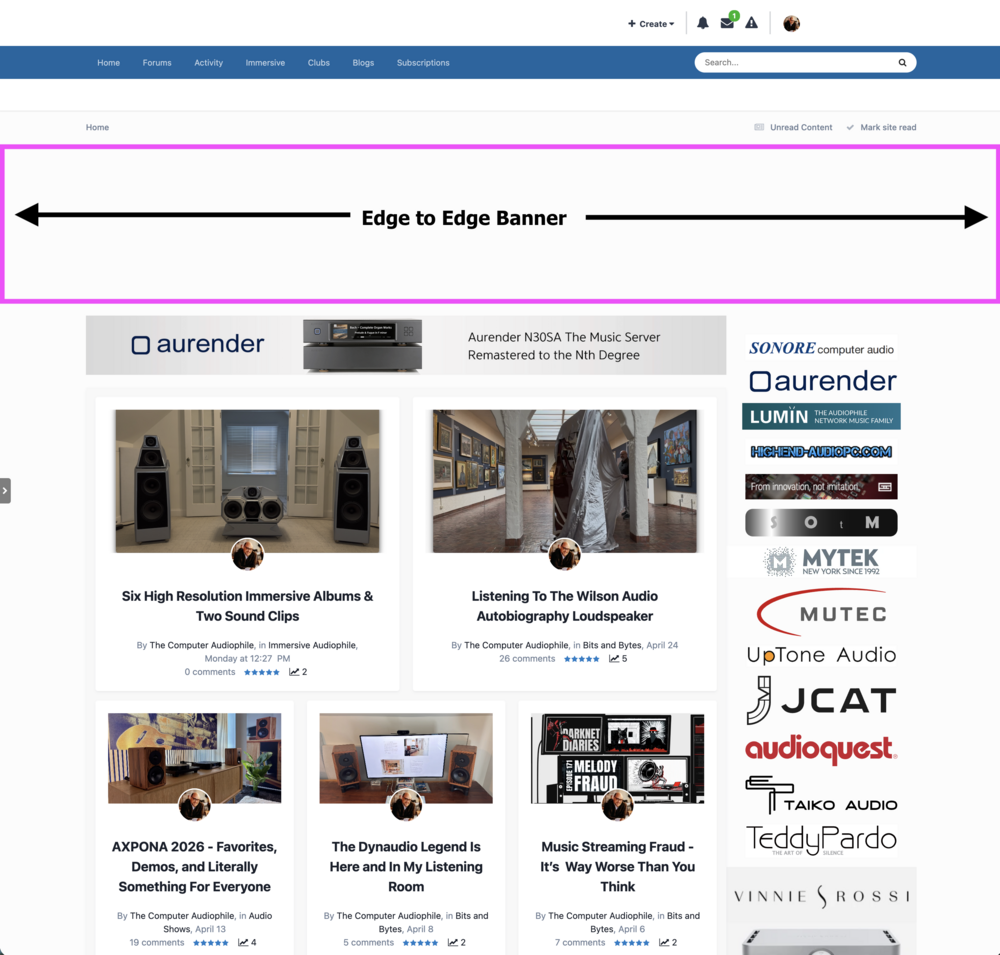
Hi Guys, in v4 I created a block, then added it to my global template and it was done. This banner was edge to edge and appeared exactly where I wanted it to, on every page of my site. With v5, I can't figure out a way to do this. Question: Does anyone know how to add a custom block to this location and have it appear on every page of the site (pages, forums, blogs, etc...?
-
This isn't really sustainable. I need a map to find all the locations where I had to place custom blocks. For example, the front page, then on the page of one article, the main forum page, then on the page of a forum topic, then on the activity stream, then on blogs, a single blog etc... All just to change the ads that are running. Custom ad locations was SO MUCH EASIER!
-
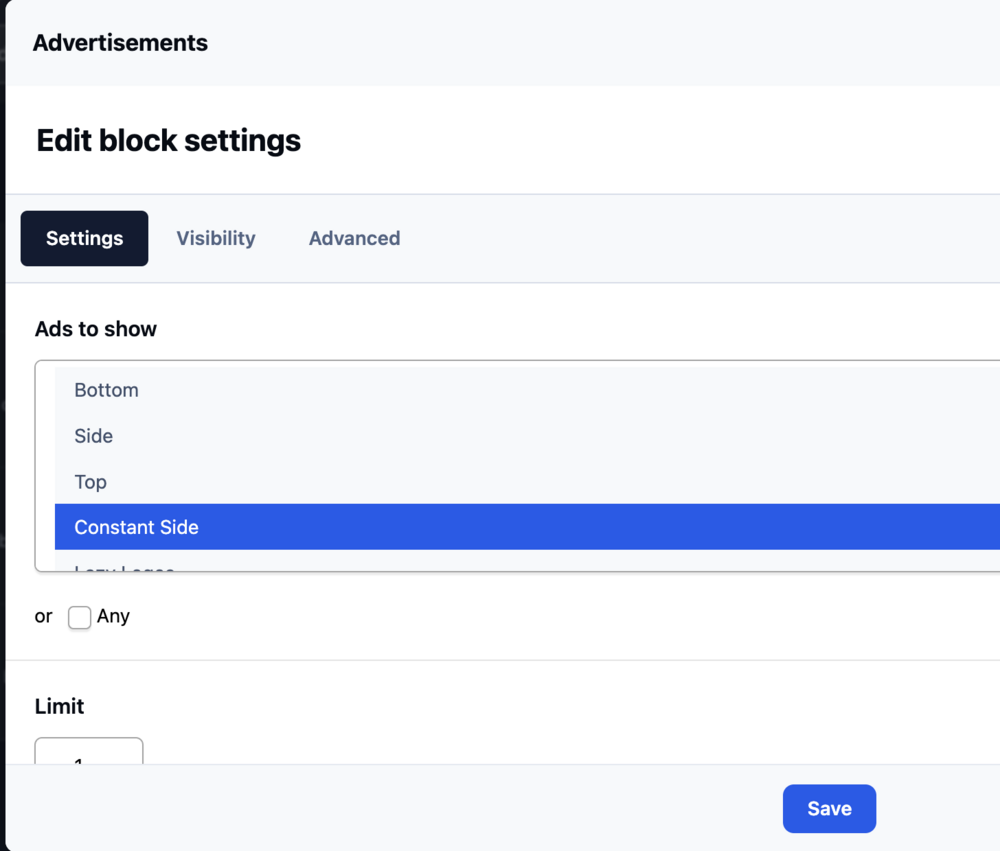
OK, here's my inefficient dilemma. I have a block displaying my ads that are 300x600. I have to manually select these ads when I put the block into the sidebar. I have to do this for every place I want the block, Pages, Forum, etc... When I create a new ad, I have to manually find every block and manually add the new advertisement to that block. There must be a more efficient way of doing this, without allowing us to create custom blocks. This screen must be edited for every block, when I create a new advertisement:
-
Thanks! I'm just getting started with v5, as you can tell.
-
I don't see the little arrow to slide out the block manager in v5.

-
Dumb question, how do I add a block to the sidebar in the forum?
-
Thanks!
-
Adding the ad to the sidebar can be done two ways, as far as i can tell. Using the Advertisements setup and selecting "In the site sidebar" works great as long as you only have a single sidebar location. All ads with this option enabled, will rotate in this position. I use this. However, it's not possible to have two locations in the sidebar, one ad on top and the other below it. the other way to add an ad to the sidebar is via a block. However, blocks aren't global. They only appear in Pages, not the forum. Am I missing something? A custom location enables people to place an ad below the "In the site sidebar" location and still have it be global like the "In the site sidebar" position. Perhaps the question is, how can we create custom blocks that appear somewhere globally? You can see on my site, there are a few locations for advertisements that I can't seem to use with v5. https://audiophilestyle.com/ The top edge to edge banner, and the custom ad locations on the right side that are above and below the single "in the site sidebar" position.
-
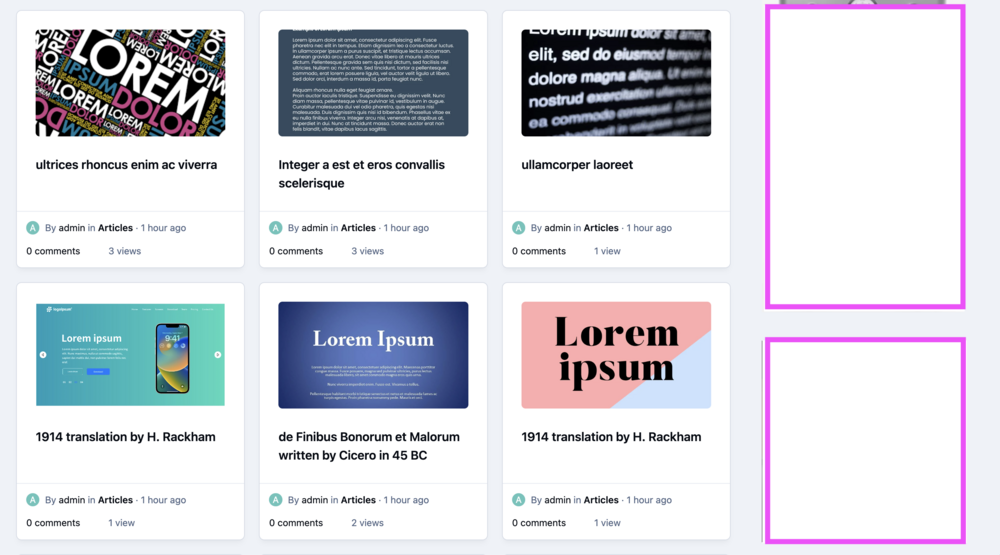
Perhaps my example will help. The two ads in the sidebar are displayed globally on my site. The top ad rotates with many others. The bottom one is constant. I see no way to do this in v5.
-
I got them to wok in Pages, but not on the forum
-
Yes. I have a couple ads that need to be placed in locations not found in the defaults. The way I do this is to create a custom block, then add {block="my-ad-here"} in the global template for index or sidebar or create the add and use {advertisement="my-ad-here"} i the same template. Perhaps I just don't understand how to do this a better way in v5
-
Found it. .ipsPageHeader--three-column-image-featured { display: none; }
-
I'd love to hide it with CSS. This would make site update/upgrades much easier. How do I find the CSS element to hide? Is it something like this ipsPageHeader ipsBox ipsPull ipsPageHeader--three-column-image-featured
-
I created my own database template, commented out the first 17 lines of the index template, and it looks like I want it. Not sure if this is the best way or most efficient.
-
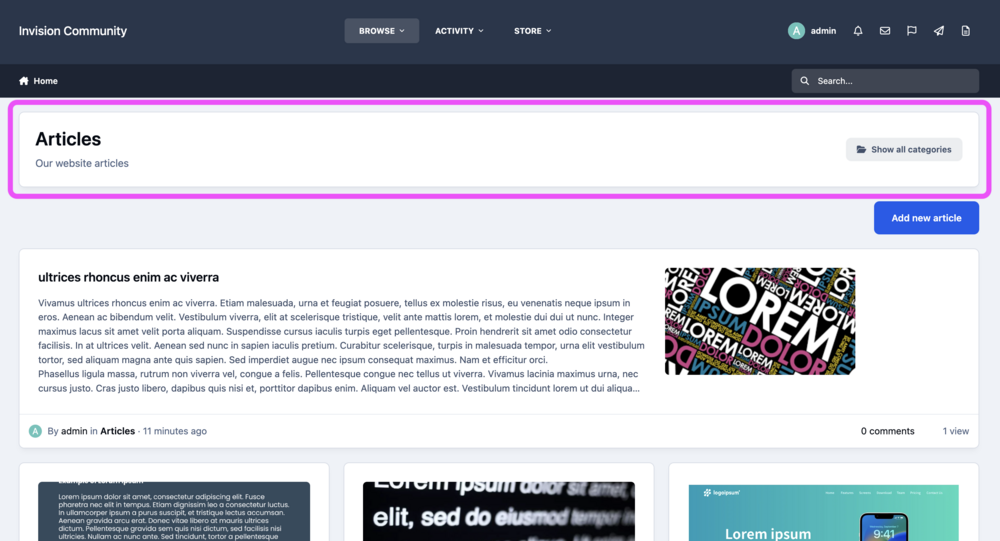
What's the most efficient way to remove this block at the top of the home page, for those using Pages as the default app? Is there a setting in AdminCP or CSS I can add?
-
In v4 there is an option to "Define your own location" for ad placement. Is this gone in v5? Placing manual ads is described in this old post here - https://invisioncommunity.com/4guides/monetization/internal-advertising-r57/#advanced
-
I've selected to make a module the default module, but now I don't know how to unselect a default module. By default, there isn't a default module. I would like to revert to default. In my screenshot you can see the Pages module is default. I don't even know what this does, but I'd like to remove the default. Clicking on it doesn't remove it as the default selection.
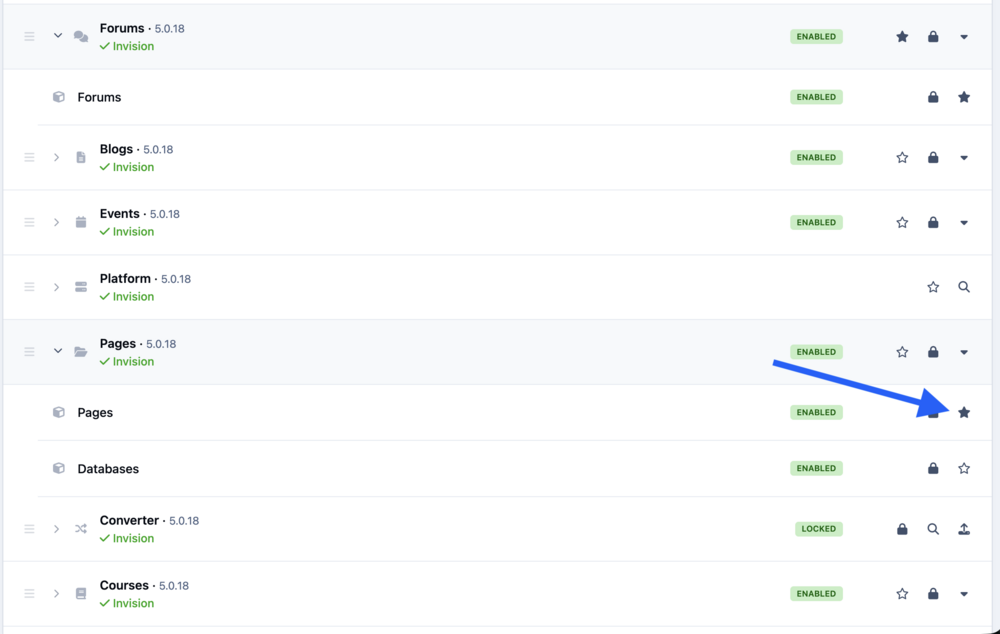
-
Thank you for considering it Jim.
-
It isn't anonymous because you can tie it directly to a business, such as a website. Cloudflare uses RUM, real user monitoring. It's a bit more intrusive than people may think - https://en.wikipedia.org/wiki/Real_user_monitoring If the data isn't valuable, then you are wasting money collecting it. Of course it's valuable. Valuable to you and possibly the sit owner. Site owners should be told that the option to Send diagnostic data? doesn't have anything to do with other data collection you are doing. Or, even better, enable us to turn off the Cloudflare beacon in this same General Config section of AdminCP.
-
From a very privacy centered site perspective, it's still too much and looks terrible to end users. Plus, given tech companies track record of dishonesty and obfuscation, nobody believes what's being collected "isn't much." The "Core Web Vitals - Higher-level metrics designed by Google to capture the user experience more completely." is something that no privacy centric person would ever be a fan of. The data being collected today, will change over time and become more invasive, unbeknownst to anyone. This is just how things work. This really bums me out. IC Cloud strips away much of our own branding by default and now it's tracking our communities. I understand that most people probably don't care about this, but privacy is really important to me and my community. Time to rethink my strategy. What does Invision do with this collected data? This is very valuable information for which we aren't compensated. What happens when it is eventually hacked and everyone's site data is leaked?
-
Bummer. The cloud is looking more restrictive than I thought.
-
Oh no. This isn't good. If I run the site through my own Cloudflare account and DNS, with Insights disabled, would this be a viable option that would disable Insights?
-
I just purchased a new cloud plan, before migrating my site from classic to cloud. I noticed IPS has enabled cloudflare to collect stats on my site's utilization via Cloudflare Insights. How can I disable Cloudflare Insights? My community prides itself on ZERO data collection of the members. https://static.cloudflareinsights.com/beacon.min.js
-
Thanks for continuing to improve the best in this platform. Developing something for so many different community owners, who create experiences for millions of people, isn’t easy. We all have different tastes and expectations. My one recommendation is to let us control more of what’s shown to our communities. Many of the “stats” such as view counts are leftovers from Web 1.0 that are actually a disservice. A global option to disable would be great.
-
Does this React based feature mean it’s vulnerable to the React CVE that scored a perfect 10?



