Chris027
Clients
-
Joined
-
Last visited
Everything posted by Chris027
-
It would be nice if we could upload two images for the cover photo in pages articles. One for light mode and one for dark mode.
-
This is very confusing to me. Can you clarify?
-
I agree that you should be able to decide for your own community. It’s your data, do with it what you wish. Not sure how much attention you’re paying to the current situation, but the two way beneficial relationship between creators and big tech is nearly over. Google IO showed how Google will keep users on its platforms, not sending traffic outside, making links and cites more hidden. It’s becoming an answer engine, keeping all the benefit. But, I support you in making the decision for your own community.
-
Thank you Stuart. I followed up with ChatGPT and I told me it made up the response based on other articles with a similar title to mine Sorry for raising an alarm. I opened a ticket about this previously and was probably confused after reading the answer. It does look like you guys have this under control and are protecting our communities. Sorry about this, and thank you.
-
Hello @Stuart Silvester thank you for the reply. As you know, this is a very touchy subject that threatens the very existence of many communities. I just asked ChatGPT to summarize an article of mine, and see it appears to have full access to my site. Ok, hang on. It just made up that it can access the article I asked it to summarize. Still checking.
-
The other solution for this issue, is enabling IC Cloud customers to use Cloudflare's proxy rather than solely for DNS.
-
Hi Guys, I switch to IC in the Cloud and list the ability to protect my community from AI scraping. Cloudflare makes this incredibly simple As IC Cloud uses Cloudflare, it would be more than amazing if community owners could work with Invision support to enable this blocking Here’s more evidence today, that our communities may not even be around with out it https://www.nytco.com/press/a-i-journalism-and-the-uncertain-future-of-the-public-square/
-
I came up with this CSS. It works, but I'm unsure it's the best route. .ipsAutocompleteMenu_item .ipsPhotoPanel div span[style] { display: none; }
-
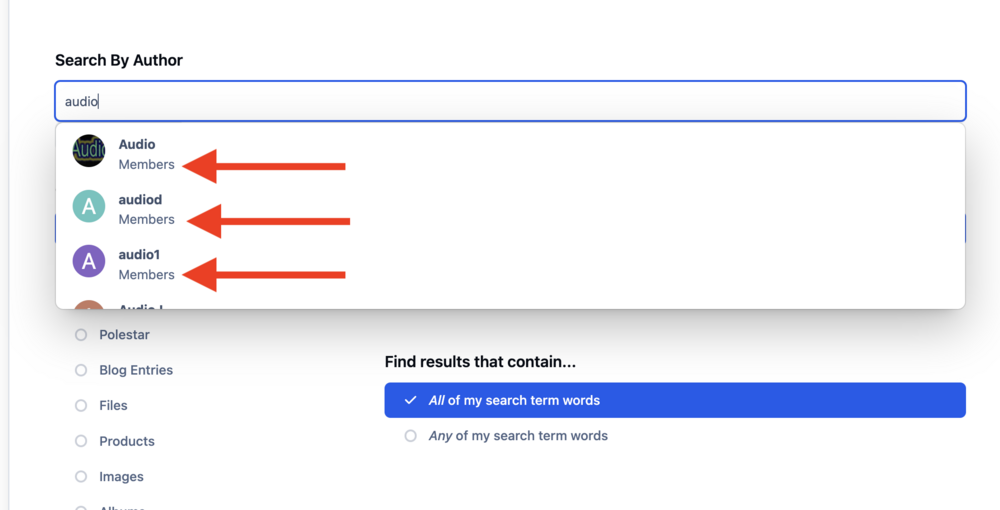
When doing a member search, there is no autocomplete functionality. However, when searching content, and selecting Search By Author, there is autocomplete of the usernames. Please add this to Member Search.
-
How does one hide the member group name in autocomplete, if someone searches by user? I've always thought the group name has no reason to be made public. @Ehren is there CSS I can use?
-
I'm closing a Club with 30 blog entries. I'd like to move these out of the Clubs area and into something like Pages articles or even forum posts. Is this possible?
-
I'm now using this and it seems to work. #ipsTabs_search_searchMembers { display: none; } #ipsTabs_search .ipsTabs__scrollers { display: none; }
-
@Ehren is there a good way to hide it via CSS? My attempts leave a little arrow button remaining.
-
Is it possible to hide the Member Search tab?
-
This site appears to suggest it should actualyl work. Tulpa.info CommunityStream Activity IssuesI like LOTPW, but its posts are flooding the stream. My main concern is it will be harder to find serious discussion. Is it possible for the activity stream to only post the newest post of a thread? E
-
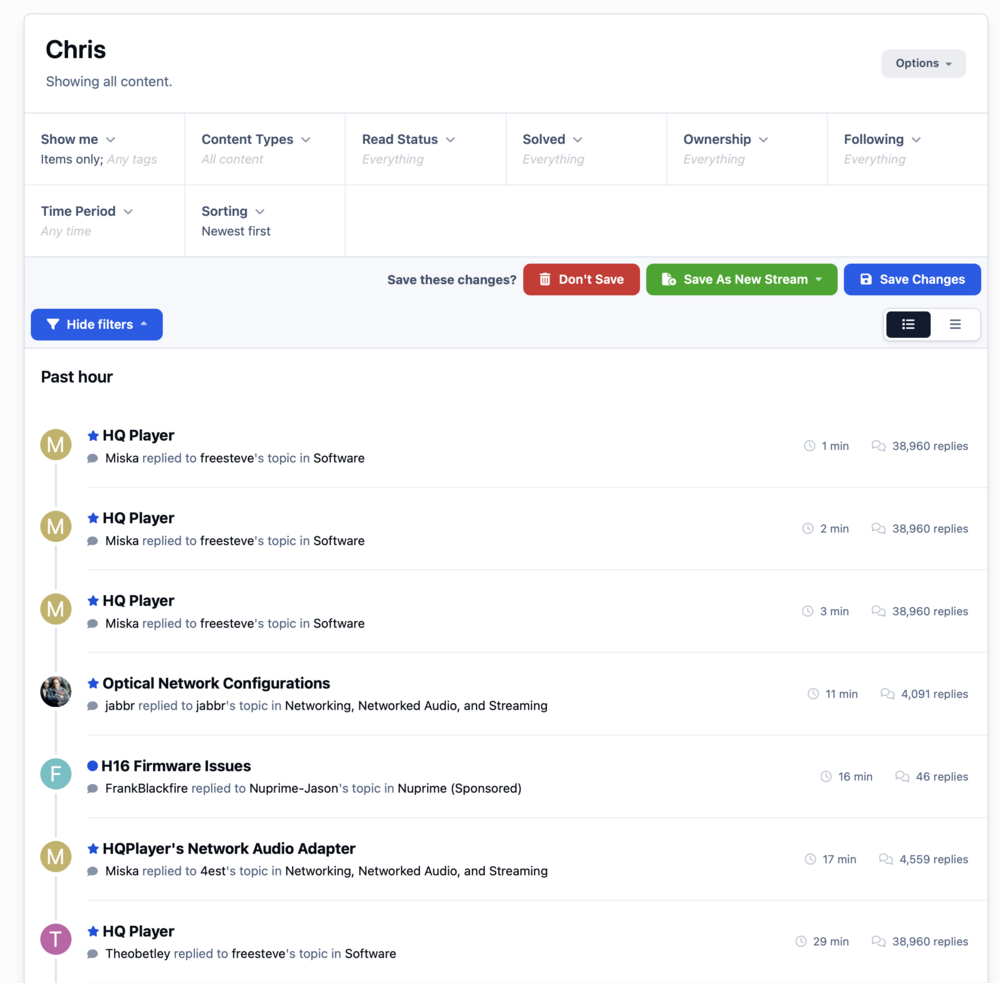
I see other people have asked for this in the past but there doesn't see to be an appetite for Invision to change it. My community is telling me the v4 site worked correctly, but is not happy with how v5 is working. I can't confrim as my v4 site is no longer. Look at this activity stream. Multiple items for a single topic, is kind of crazy in mine, and my community's opinion.
-
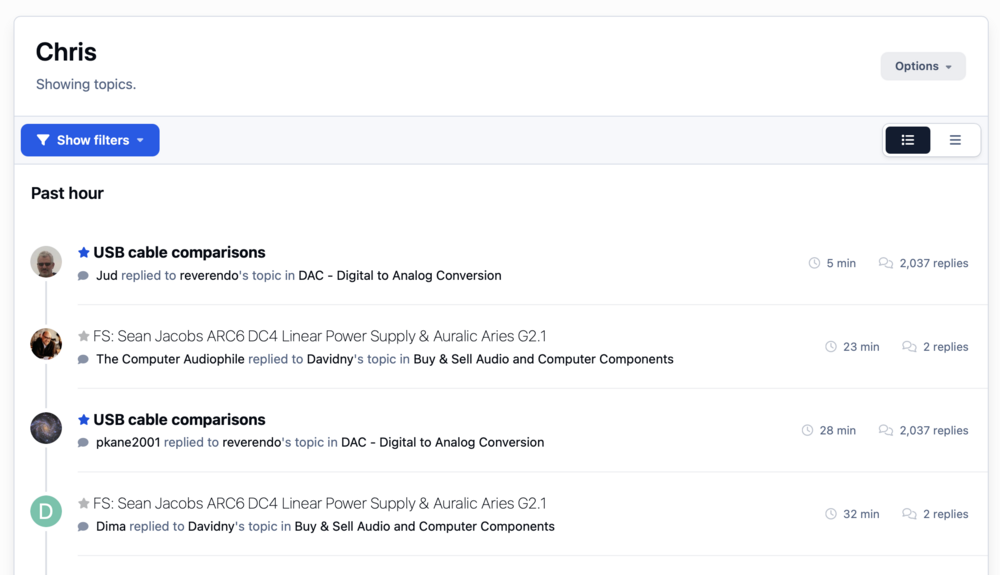
Thanks for the post @Como As you can see, even creating my own activity stream, using the options you suggested, doesn't fix this.
-
Nobody else wants this option, or you already have it working? An activity stream full of posts from a very active topic, only annoys users.
-
As the title say, is this possible? Showing multiple posts that are unread seems inefficient vs showing the topic in which the posts are in. Clicking on the topic in the activity stream would then take you to the first unread post.
-
I opened a support ticket and want to follow up here. We need the ability to block AI. Period. Here’s just one reason why. Google is burning the web to the ground. https://tante.cc/2026/05/20/on-google-declaring-war-on-the-web/


-
Ah, good ole cache 😊 Thanks Marc.
-
In case anyone else wants more details here they are. Cloudflare Stream provides a URL to the videos. Don't use this URL. It's end in /watch Look in the Embed details of each video and copy the super long string with thumbnail etc... in it, and paste that in to the LINK and it's work great.I figured it out. Rather than putting in the exact URL of the video, that Cloudflare supplies, I had to put in the full URL used in the embed code.Hi Guys, now that my site is moved, I'm embedding video and running into an issue with "Allowed Origins." In the Cloudflare Stream settings I restrict videos to only streaming on my site. Cloudflare charges by the minute, so I don't want to pay for other sites to show the video. I've always just used my domain as the origin and it works great. Now, I just embedded a video and it showing me a 403 forbidden error. Question: Do I need to use a different origin domain? My old embedded videos are working fine, but I used the full embed code to get them on the site. Now, I use the URL method.