riko
Clients
-
Joined
-
Last visited
Everything posted by riko
-
Hi Mike, thank you for the reply! 1: That worked. \o/ (headdesk, I did not think of this myself). Thanks! 2: Yup, in the footer it is. I'll move it somewhere else. Again thank you for the this!
-
I'm currently experimenting with this tag system, two questions: I got two (converted) tags called 'Icecream'. I tried to combine those but can't because both are called the same.🤪 Is there a work around for this? I really like the featured content block, - on my front page -. But it also shows up under my forums. I've looked high and low but do not see a way (I found and turned featured in email off), to keep that featured block restricted to just the frontpage. Is there a way to do this, keep things ordened?
-
Yes, I just read up on that. Makes sense. I'll have to live with these muted colors as working with variables in CSS is way above my head.
-
@Cedric V Thank you for that. I'll try that. 👍
-
I fuly agree with @Dreadknux . The colors alone you can choose from in the editor make my skin crawl, so dulled down... 🤢
-
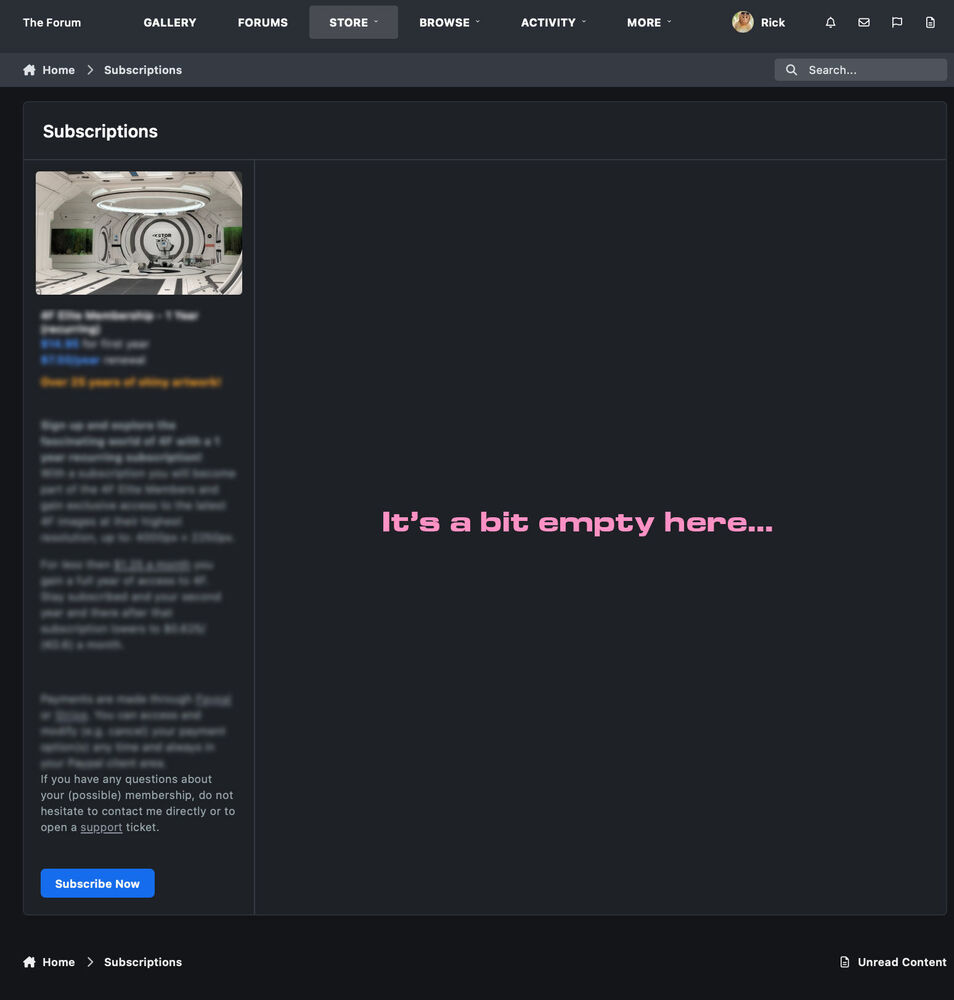
Oops, 😰 now... I guess I'm fortunate, as except for the 'upload' folder I overwrote/replaced everything with the contents of the zipfile, including the 'applications folder. Anywho, thank you for the quick feedback! I found the pagebuilder, sorry I was a bit too quick with that, I located it after I posted here. I've attached the "problem" I have with my subscription page, and I'll definitely hop by the feedback thread later on.
-
Just manually updated my forum to v5. Having an empty 'uploads' folder in the update package is maybe (I can be terribly wrong), not smart. As that would had overwritten (as far as I can conclude and see) all my years of content. Other then that, everything went smooth as 'butter'. Thank you for that. 😊👍 Question though: in v4 there was an arrow on the left side allowing me to add and modify blocks. How do I access those now in v5? Having only 1 subscription model and aiming my site at desktops/ tablets, that 1 stroke for my only subscription looks anything but "great". Any chance there is a way to spread the contents horizontally out instead of inside the current, mobilephone aimed, vertical bar? What is more important when a new image is uploaded, the image or it's title?🤔 Now I have a really tiny thumbnail and a large blarp of a text title in that box.🤮
-
My apologies but I'm a bit unsure how to proceed. I've changed the license and downloaded v5. I also read through the instructions to be sure. "The easiest and most reliable way to upgrade your community is to log into your AdminCP and follow the instructions." I like ^this^ one, 🥳 seem to me the least hassle road to travel with no omissions from my side🤒, but, I've been up and down my ACP, an option/button or even instructions can not be found by this individual. Do I need to upload the zip contents first?
-
Thank you! ❤️
-
I'm sadly not aware too.☹️ I have 'prepare for v5' notifications, fixed the painfully manual database swap from 'MyISAM' to 'InnoDB' and am since then patiently 👼 waiting for 'v5' to drop. Looks like it "dropped"? So Q: Where do I find this upgrade from 4->5? 🫢
-
-
Yeah maybe point it to where I should go. :)
-
Hehehe, that sounds like I'm caught snooping around somewhere I should not. 😅 All I did was clicketh this here 👉 https://preview.invisionalpha5.com/
-
My luck, again trying the link on page 1, I get this just now: SSL handshake failed Error code 525 😭
-
That is terrible. :) Black text on a dark blue background, how am I supposed to read that? (Safari Version 18.4).