Everything posted by Nuclear General
-
This is quite annoying... removing the providers directory does not need removing.. the providers are the ones who maintain the directory, not the staff. They only approve new providers. Other than that, staff do not necessarily maintain the directory.. This proves a point where the Invision staff just do not want to promote third party developers anymore or encourage more to come to Invision and develop on their platform. This is sad on their part, and unlike other platforms, they encourage it and promote it on their platforms. Your thoughts and insights into developers is not helping anyone anymore. You are effectively killing off new and current developers and discouraging us from Invision Community to move to another platform. This is not right and this is wrong on your part. You also keep saying that Classic is not a big part of your usage anymore... well I tend to disagree and alot more here do as well.. as we have all stated before in the past.. a lot of us here prefer the classic over the cloud because you are charging an arm and a leg for your cloud platform and hosting services.... thousands of dollars a year... Classic is better for the "average" end user because using your cloud platform is like adding a new monthly bill none of us can afford on a monthly or yearly basis. Who here has the thousands of dollars to spend each year just to keep your platform than an enterprise or company customer? You really need to rethink your strategies, because they clearly are not working at all.... You are effectively killing off potential new and current customers... this is so wrong on so many different levels.
-
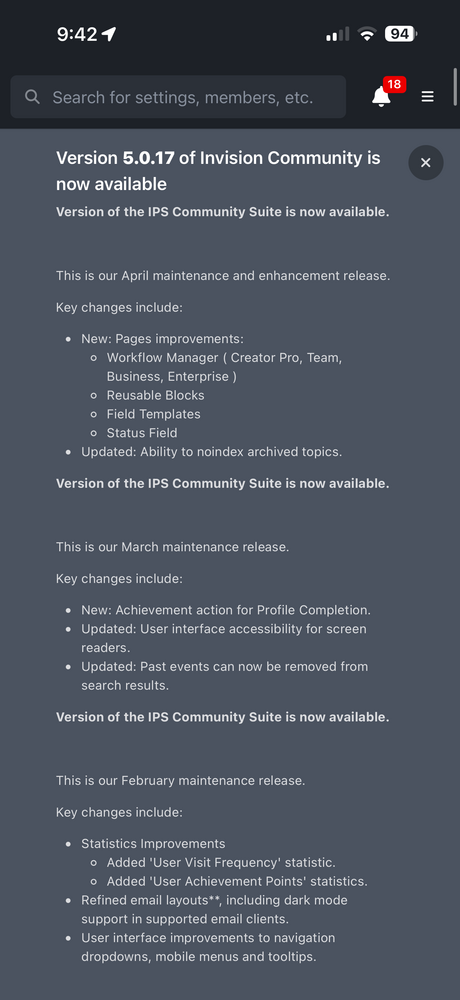
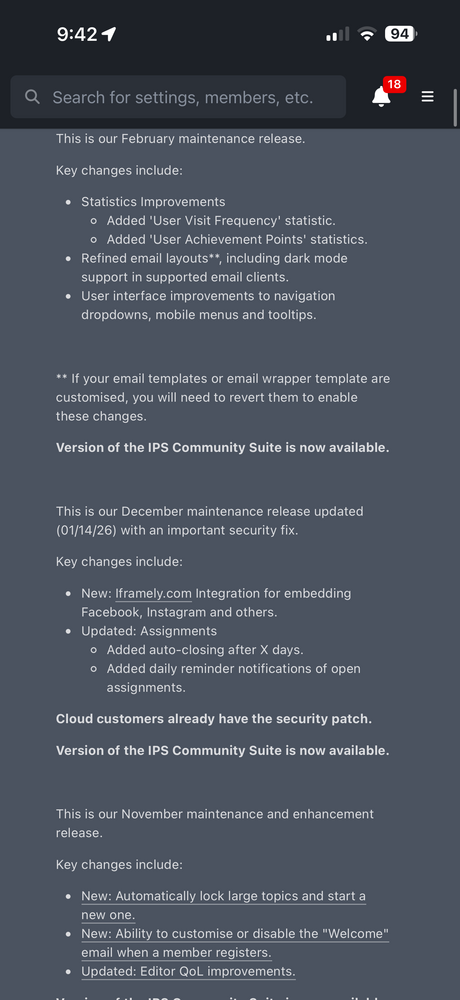
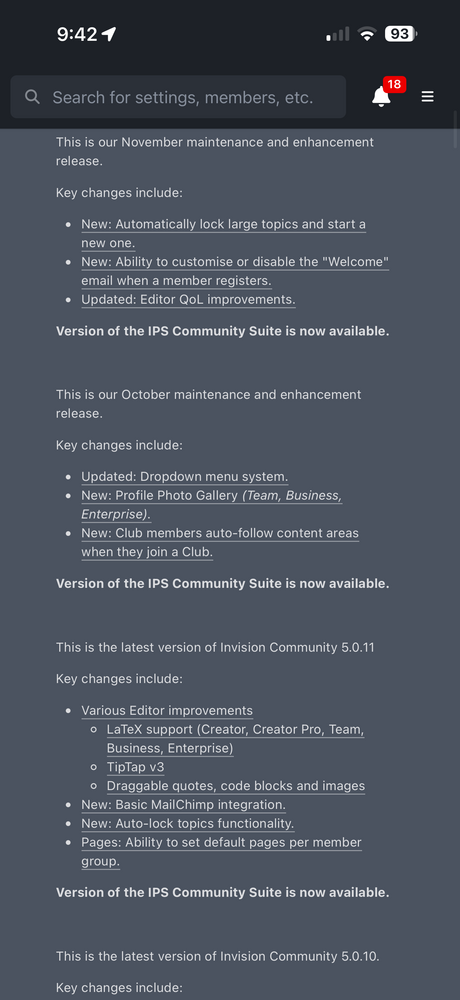
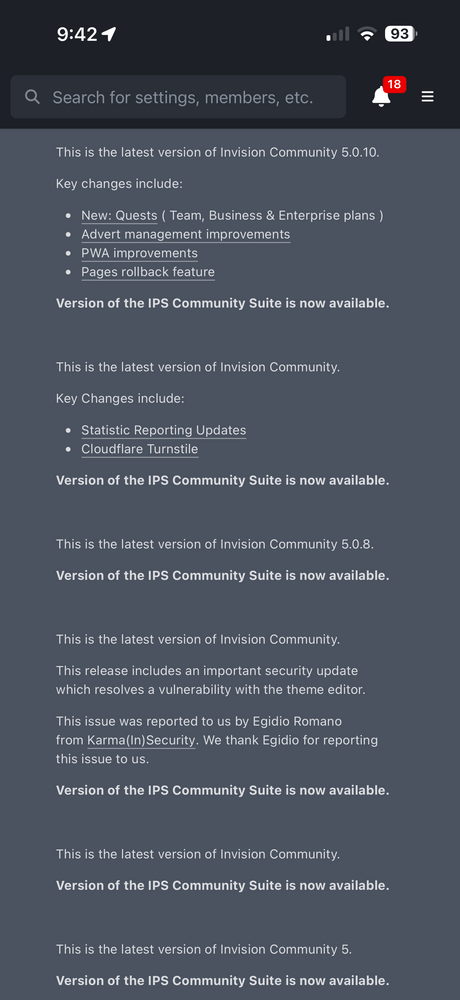
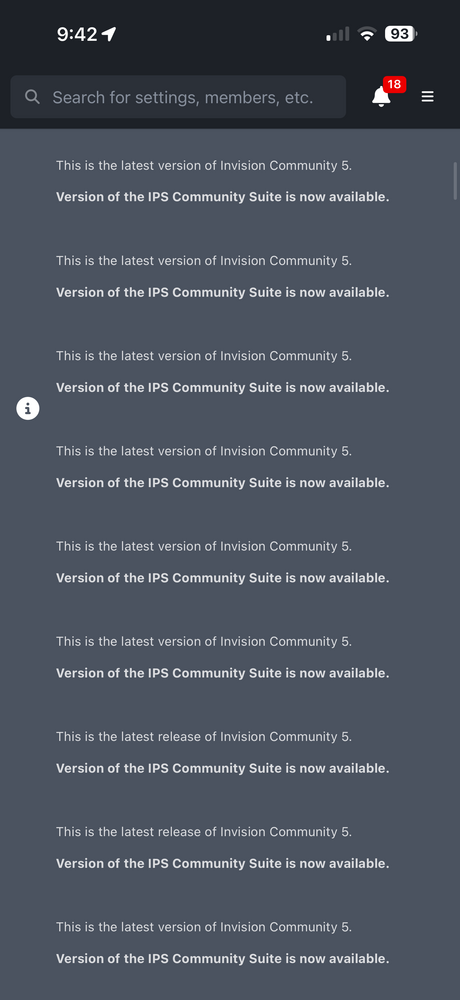
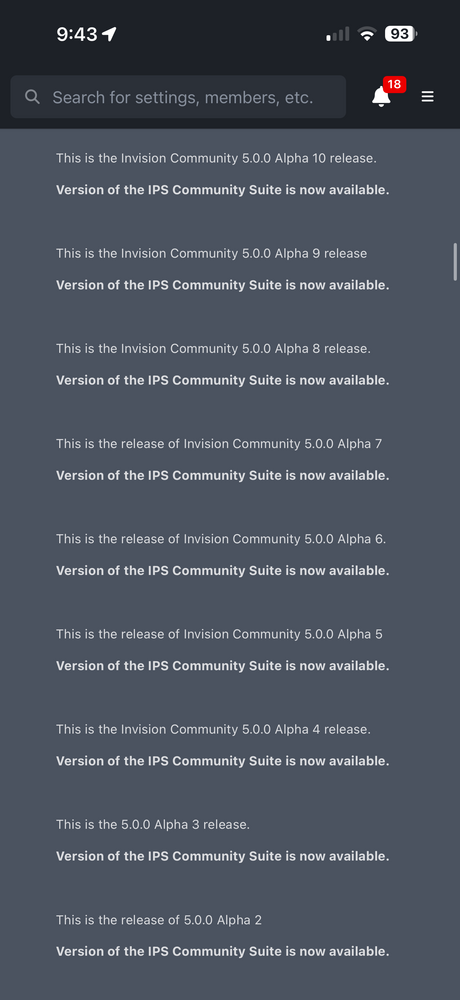
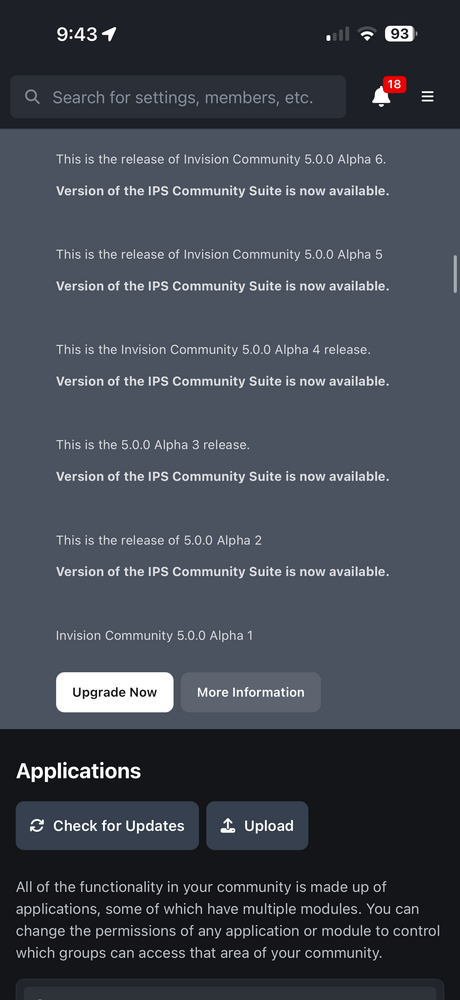
On 5.0.16, the Update Notification that shows there is a new board version available, is showing almost all prior versions, plus old versions such as 5.0.0. Alpha 1 and up as well.
-
This is what mean, the color slider at the bottom is not working for you to pick a color, it gets cut off at the end of the form. This also happens with official apps if the color select field is near the end of a form. bandicam 2026-03-26 05-16-32-084.mp4
-
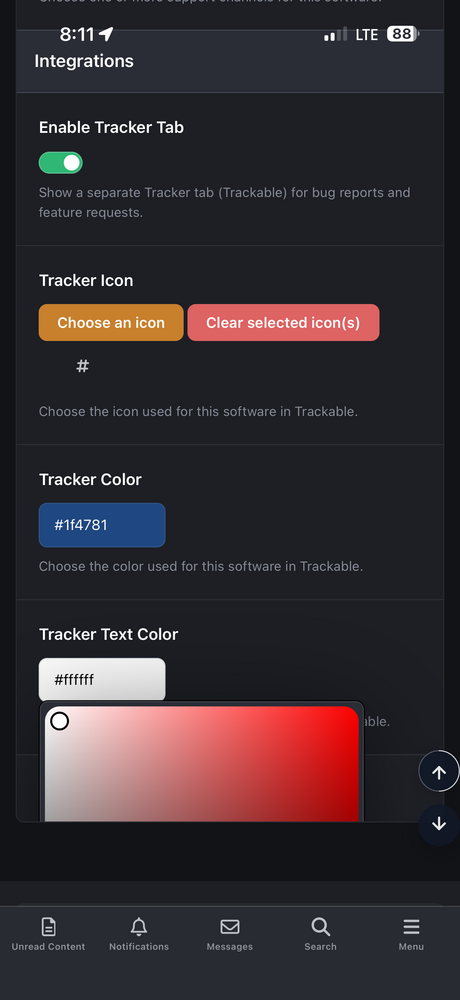
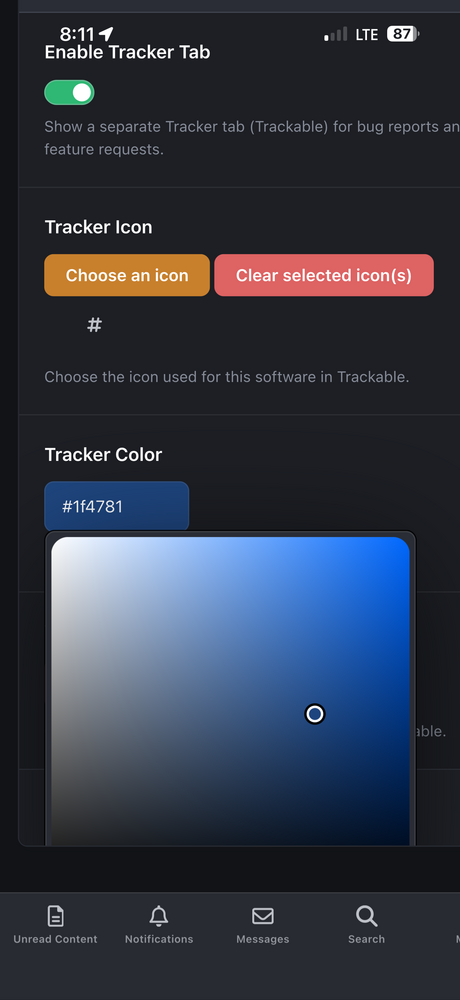
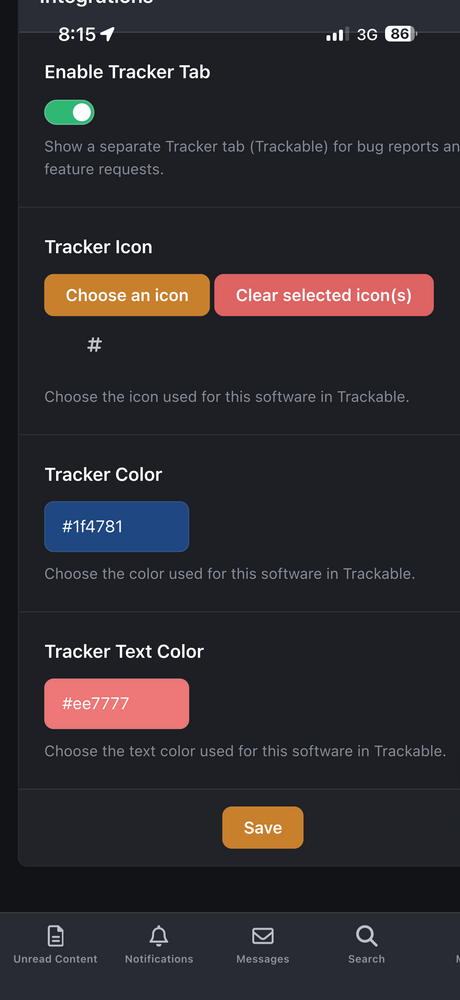
@Stuart Silvester Also, these color selection field options aren’t working since 5.0.16
-
5.0.17 currently has an issue with the ACP Applications. When you expand the Application that has a public module, 99% of them will not collapse after being expanded. bandicam 2026-03-25 05-24-17-226.mp4
-
So 5.0.17 will not work on PHP 8.4? I have been using 8.4 for quite some time now and have had no issues. So, upgrading to 5.0.17 will produce this error? Would it be modified as such?: { "php": { "deprecated": [ "8.1.0" ], "supported": [ "8.1.0", "8.2.0", "8.3.0", "8.4.0" ] }, "mysql": { "required": "8.0.13", "recommended": "8.0.13" } }@Invision Community Staff: When will you officially start to support PHP 8.4?
-
I’d rather the dialog box remain functional while still allowing the entire page to scroll. Locking the page in place isn’t a fix—it’s a hindrance. One of the useful aspects of the current behavior is being able to open a dialog and still scroll the page to see the surrounding context. With the ‘fix,’ the experience is actually worse than before. Disabling page scrolling whenever a dialog is open is the wrong approach.
-
How would that be by design now? I don’t like how I cannot scroll anymore when a dialog box is open. That is not a fix in my opinion.
-
Here's one of the Applications page on 5.0.14 and 5.0.16 where there should be scrollbar when the upload dialog is open bandicam 2026-03-03 05-05-16-181.mp4
-
here is a video. it shows 5.0.14 and 5.0.16, you'll notice that the scrollbar on the right disappears when a dialog box pops up on 5.0.16 but not on 5.0.14 bandicam 2026-03-02 14-17-16-403.mp4
-
There seems to be an issue with the final 5.0.16 release. When you have an ipsDialog box open, you cannot scroll the site. It removes the scrollbars from the browser window.
-
Chat thingy?!? lol 🤣 You mean the chat window on my site in multiple locations? That is not my application. It is @onlyME's application. I have the Chatbox Plus version. Worth it my man!! 😁
-
Not a good thing. Less revenue for 3rd party developers to make money. Now it’s a waste of time and effort.
-
Man.. #6050 takes away all the purpose of my application.
-
What are you trying to accomplish exactly? Just trying to get a clearer picture of your "vision" for what you want.
-
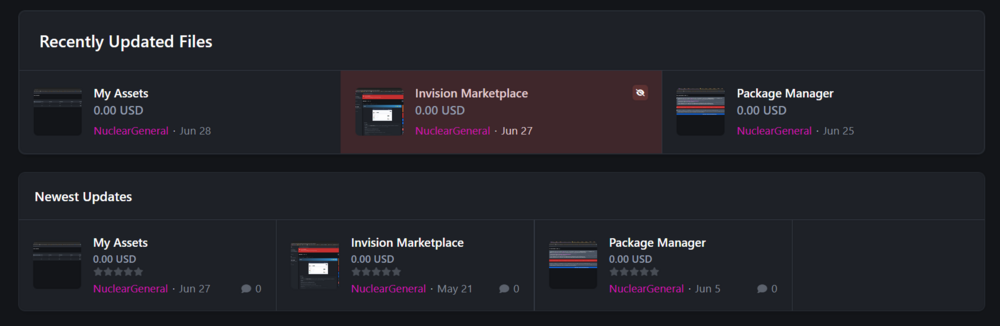
His "Recently Updated Files" section is not actively available for download from his site. He sent it to me through PM on his site, and I suggested that he sell it, and he did have it up for sell; for all of maybe a few hours, and then messaged me back saying "Someone else told me it is possible with the File Feed widget from Downloads. You just need to change the view", and that is also when I found out that it could do that as well. I never knew about it either lol (this image is from our PM, he showed me how to achieve it after someone told him about it. His app looks like this: (His is the top portion in this image, and the Files Feed is the bottom portion.

-
I actually prefer the one @Adriano Faria made over the built-in feature because it shows hidden/unapproved content in red and shows the red badge eyeball icon as well. The built-in feature is not that robust in the sense his is.
-
Try downloading the full package from your client area and going to /admin/upgrade/ and performing the upgrade from there. That is what I did.
-
Downloads is experiencing an issue where you cannot change the "Changelog Version" to view another version of a file. You can see it not working here on this site. Try changing the version to a different one when viewing the IPS 4 dev tools to see earlier version. The changelog does not change. I noticed this at another site experiencing the same issue.
-
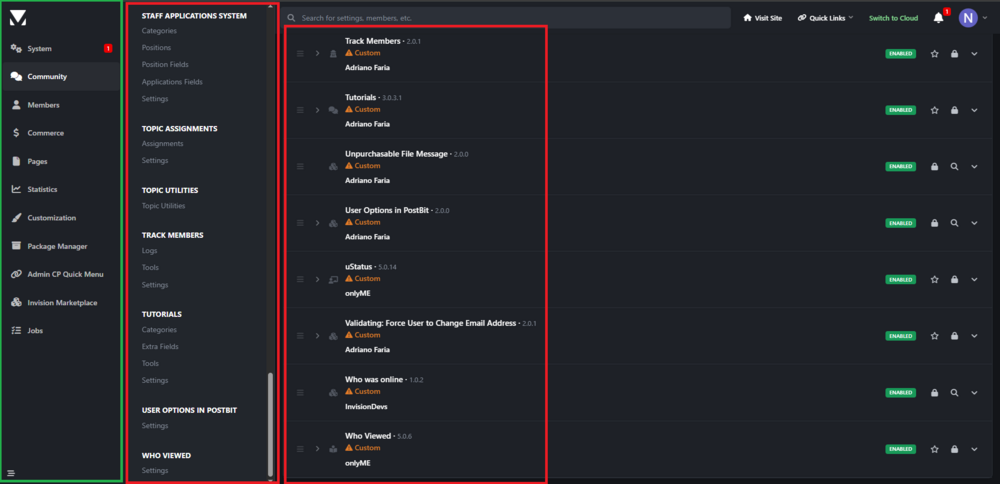
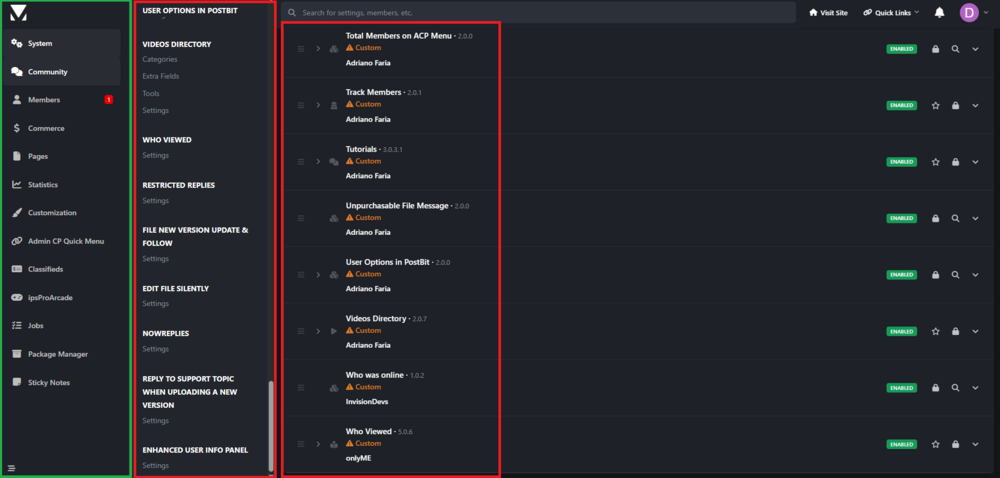
Here is a video of my 2 boards. One is 5.0.10, and one is 5.0.11. They both have application installed on them, one has a ton installed, and one has a few installed. You'll notice the order of the applications on each are in Alphabetical order. I even show all menus where they are in comparison to the submenu of those applications. 5.0.10 5.0.10.mp4 5.0.11 5.0.11.mp4 And this is my core_acp_tab_order table for id 1: {"core":["core_overview","core_applications","core_settings","core_discovery","core_promotion","core_support","convert_manage"],"community":["core_clubs","blog_blogs","calendar_calendars","downloads_downloads","forums_forums","gallery_gallery","advmsg_messaging","bfm_settings","communitymap_communitymap","contentsendpm_settings","downloadsreports_downloadsreports","games_games","ideas_ideas","music_music","pmviewer_viewer","quizzes_quizzes","routes_routes","schedulecomments_browse","services_services","sportx_sportx","staffappsystem_general","topicsassignments_settings","trackmembers_trackmembers","tutorials_tutorials","useroptionspostbit_settings","videosdirectory_videosdirectory","whoviewed_whoviewed","restrictedreplies_settings"],"members":["core_members","core_achievements","core_membersettings","core_moderation","core_staff","core_bulkmail","friends_friends","interests_interests","memberstab_memberstab","newmembersdefaults_newmembersdefaults","reportmsg_reportmsg","requiredinfo_requiredinfo","profilesig_profilesig","totalmembersacpmenu_settings"],"nexus":["nexus_payments","nexus_customers","nexus_subscriptions","nexus_store"],"cms":["cms_pages","cms_databases","cms_database_1"],"stats":["core_keystats","core_activitystats","core_stats","core_messengerstats","core_clubs","calendar_stats","downloads_stats","forums_stats","gallery_stats","nexus_reports","tutorials_stats"],"customization":["core_customization","core_editor","core_languages"],"quickmenu":["quickmenu_main"],"classifieds":["classifieds_categories","classifieds_items","classifieds_general"],"arcade":["arcade_settings","arcade_gamemanager","arcade_tools"],"jobs":["jobs_categories","jobs_jobs","jobs_curriculums","jobs_general"],"packager":["packager_packager"],"stickynotes":["stickynotes_stickynotes","stickynotes_personalstickynotes"]}
-
Oh, do you plan on investigating further on the issue with how the menu items are ordered when the application is ordered on the applications page?
-
FYI, Topic Title needs to be changed for Beta 3 released lol 😂 Is this for the Applications when ordering them and it changes where the menus are positioned?
-
Alright! 👍 Thank you Stuart! 😇
-
Beta 3 5001202 will not download from the Client Area. Error says it cannot produce the download. Same with Dev Tools.
-
I think you misunderstand what I mean. I'll post the images again, but with colored boxes to represent the ordering. The hamburger menu you mention is in the green box, the per user menu that can be arranged by the member. The boxes in red are the ones that are ordered by the order of the application in the applications list on the Applications page. EDIT: If you look at the order of both 5.0.10 and 5.0.11, the ordering is not consistent with how they are ordered on the applications page. You can tell by the applications page that the Who Viewed app is the last in the list and going up from their is the Who Was Online, then Validating, then Videos Directory, etc. 5.0.10 5.0.11