BC Designs
Clients
-
Joined
-
Last visited
-
-
-
Just sent you an email!
-
Is it possible to migrate from a cloud based Creater Pro site to Invision Classic that is self hosted? We made the decision to transfer over to a self hosted version instead of cloud based in order to be able to better customize the site and have more access to the back end. Wondering how we can transfer files, downloads, site data, templates, user data and more in order to make the move as seamless as possible?
-
Where is the Downloads section that he made?
-
Unfortunately it doesn't seem I can make it sort by most downloaded when I add the widget in These are my options: Which really is unfortunate because I prefer the grid style vs the list style. Any other ideas to get them to both show as grid?

-
I know to use display: none; in CSS But I'm not sure what to put before that.
-
I am not sure how to do that. When I click on custom CSS it is just blank so I'm not sure what to edit to hide it. Is there a guide somewhere on this?
-
I currently have a timer set on all downloads for 10 seconds. Is there a way to add a short message with the timer to let users know they can bypass the timer by purchasing a VIP subscription? Something like this: Thanks for downloading and for being part of The DevHub community! Your support keeps our community strong and growing. Want faster access? VIP members can download files instantly with no wait time and enjoy other exclusive perks. Consider upgrading to help support the community and enhance your experience!
-
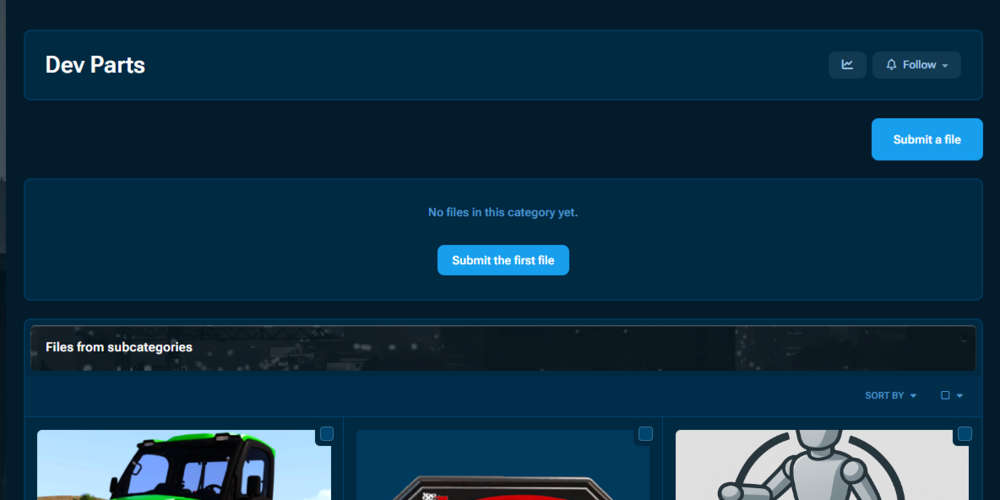
I currently have a plugin that allows for the files in a sub category to be shown in the main category as you can see below. I would like to remove the "Submit a file" button and the "No files in this category yet" area so it only shows the files from subcategories and nothing else. Is that possible? Here are my categories for a frame of reference. I am hoping to use the "Dev Parts" "GTA V Downloads" and "Into the Flames Downloads" more like headings rather than actual categories themselves. No one should be uploading files directly to those categories on my site

-
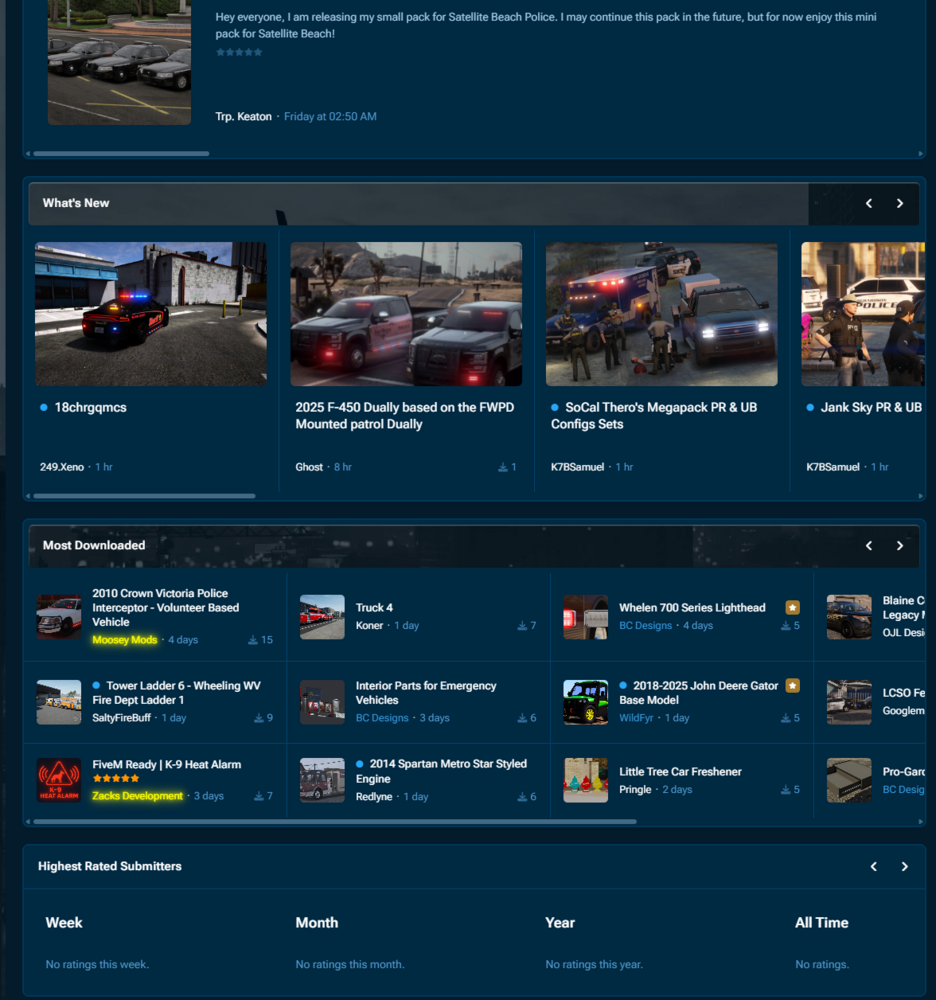
Hey all! I am attempting to edit the default downloads page to be more uniform. Currently it looks like the different sections use a totally different layout which isn't bad but it's not exactly how I want it to look. I would like the "What's New" and the "Most Downloaded" section to be identical. Where would I go to edit that? Thanks!