


Sigmatica
Clients
-
Joined
-
Last visited
-
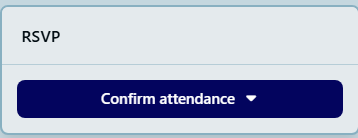
It would be a great option to have the calendar RSVP link to connect to an external service or online invitation such as eVite.com . This would allow non registered members to register/rsvp to an IPB event.
-
I commissioned Cedric to fix this issue for me since it was critical to my operation. He's got it available on his site for others that could use it. https://administrata.net/software/item/76-gallery-note-enhancer/
-
Yes, If it shows 0 images you cannot navigate thru those images. Sometimes by adding more images to the album the count increases and then you can navigate. But the image count is still wrong on several albums.
-
We have a member who has posted some pictures to an album. However the image count has not incremented from 0 images. The album contains multiple images. Because of this you cannot navigate left or right from any of the images when displaying. There are other albums that are working fine and he has done nothing different when adding images. There is also an album that has 3 images yet the count shows 2.
-
Could we get some improvement of the image Gallery note placement? We have a client that is creating some historical information and wanting to add info into the Note field for the images. But when you view the pictures there is no indication there is a note for that image unless you mouseover the picture and find the hidden square. Very counter-intuitive. How about a note field under the picture that displays the note data if there are any and blank if not? There has got to be a better way.

-
We're wondering if there is a way to integrate a scheduled Zoom meeting into a page? For viewing purposes only for members to watch a meeting. Is this possible within Pages or a 3rd party app? Anyone doing this?
-
Poking this again since I must be the only one who sees this as a shortcoming. The Calendar module is critical for many sites to present upcoming events, classes, activities. We have an option to create various calendar categories but no way to search through them independently? This is seriously lacking.
-
Is there a document that shows all variables that can be used within messaging/emails?
-
Agree. It's confusing.
-
-
-
-
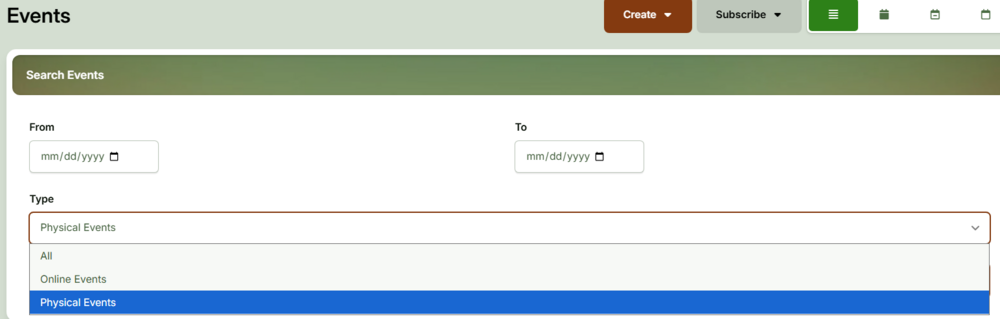
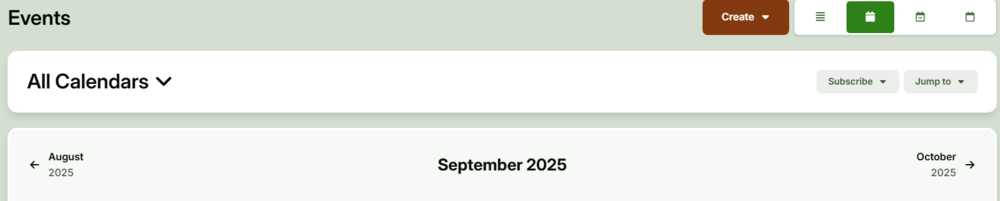
Currently the Calendar Events search in Overview only has options for All, Online or Physical events with no option to select a calendar. Could we get another option/dropdown to select which calendar to include? The Overview is great because it shows the splash image of the events. You have to select the Monthly view in order to select a calendar but then you get no splash image, just a raw calendar with tags within the dates.
-
Hi all, We've used the translation tool to change the Clubs module and names to Meetups due to legal requirements. All aspects are working fine except the url address for the module still shows as xxxx.com/clubs/ . What did I miss?
-
Us too around 9pm EST
-
What is the maximum image size for ranks and badges in V5? I see most are SVG file types. Can other file types be used and are their any restrictions. Has anyone developed their own rank and badge images? Thx
-
Just wondering why there is no 'Create New ' button for clubs in the ACP>Community>Clubs when signed in as Admin. All other applications have one. You have to goto the site and Clubs in order to create one.

-
Is it possible to have 2 club applications? We have two aspects of our community, one is actual member activities 'clubs' and the other is 'neighborhoods'. Both are basically the same and members can be part of both either as joined members, invited, or added. Our issue is that legally the neighborhoods cannot be called 'clubs' which cuts out about half of our plan. Any way we can segregate them somehow? Thx





