Jump to content
View in the app

A better way to browse. Learn more.

Invision Community

A full-screen app on your home screen with push notifications, badges and more.

To install this app on iOS and iPadOS
  1. Tap the Share icon in Safari
  2. Scroll the menu and tap Add to Home Screen.
  3. Tap Add in the top-right corner.
To install this app on Android
  1. Tap the 3-dot menu (⋮) in the top-right corner of the browser.
  2. Tap Add to Home screen or Install app.
  3. Confirm by tapping Install.

Jarett Hulse

Clients
  • Joined

  • Last visited

Everything posted by Jarett Hulse

  1. Thank you. The good folks of the support team were able to get me back up and going.
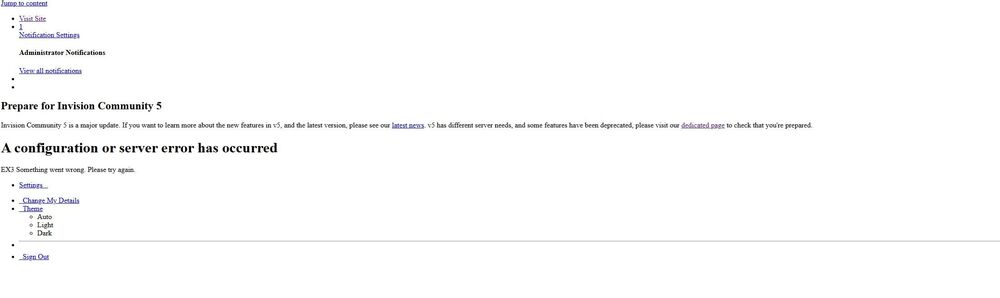
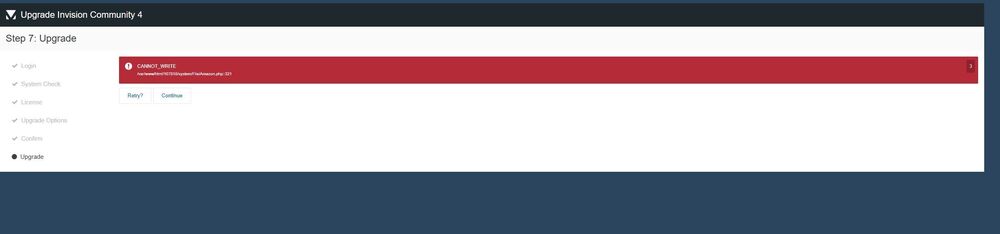
  2. I tried to update as usual through Admin Cp. The update failed and it crashed my whole website. I don't know what to do here. Here is the screenshots of what I'm getting as the error message. If I hit retry or continue the screen blinks for a moment to try again and ends up right back here. I usually go to my admin CP through the website, but since it's down I had trouble figuring out how to try to get back to the my dashboard. I type in my website ironhistory.com/admin and it takes me to the below error page If I just try going to my website ironhistory.com it gives me this error. Can someone please help me? Or point me to someone who can help me?
Account

Navigation

Search

Search

Configure browser push notifications

Chrome (Android)
  1. Tap the lock icon next to the address bar.
  2. Tap Permissions → Notifications.
  3. Adjust your preference.
Chrome (Desktop)
  1. Click the padlock icon in the address bar.
  2. Select Site settings.
  3. Find Notifications and adjust your preference.
