


HRN-Admin
Clients
-
Joined
-
Last visited
Everything posted by HRN-Admin
-
Thanks Marc, but how can I then remove the "greeting"? We never did change anything in the template, but it now shows one.
-
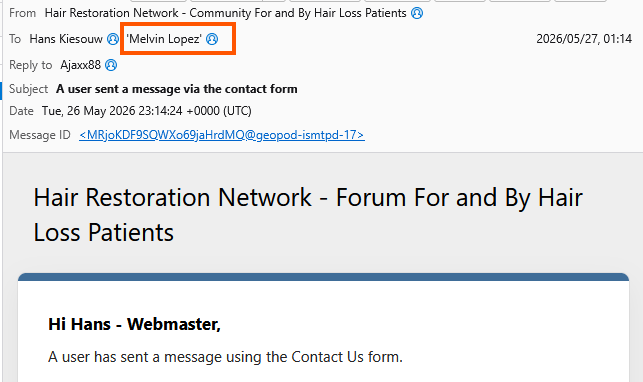
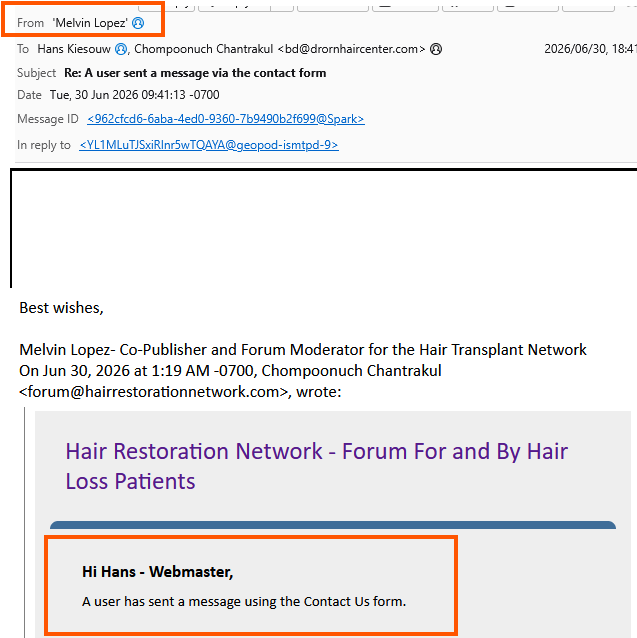
Marc, I do understands, but when it is sent to another user, Melvin, it still arrives in his mailbox with "Hi Hans - Webmaster", where it would ideally be "Hi Melvin" when it arrives in his mailbox.
-
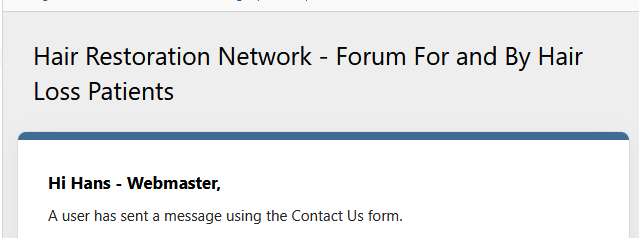
OK, so when a user send in a message using the contact form all recipients on the list have the same greeting, as we have multiple recipients of the contact us form. However all of them have the same greeting and it does not change when it is also received by other members that are included in the form. This is what appears in the message, even when sent to others, such as Melvin: I see this when Melvin replies and the message still has my name ion the greeting.
-
Thanks Marc, So how do I change this in the code as I don't see the bit where the greeting goes: {$email->language->addToStack("email_contact_form", FALSE)} <br><br> <table width='100%' cellpadding='0' cellspacing='50' border='0'> <tr> <td dir='{dir}' width='40' valign='top' class='hidePhone'> <img src='{$member->get_photo( true, true )}' width='40' height='40' style='border-radius: 6px;'> </td> <td dir='{dir}' valign='top'> <table width='100%' cellpadding='0' cellspacing='0' border='0'> <tr> <td dir='{dir}' style="font-family: system-ui, 'Helvetica Neue', helvetica, sans-serif; line-height: 1.5; font-size: 14px;"> <strong class="color_hard">{$email->language->addToStack("email_contact_said", FALSE, array( 'sprintf' => array( $name, $fromEmail ) ) )}</strong> <br> {$email->parseTextForEmail( $message, $email->language )|raw} {{if $referrer}} <br><br><div class="color_soft">{lang="contact_form_referrer" sprintf="$referrer, $referrer"}</div> {{endif}} </td> </tr> </table> </td> </tr> </table> <br><br> <em class="color_soft" style="color:#4b4b4b;">— {setting="board_name"}</em>
-
Thanks Marc, I am referring to the contact us email, which is sent to a number of admin/moderators. So when someone replies, other than me, it will have my name withing the email, which is what I would like to be non user specific. Is this possible?
-
Hi There, Is there a way to change how emails generated on the forum, like contact us, and the name at the top of the generated email. Currently, it is "Hi Hans - Webmaster" and I would like this to be a different user/admin? Thanks Hans
-
Thanks Marc, We don't have a custom email template, so will just revert to using an image banner, which seems to work fine. Not really a major issue, so thanks for all the support.
-
Thanks Marc, I did try and use some plain text and that also did not show. We do have images that show in an Advert, so we know that is working. Maybe I should just create an image and use that instead of trying to use text, but I would prefer to have text.
-
I want to use the Advert Banner HTML option to insert a notification about updates. For some reason nothing shows when I use the following code: <div style="font-size:15px;line-height:1.4;"> <p><strong style="color:#60a5fa;"> Site Maintenance Notification! </strong></p> <p> We will be updating this forum on [date] at [time] CET so will be unavailable for around 4 minutes. <br> Thank you for your understanding. </p> </div> Am I missing something here? Any assistance will be appreciated.
-
We are looking for a specialist who can build an app that will curate information from our forum and then add the summary to a specific set of users. Is such a feature possible in the first place and what sort of time frame would be required? Thanks Hans
-
Thanks, but our DNS details point to the invisionsonic.com name servers, where we don't have access. Still trying to figure this out as we have the domain registered with GoDaddy, but there I am unable to add any records as they don't control the name server.
-
Thanks Mark, Being a real idiot, please let me know how I can set this up using our actual domain?
-
We have a forum which is hosted with AWS and we need to set up some email accounts for the domain, but have no idea how this can be done. Is there a way to do this and if so, how? Thanks Hans
-
In the previous version, there was an option to use HTML in the bulk mail. This is no longer available, so we are unable to use the previous formatting option for our bulk mail. Is there any way we code HTML into our bulk mail? Thanks Hans
