


AliceJBlack
Clients
-
Joined
-
Last visited
-
Thank you soooo much! I didn't even notice that menu!!!!
-
-
As shown on the picture, I am currently displaying topics with a picture. It's been like this by default and the picture is either blank or if an image has been uploaded in the thread, it's that image. However, I would like to remove this and haven't been able to find the setting to do so. Could someone please help me by letting me know how to display topics in the list without these images?
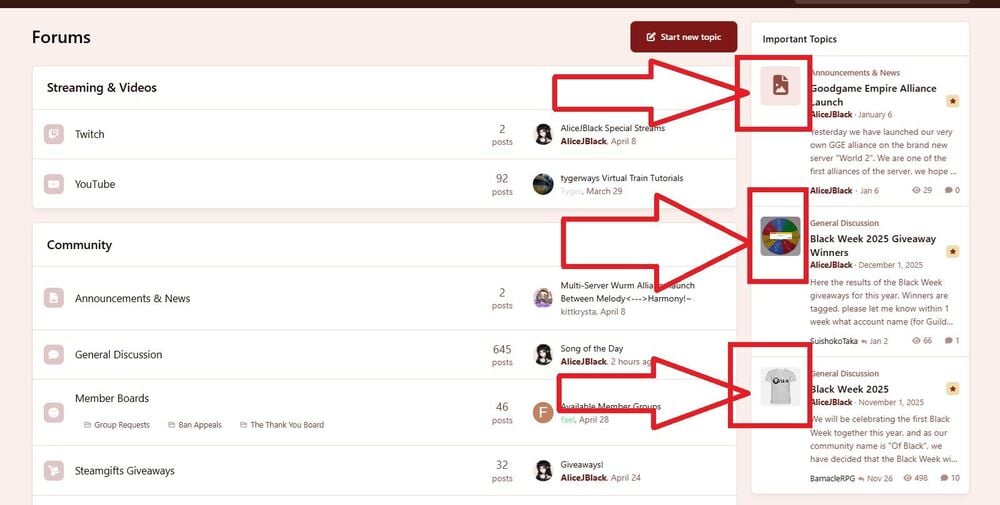
-
-
-
-
In the bottom of my page - https://forum.of-black.com/ - it says Copyright 2025 Of Black. I'd like to know how to edit this, I've tried the theme editor but the code there is blank so where do I actually go to just edit that to say 2026? Thanks in advance. Nevermind, I found it. It's in another setting. Thank you.
-
 AliceJBlack reacted to a post in a topic:
How to set number of people following a thread to visible?
AliceJBlack reacted to a post in a topic:
How to set number of people following a thread to visible?
-
So, on any other Invision site I've encountered, it displays a number of followers on the Follow button, but on my website it doesn't. I've searched the AdminCP for Follower but I didn't find what I was looking for. What do I need to change for Followers to appear? To clarify, This is what my website looks like: As you can see, there is no number of people following displayed. This is the same with posts followed and not followed. What am I missing? Thanks in advance!
-
That works! Thank you so much!
-
-
-
I'll try to research the span. Thank you so much, sorry for asking something outside your scope.
-
So, here's the thing: I obviously know how to make a group appear in a certain color. However, I would like for one group name (Administrators) to be bold and colored. I have tried this: <strong><p style="color:#671510">Group Name</strong> And this: <strong><p style="color:#671510">Group Name</p></strong> However, it creates strange effects for the group members' names. It does make them bold and colored but with the /p it puts everything in a new line in the forum previews, and without the /p it still makes all the other online members appear in a new line. What I want is just to make the group members' names Bold and colored. How do I do this best? Thanks in advance for your help.

