



Neville1
Clients
-
Joined
-
Last visited
-
-
-
Is there any way we can add to the OEMBED hookups? Like this: Thank you!
-
-
There seems to be an error in the embed size editor: I can paste a video, and it allows me to input embed size, but it doesn't pass along those values: However I can manually drag the video to make it smaller, but those values don't change. Can this be looked into, I've found this error for any embedded media of all types across IPS5.
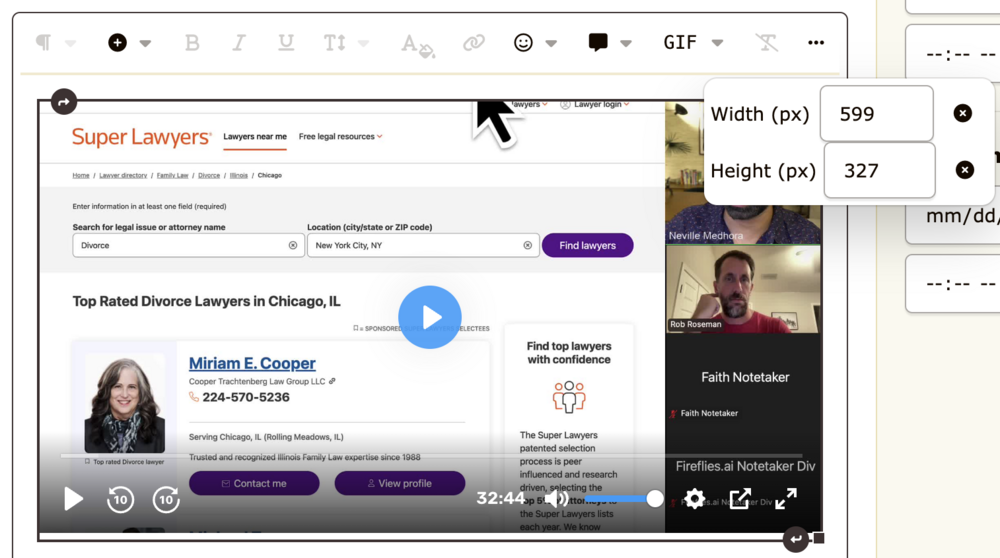
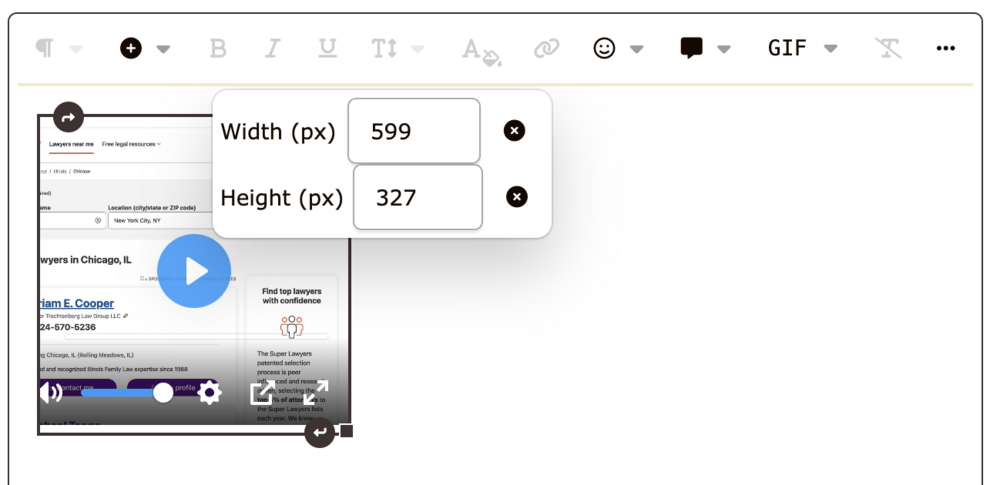
-
-
Thank you, tried it! This works to some degree, but I THINK there is a slight bug: Custom height works great (I can click up/down and it auto updates the height). Custom width field seems to not work at all. Entering any value does not update. We also noticed this same issue when embedding any other types of content. Can you check if you can recreate this custom width bug as well?
-
-
Hello! Is it possible get Bunny.net video embeds working on Invision 5? Example video link: https://iframe.mediadelivery.net/play/480956/5f26c67b-5f24-4e2d-8a38-7a6d318180c4 It uses OEmbed: https://docs.bunny.net/reference/oembed_getoembed Is this something that can be added, or is there a way to add this on my community? So far I've tried allowing the domains for embed but it doesn't work.
-
-
 Neville1 reacted to a blog entry:
Introducing Quests: Tailored gamification and bridging in-person events with your community
Neville1 reacted to a blog entry:
Introducing Quests: Tailored gamification and bridging in-person events with your community
-
-
 Ehren reacted to a post in a topic:
Invision Community 5: Dark mode, accessibility, performance and mobiles!
Ehren reacted to a post in a topic:
Invision Community 5: Dark mode, accessibility, performance and mobiles!
-
Great work on this @Ehren!!


