donrocks
Clients
-
Joined
-
Last visited
Everything posted by donrocks
-
DawPi, Marc, I just wanted to say thank you for having taken the time to reply to me. I'm going to try this right now. Kind regards, Don Rockwell
-
Hello folks, I've had a forum with Invision for 20+ years. Long ago, it was very busy and popular, and there are many, many topics that are "evergreen," and will be of use 100 years from now (in a very esoteric way). :-) Anyway, I have this forum which hasn't been updated in over a decade: https://www.donrockwell.com/forum/19-industry-superstar-chats/ I'm reincarnating one of these "chats," and moved it - as well as the forum - to a location on top of my website. (In other words, I went into ACP -> Forums, and physically moved the forum called "Industry Superstar Chats" up to the top of the website). I know the other topics are there because, before I physically moved the forum, I saw the list of them; now, when I try to click on the forum, nothing is there. Clearly, moving the forum (I guess you'd call it a "subforum") had something to do with this, but I'm not sure what. Before I muck anything else up, I thought I'd write here. I can always move it back, or whatever I might need to do in order to fix this. Thank you as always to the inimitable Invision support team. For over 20 years, you have been wonderful.

-
I figured out what the problem was: I ran the update on a Chromebook. I checked later on my iPhone - this is what must have caused the invalid security token ... when I tried just now on my Chromebook, it worked. Moral of the story: Don't use two different devices to update!

-
I tried! I get this, and there’s nothing to click on.
-
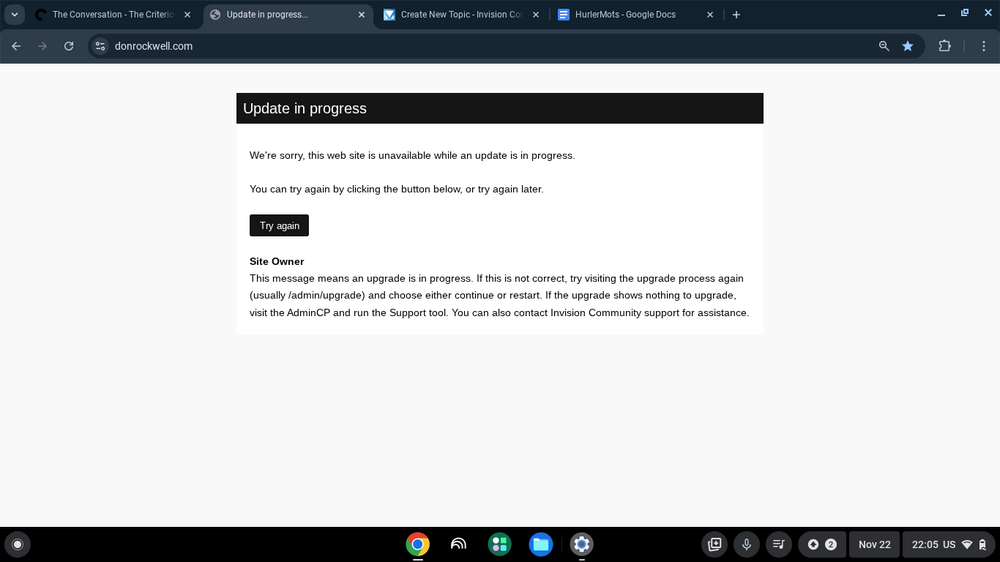
Hi all, I did the Update Thang today (long ago), and when I go to my website, I get this