donrocks
Clients
-
Joined
-
Last visited
Everything posted by donrocks
-
Oh, yes, I see now. I actually misread what you typed above (I was in a hurry, and somehow thought your "two English" response referred to my "Spanish and French" question). My apologies, Jim! Thanks as always, Don
-
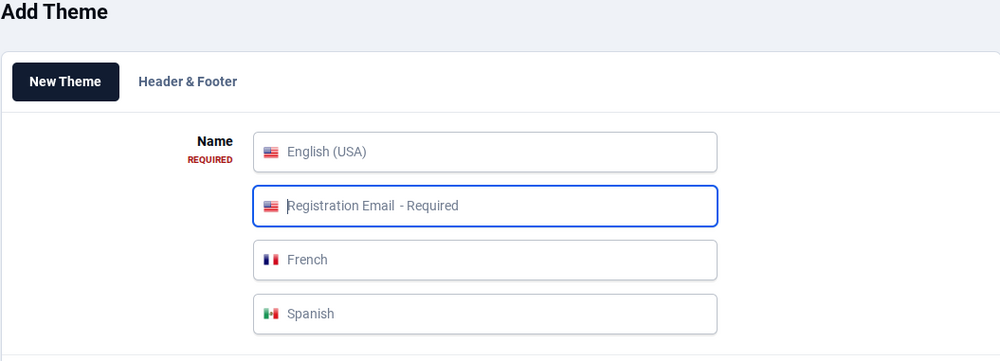
I see (and yes, I know why I would have picked French and Spanish). But what I don't know is: Why are there two entries for English (the top two)? I've never understood this. I've always seen these fields pop up (in the ACP) in numerous places or so it seems. What is their general function - labeling a portion of the overall system for the end users? TUAR, Don
-
Jim, Yes, it would make sense that I'd install French and Spanish, but why are there two for English? And what exactly does filling in these fields here do? (It seems like I always need to fill out the English fields, but I can leave the French and Spanish fields blank - and I've seen these four entries in many, many places in the past, not really understanding them.) What I'm trying to do right now is make the default for donrockwell.com as it currently is for GUESTS and NEW MEMBERS, but make it less cumbersome for experienced users, i.e., people with more than 10 posts, and I'm finding myself creeping through the process, step-by-step, courtesy of ChatGPT (and also your tutorial). If you go to the home page right now, you can see that it looks very nice, but it's also very long, and I think experienced users would prefer to have a more linear presentation so they didn't have to endlessly scroll. TUAR (Thanks as Usual and in Advance with all my Respect), Don And happy 4th - NO NEED to answer this until next week!
-
This has been here for years, and I've always worked around it, but now I want to learn: What ARE these four lines with "1. NAME (required) 2. Registration Email (required) 3. French and 4. Spanish"? The French and Spanish entries are probably something I set up, long ago, and have always left them blank. But I think I've always needed to fill in the first two entries despite not knowing what they even mean. Thanks as Usual and in Advance (TUA!) Don
-
Thank you, Jim. I'm looking now. Best regards, Don
-
Marc, The very first thing you see (titled "Actualities") is a Category; not a Forum. When I try to edit it, I don't see any options for card images, no matter how deep I drill. (I'm also ignorant about what a "card image" is, but I'm hoping I can upload photos to be card images?) Also, is there any way to make these categories/forums physically smaller so the users don't have to scroll down so much? That first Category really dominates the look of the page. Thanks again, and I suspect I may have follow-up questions. Don PS - Also, I remember someone told me (in a private email) that there was a tutorial to learn "The New Invision." Would you mind posting that here? I suspect others could benefit from it also. It will probably prevent some of my future questions. :-)
-
EG, go to donrockwell.com - every forum is accompanied by a gray image. This can probably be easily answered by an X -> Y -> Z type answer, but all help will be greatly appreciated. Cheers, Don
-
DawPi, Marc, I just wanted to say thank you for having taken the time to reply to me. I'm going to try this right now. Kind regards, Don Rockwell
-
Hello folks, I've had a forum with Invision for 20+ years. Long ago, it was very busy and popular, and there are many, many topics that are "evergreen," and will be of use 100 years from now (in a very esoteric way). :-) Anyway, I have this forum which hasn't been updated in over a decade: https://www.donrockwell.com/forum/19-industry-superstar-chats/ I'm reincarnating one of these "chats," and moved it - as well as the forum - to a location on top of my website. (In other words, I went into ACP -> Forums, and physically moved the forum called "Industry Superstar Chats" up to the top of the website). I know the other topics are there because, before I physically moved the forum, I saw the list of them; now, when I try to click on the forum, nothing is there. Clearly, moving the forum (I guess you'd call it a "subforum") had something to do with this, but I'm not sure what. Before I muck anything else up, I thought I'd write here. I can always move it back, or whatever I might need to do in order to fix this. Thank you as always to the inimitable Invision support team. For over 20 years, you have been wonderful.

-
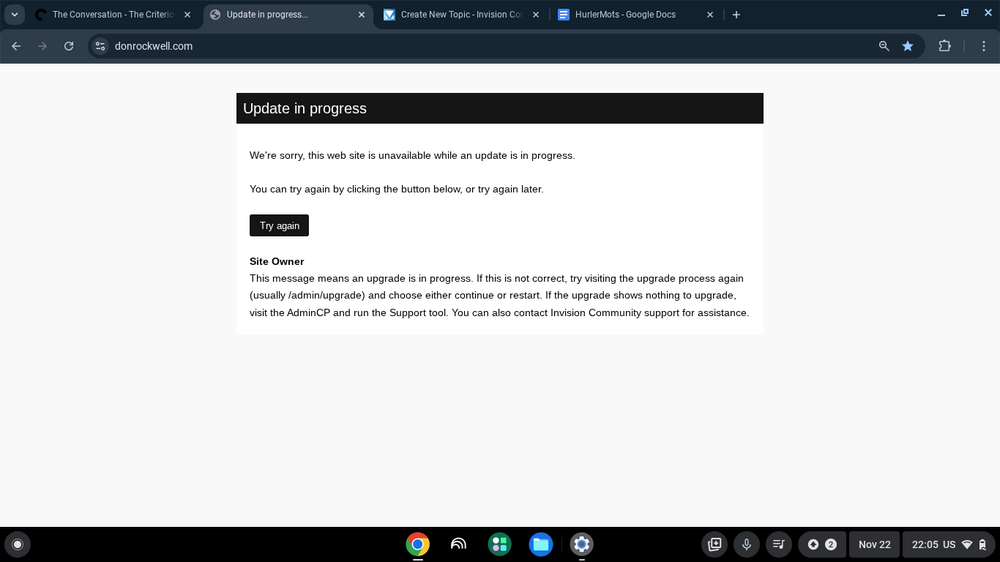
I figured out what the problem was: I ran the update on a Chromebook. I checked later on my iPhone - this is what must have caused the invalid security token ... when I tried just now on my Chromebook, it worked. Moral of the story: Don't use two different devices to update!

-
I tried! I get this, and there’s nothing to click on.
-
Hi all, I did the Update Thang today (long ago), and when I go to my website, I get this