Joel Rainey
Clients
-
Joined
-
Last visited
Everything posted by Joel Rainey
-
Thank you guys for the help!
-
The only 3rd Party items or plugins we're running is uStatus to provide status updates on Invision 5.
-
This was what we tried to do initially, and regardless of what we named the group (Suspended, Banned, Bad), if we fully restricted access to the site, which is our goal, then other users simply got the following screen when they try to access the profile: I tested this option out, and if we just use the 'Restrict from posting content', the banned user still has access to all the pages on the forum, they just can't post anywhere, which is not the route we would like to take, especially given some concerns around plagerism. Given the fact that our moderation team has been working with the member for nearly a year in regards to the guideline offenses, the banning was the final step in discipline and can't be appealed. If the hiding of the profile is more of a feature of the banning/restricting from the site rather than a bug, we can work around it, we just thought potentially with the error code, there might be something wrong.

-
Unfortunately, we recently had to ban a member of our forum due to multiple offenses of our community guidelines, however, we would like the community members to still be able to view the banned profile page as our moderation team left an explanation there as to the general causes behind the ban (and if anyone wanted to view their prior content that was still on the site). Currently, as far as our admin team can figure out, when the user is banned with the ban tool or put into a group that can't access the site their profile can't be accessed by members and gives that error code 2C138/U. The admins and moderators can still see the profile, but our regular members cannot. Using our test accounts for these items, we tried putting one just under the ban, profile didn't work. We tried putting it just under a member group that can't access the site, profile didn't work. We tried putting the profile under a member group that could access the site but with limited abilities which can still see more then we want, so not effective as alternative to banning, and profile works. Is there a method we don't know about that allows us to fully ban a member, but still have their profile visible to the rest of the community?
-
Wonderful, thank you! I thought that may be the case, but just wanted to ensure the bug was brought to attention in case it hadn't been noticed yet.
-
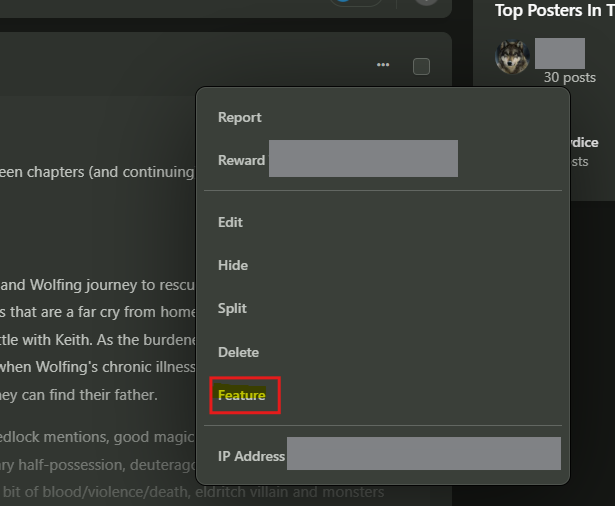
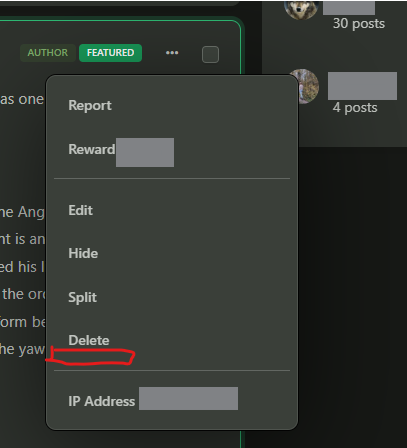
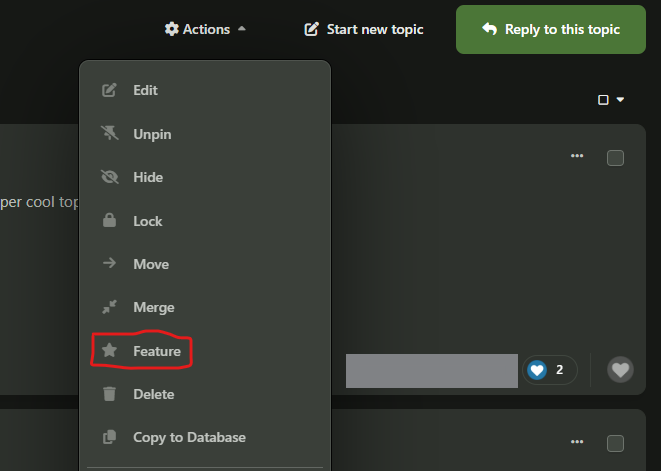
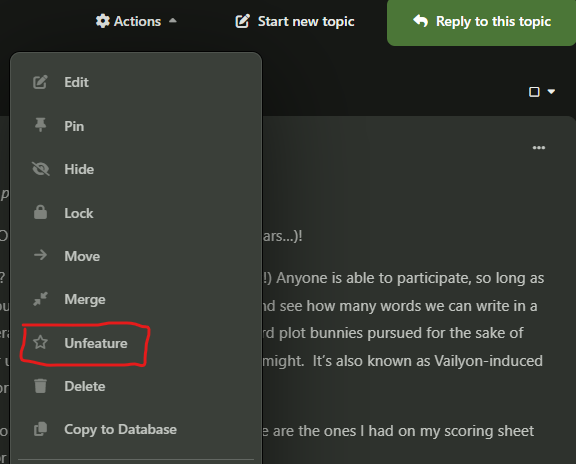
We recently noticed an issue in our platform where we have lost the ability to "Unfeature" specific posts in a topic. For posts, the button to "Feature" is still there, however, once featured, the post does not have an option to "Unfeature": This function still works on a topic level (see below), but the post-level is missing the Unfeature option. Topic level :