Jump to content
View in the app

A better way to browse. Learn more.

Invision Community

A full-screen app on your home screen with push notifications, badges and more.

To install this app on iOS and iPadOS
  1. Tap the Share icon in Safari
  2. Scroll the menu and tap Add to Home Screen.
  3. Tap Add in the top-right corner.
To install this app on Android
  1. Tap the 3-dot menu (⋮) in the top-right corner of the browser.
  2. Tap Add to Home screen or Install app.
  3. Confirm by tapping Install.

Ben DTL

Clients
  • Joined

  • Last visited

Everything posted by Ben DTL

  1. thanks for your reply marc - I'm a bit nervous about changing the theme on a live site... is there an easy way to do this?
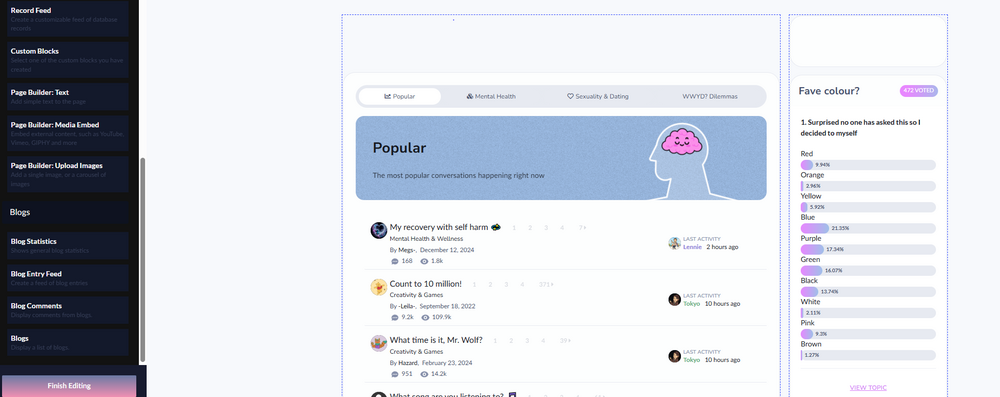
  2. Morning all - I am trying to edit the homepage of a forum I work on - but i dont seem to be able to edit blocks that are already there? I can add new blocks but cant make changes to existing ones...any ideas? is it perhaps a user permission issue? I want to amend the content in the Rh column, but even though i have the blue dotted line around the block i cant seem to edit... thanks in advance for any help... t
Account

Navigation

Search

Search

Configure browser push notifications

Chrome (Android)
  1. Tap the lock icon next to the address bar.
  2. Tap Permissions → Notifications.
  3. Adjust your preference.
Chrome (Desktop)
  1. Click the padlock icon in the address bar.
  2. Select Site settings.
  3. Find Notifications and adjust your preference.