Florent Cadet
Clients
-
Joined
-
Last visited
Everything posted by Florent Cadet
-
Florent Cadet replied to Florent Cadet's topic in Invision Community 5: Beta Testing's Beta DiscussionI found the root cause: Enabling this feature in chrome://flags/ causes the page crash. Considering I hope that a future chrome release will not brick it again.

-
Florent Cadet replied to Florent Cadet's topic in Invision Community 5: Beta Testing's Beta DiscussionYou speak about chrome system memory... Chrome v.130.0.6723.92 / 130.0.6723.117, the issue is still there If you want some technical ways to explore https://stackoverflow.com/questions/69161461/google-chrome-status-access-violation-error https://stackoverflow.com/questions/76281364/status-access-violation-when-middle-clicking-page-ajax-php
-
Florent Cadet replied to Florent Cadet's topic in Invision Community 5: Beta Testing's Beta DiscussionI9 14900 32Gb ram 😇
-
Florent Cadet replied to Florent Cadet's topic in Invision Community 5: Beta Testing's Beta DiscussionOn the chrome help page: I have this issue only on this one and since I upgraded. I also cleared the browser cache.
-
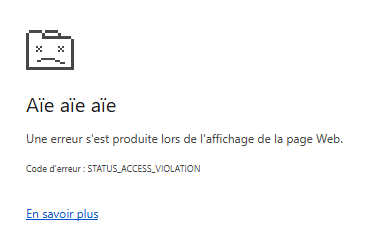
Good evening, I just tried to update to the latest beta 3 on my on premises staging. Some issues with the first upgrade since an addon (feature content) was completely crashing the site, I finally succeeded to upgrade doing a new fresh migration and disabling all the extra addons before to start. The cache has been cleaned properly, I'm using a fresh new out of the box theme and I uninstalled all the custom addons I had before the upgrade. My problem is now that the client area is just unstable for me and and chrome is crashing when I start to scroll a page, especially the home page which is instant crashing all the time. First, the page is correctly rendered, I start to scroll and Chrome displays the error attached to this post. On the gallery, I can scroll and it happens rarely but it still happens sometimes. Since is looks like a render issue, I have no issue at all on the front side (no error in dev tools console) and on the back side aswell. Please note that I use a internal staging domain which is not reachable from the outside, I don't know if it can be a clue to this behaviour. Any kind of idea to fix that will be appreciated. UPDATE: I have no issue at all using Firefox, really strange and really complicated to debug