


BFC_Steve
Clients
-
Joined
-
Last visited
-
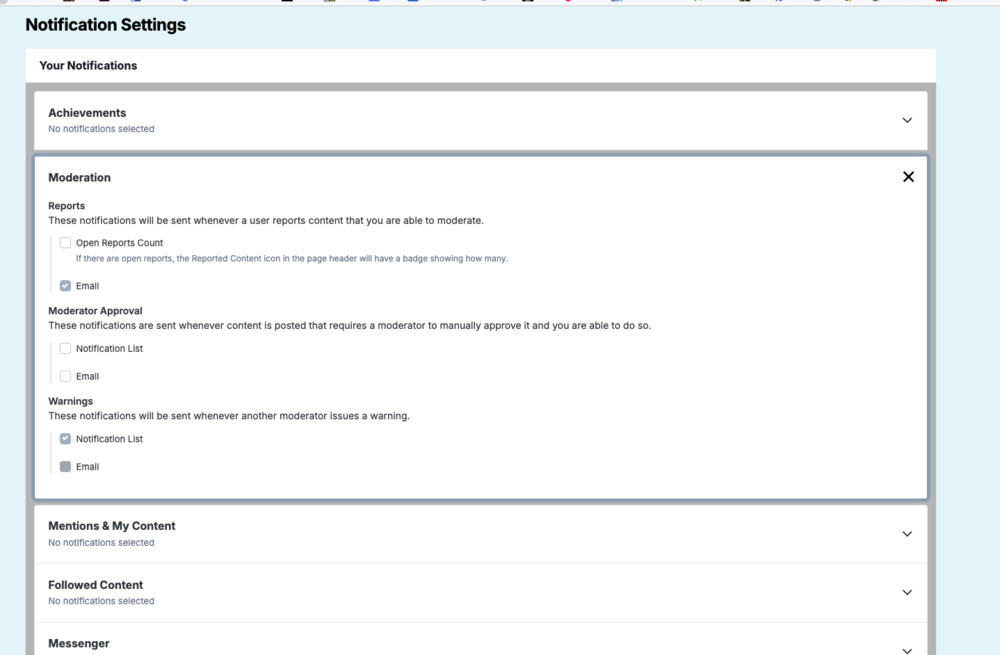
Hi all, We have an owner of our Forum that wants to have access as a failsafe "just in case". He has no role in actually administering, nor does he want it. However, I can't seem to turn off email notifications for user who flag abusive posts. I've turned off everything I can find and yet I still see this: This seems to indicate that there is NO way to disable his email notifications. Is this true? If not, how the heck do I get those checkboxes unchecked? Thanks! Steve
-
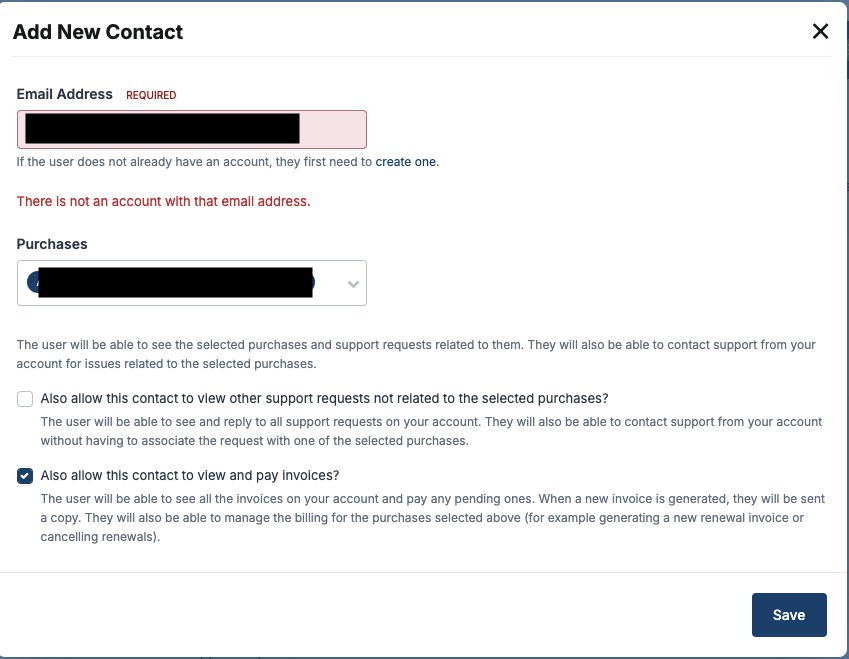
Hi all! I need to add someone to receive invoices from Invision. The person did not previously have a forum account, so he created one and it is fully functional. Yet when I go to Alternative Contacts to Add New Contact the email check fails: I have done an email copy and paste right from the Membership detail for his account and still won't accept it as valid. I've made sure all my tracker blockers are disabled and still no luck. Can anybody help me with a workaround? Thanks! Steve
-
Cool. When I checked earlier today I could have sworn the option to patch wasn't available. I now see it available and have applied it. Thanks! Steve
-
We've been running into this problem with Version 4.7.22 (current) of the cloud system for a week or so. It is showing itself in a 4500+ page thread (and no, that's not a typo). Sometimes the posts come back, sometimes (we suspect) they do not. Given that the self-hosted version experienced this same problem at the same time we experienced it, and that required a patch, it doesn't seem like clearing our cache will do much good. Is there a patch coming for the cloud based system? Steve

