


Everything posted by Chris59
-
Good point and i agree , am just wait you to quote me with the correct code how to do it 😂 fill it up with spacebar characters and hope it will be same lenght 😇
-
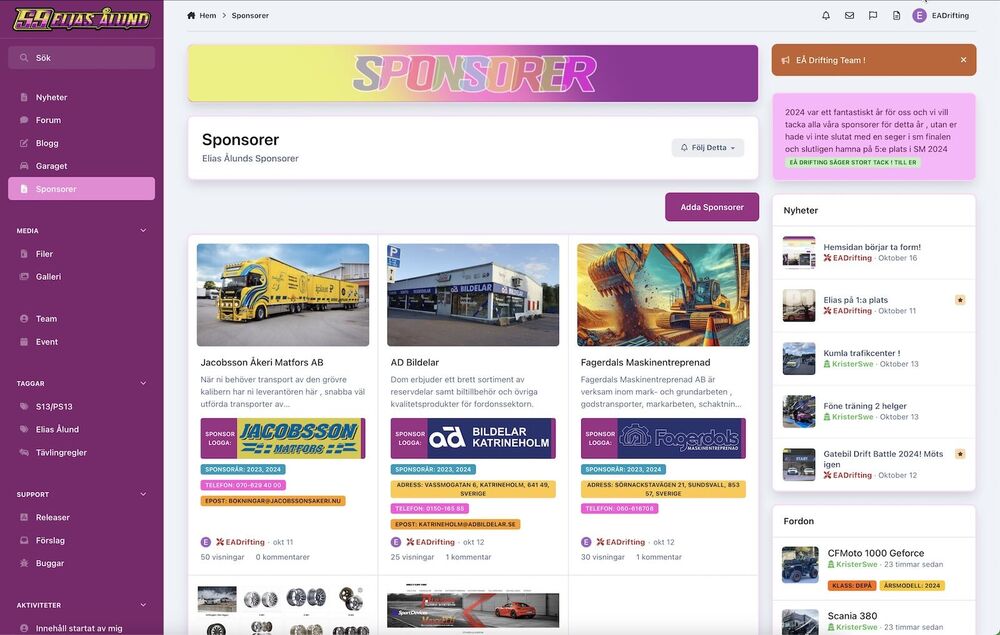
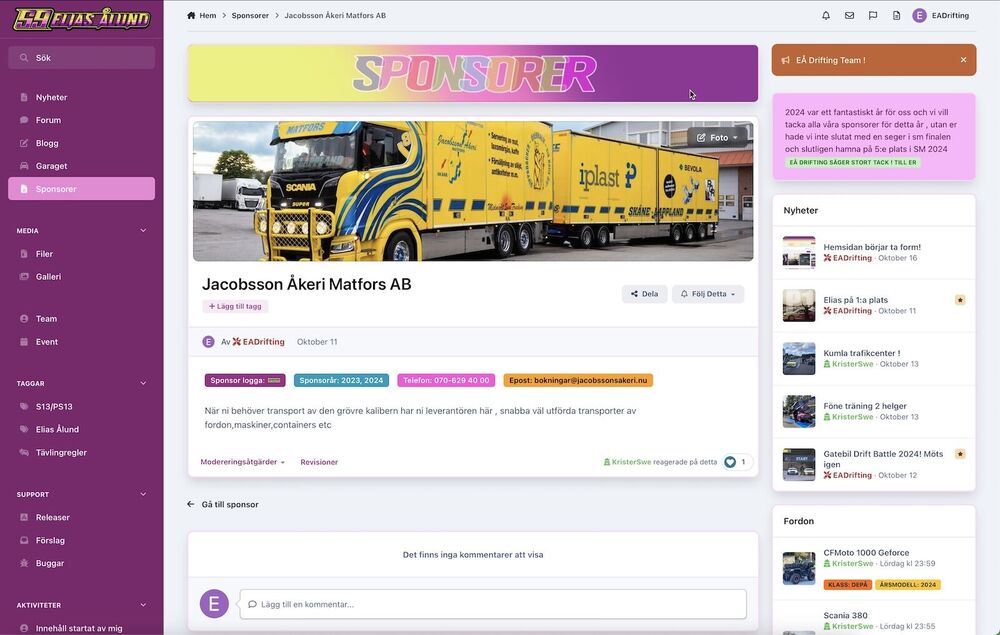
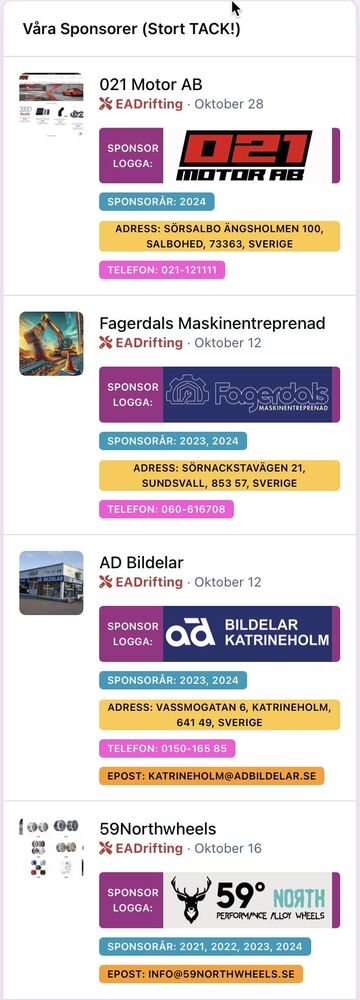
My son drive motorsport ,and then its superimportant with sponsors , i have have made a database to honor them as our partners , what you think? Sponsor home --> Sponsor record view --> Sponsor widget -->
-
Send me a Japanese puppy 🤩😂 i love them . ok good luck
-
This is v4 database (Credits go to https://invisionify.com (works to import in v5) NOTE: If you have v5 beta 3 Sample Documentation Database.xml But need template changes to get menu on left side , i havent had time look into it yet
-
Have fun , you get a base and see how things are done and working Good luck 🤔
-
😂 Old man with old school learning thanks
-
correct 😇 Thanks
-
screenshot ?
-
Can be changed for different uses easy . rename it and you done 😊
-
Maybe @Ehren have a solution for this 🙂
-
Click on theme editor and mobile view and make your changes, Desk,Tablet,Mobile has its own settings, when you happy with the settings you have done hit 'save'

-
No worries , glad to help 😅
-
?? Well that is what feature color does?? Have a nice Sunday 🙂

-
Version 2 in the first post if you want the version with critical etc Cheers 🙂
-
If someone want to change group formatting I have a little tip here how to Go to acp and user/groups On group formatting click 'Use html' First box with the code for the formatting Second box to close the classes First box copy and past this code = <strong style=”color:#bc3a3a;”><i class=”fa-solid fa-screwdriver-wrench”></i> NOTE: you must have one spacebar after the </I> so the text and font awesome get a little space Second box we close the classes with = </font></strong> If you don't want bold text you can remove the <strong> and </strong> See first pic how it can look Font awesome ii used Admin = <i class="fa-solid fa-screwdriver-wrench"> Members = <i class="fa-solid fa-user-tie"></i> Moderators. = <i class="fa-solid fa-user-secret"> Have fun with it, you get the point when you start play with it, Have a great Sunday 🙂 Font Awesome (Note: you can only use the free classic one. not the font marked pro, click the font awesome icon you want to use and you get the code directly to use) https://fontawesome.com/search?q=user&o=r


-
That is very simple, go to the acp and edit the forum 'Feature color'

-
Absolut , 4 deltävlingar nästa år , ni är välkomna i depån för lite action 🤩 Sorry guys little internal talk 😇
-
Tack för det @Jimi Wikman 🙂 https://eadrifting.se finns jag
-
See first post , released now 🙂
-
My version on release database , another one i using , what you think 😇 Here is the database . play with it , tip: have long id in order to show them in order, any suggest are welcome. My version of the Release Notes v5 (Eng) (Not multilang in this release) Let me know if someone want that Note: v5 Beta 3 , not for older version, do not import this if you don't know what you doing! Release_Notes_v5.xml

-
Am working on a garage database for my sons homepage, all is done with pages databases , just wanted to share some sneak peaks how powerful pages is , there is still some bugs in some fields , I may release this to the public if there is interests from community . Databases like this can be used for many kinds of collections as well , just need to be creative and play around - Stay safe and have great Halloween weekend 🙂 --> Garage home --> Record view


-
Here is suggestions database if someone need a good start for a one
-
Am back with another database for you to play with , this database is not multilang and only English at the moment , if someone want multilang make a comment .. Suggestion.xml v5 Beta 3 . Not for older version , only import if you know what you doing , Thanks Add a RAW Html widget to the suggestion page and add this code <strong>SUGGEST DEFINITION'S'</strong></br></br> <i class="fa fa-solid fa-inbox"></i> <span class='ipsBadge ipsBadge--author'locked'>Pending</span> Will look into this suggest as soon as we have time.</br></br> <i class="fa fa-solid fa-inbox"></i> <span class='ipsBadge ipsBadge--featured'>Under review</span> Received and we are checking the possibility of realizing the suggest.</br></br> <i class="fa fa-solid fa-inbox"></i> <span class='ipsBadge ipsBadge--solved'>Suggest accepted</span> We think the suggest is good and needed on the website, so it is now on our to-do list.</br></br> <i class="fa fa-solid fa-inbox"></i> <span class='ipsBadge ipsBadge--pinned'>Suggest rejected</span> The proposal cannot be implemented for various reasons, so we will respond with the reason for rejection</br></br> </br></br> Screenshot Enjoy 🙂


-
I have suggestion database already and will share it shortly so if you need a a base wait little bit 😉
-
Am playing around with bugtracker added some more as Critical, What part the bug is , screenshot below --> Work with Pages databases is real fun 🙂 I have suggestions, garage, sponsors, its fun and look good









