


Within Invision Community, attachments can be added in many areas of the site, including posts, blogs, calendar entries, and other content types. These attachments may include images, documents, or other supported file types that help enrich your content.
All files you upload are stored in your personal attachments area, allowing you to easily keep track of what you’ve shared across the community. Rather than uploading the same file multiple times, these attachments can be reused whenever needed, making it quicker and more efficient to add existing files to new posts or other content areas.
My Attachments
By selecting your name on the front end of the site and choosing 'My Attachments,' you can view a list of all files you’ve uploaded.
My Attachments Listing
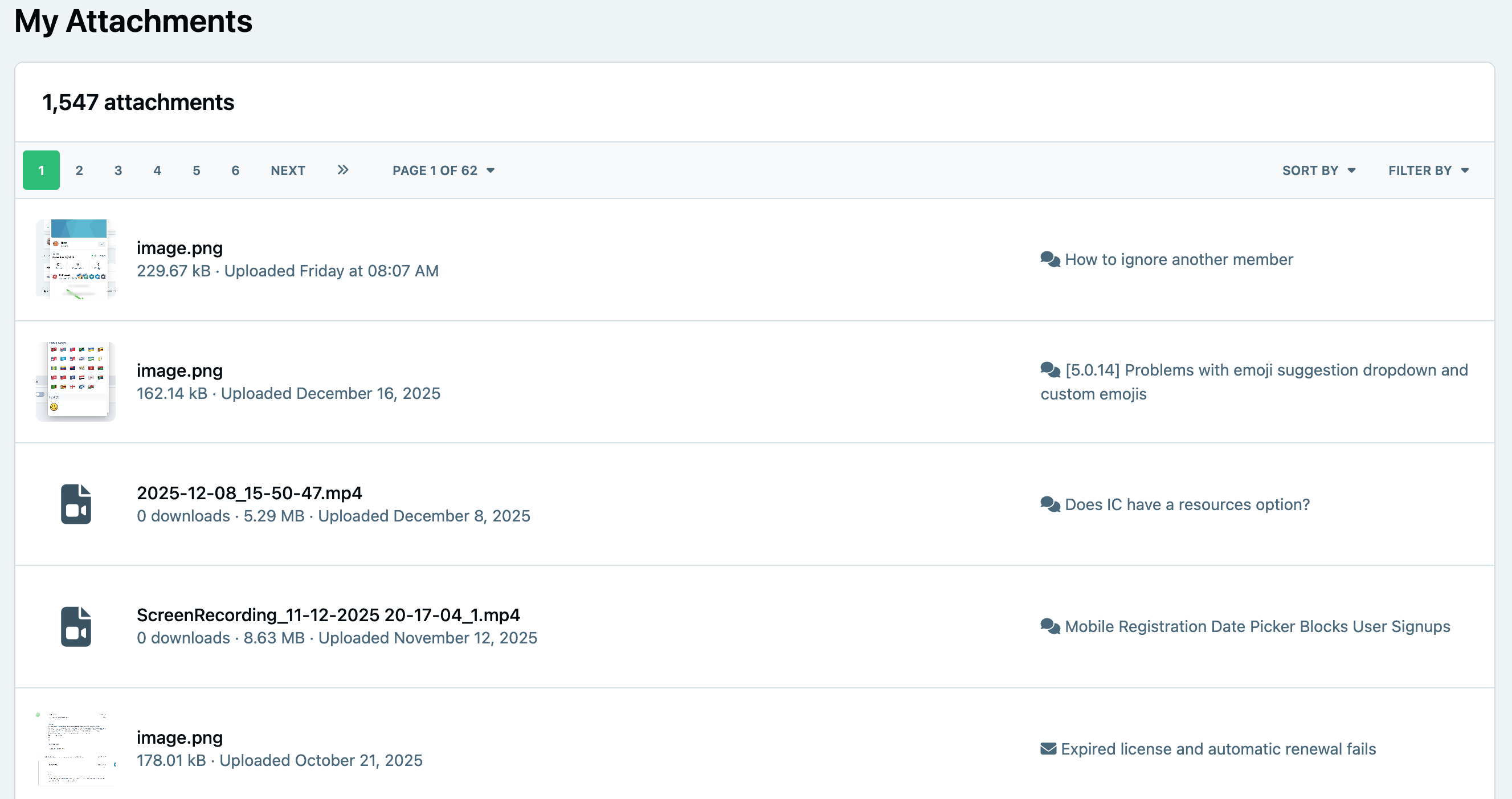
From this page, you can see where each attachment is currently being used, making it easier to locate content if needed. You can also download attachments directly from this screen.
Reusing Attachments
Attachments—along with other media such as Gallery images, Calendar entries, and more—can be reused when creating new content. To do this, select the 'Insert Existing Attachment' icon, which can be found in the bottom right of the editor.
Select To Reuse Attachments
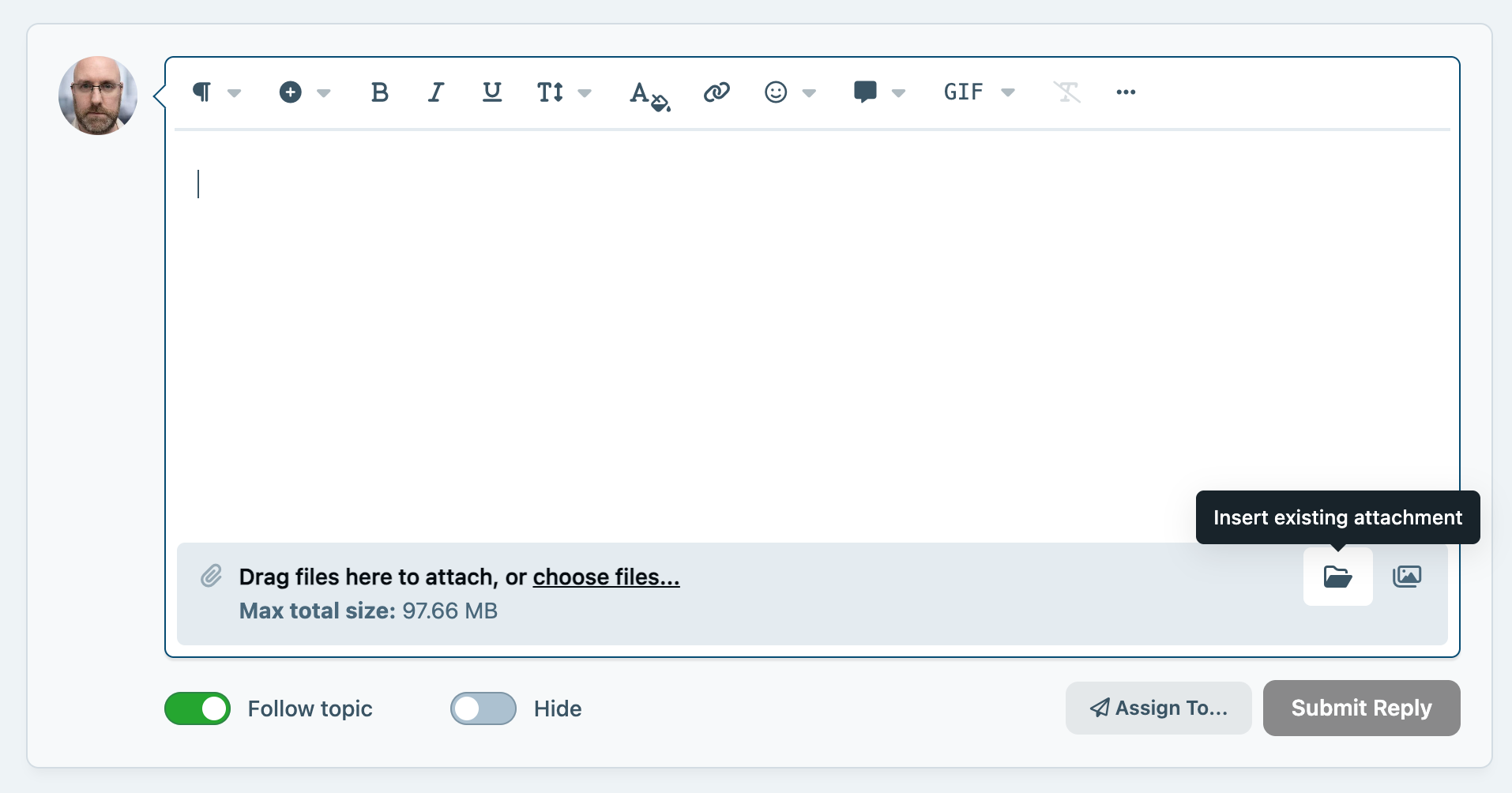
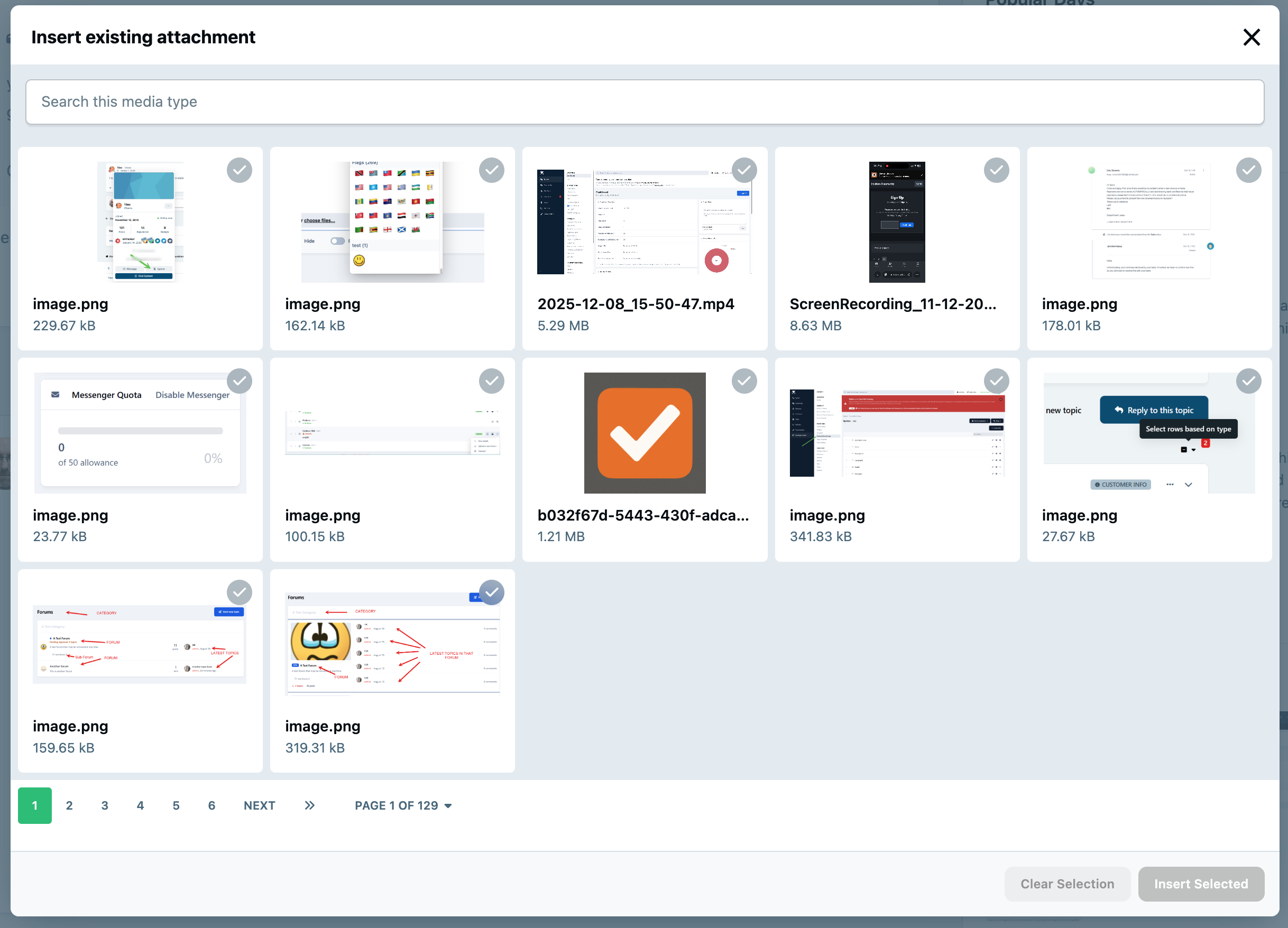
This will display a list of media you’ve previously uploaded across the community. From this list, you can browse or search through your existing files, select the item you want to use, and insert it directly into the current post or topic.
Reusing media in this way helps keep content consistent, avoids unnecessary duplicate uploads, and makes it quicker to include files you’ve already shared elsewhere on the site.
Selecting an Attachment
Administrating Files
Within the Admin CP, administrators have access to a similar attachments area that covers all files uploaded across the entire site.
Admin CP Attachments Area
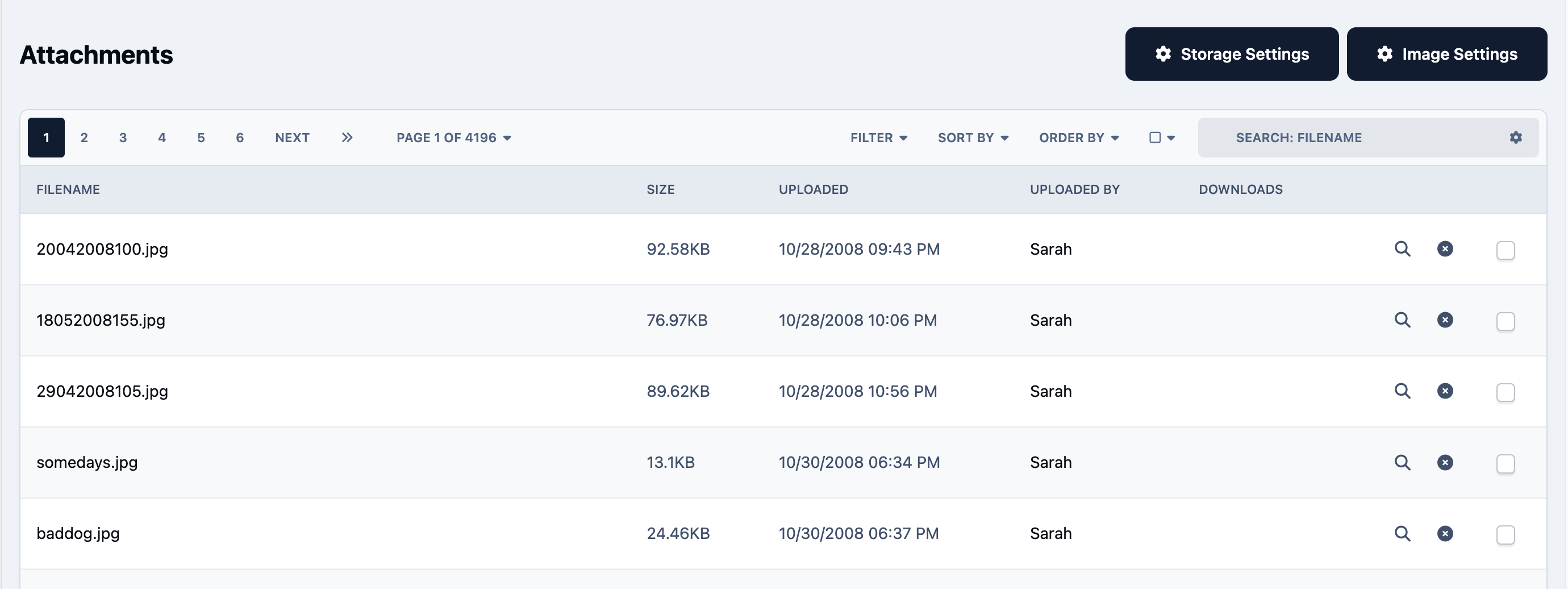
You can access this from:
System → Overview → Files
From here, you can manage attachments in much the same way as on the front end, but with site-wide visibility. This includes the ability to remove files completely from the system if required.
Recommended Comments