


Collections allow you to group multiple forums together under a single, reusable name. Rather than selecting the same forums individually each time you configure a feature, you can create a collection once and reuse it throughout the Admin Control Panel.
This is particularly useful when you have related forums, such as support, sales, or regional discussion areas, that are frequently targeted together. For example, you could create a Support Forums collection containing all of your support-related forums. Whenever a feature allows you to select forums, you can simply choose the collection instead of selecting each forum individually.
Collections are available to moderators and administrators through the Collections tab of the forum selector, making it quicker, easier, and less prone to error when configuring announcements, moderator permissions, and other forum-specific features.
Setting up
To create and manage forum collections, navigate to the forum listing within the Admin Control Panel:
Community → Forums → Forums
From here, select the Collections link to create new collections, edit existing ones, or remove collections that are no longer required.
Collections Link
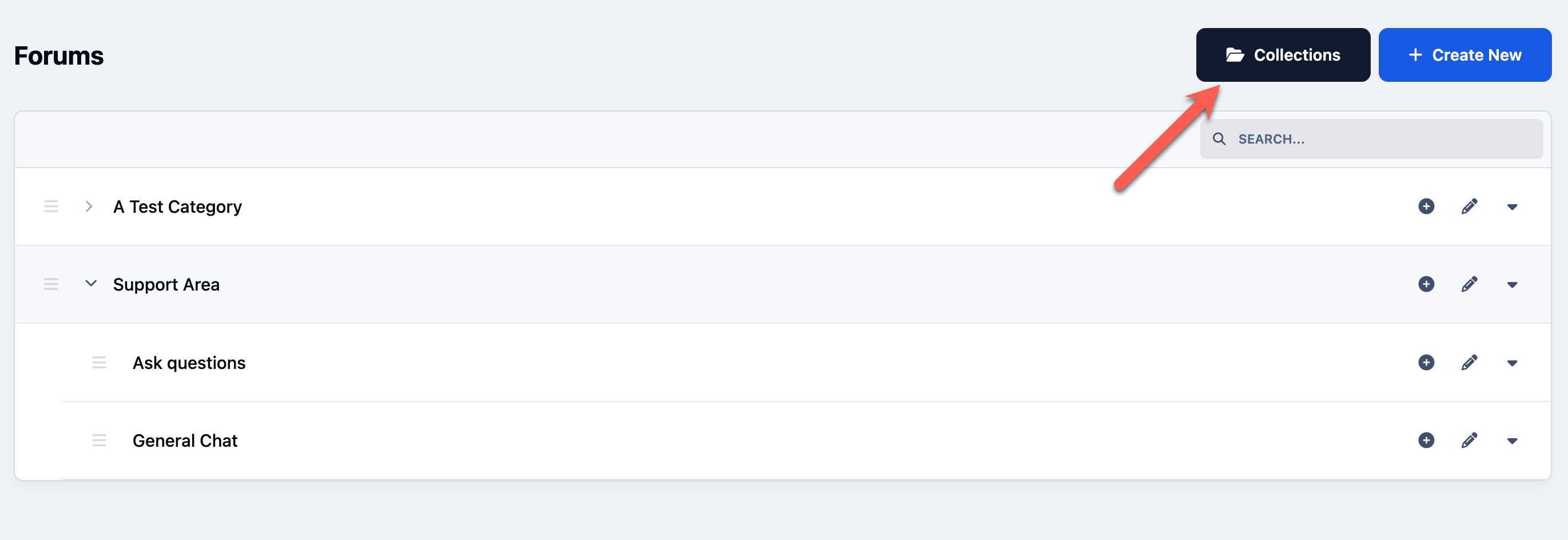
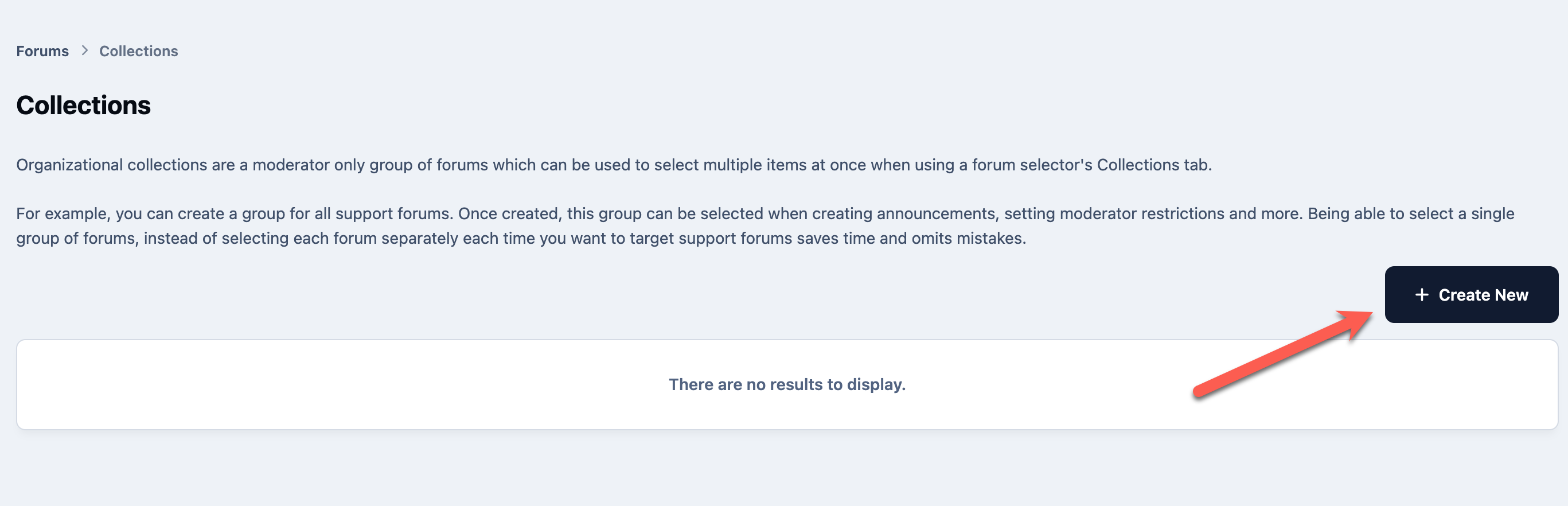
Once in this area, you can create a new collection using the button provided
Create a New Collection
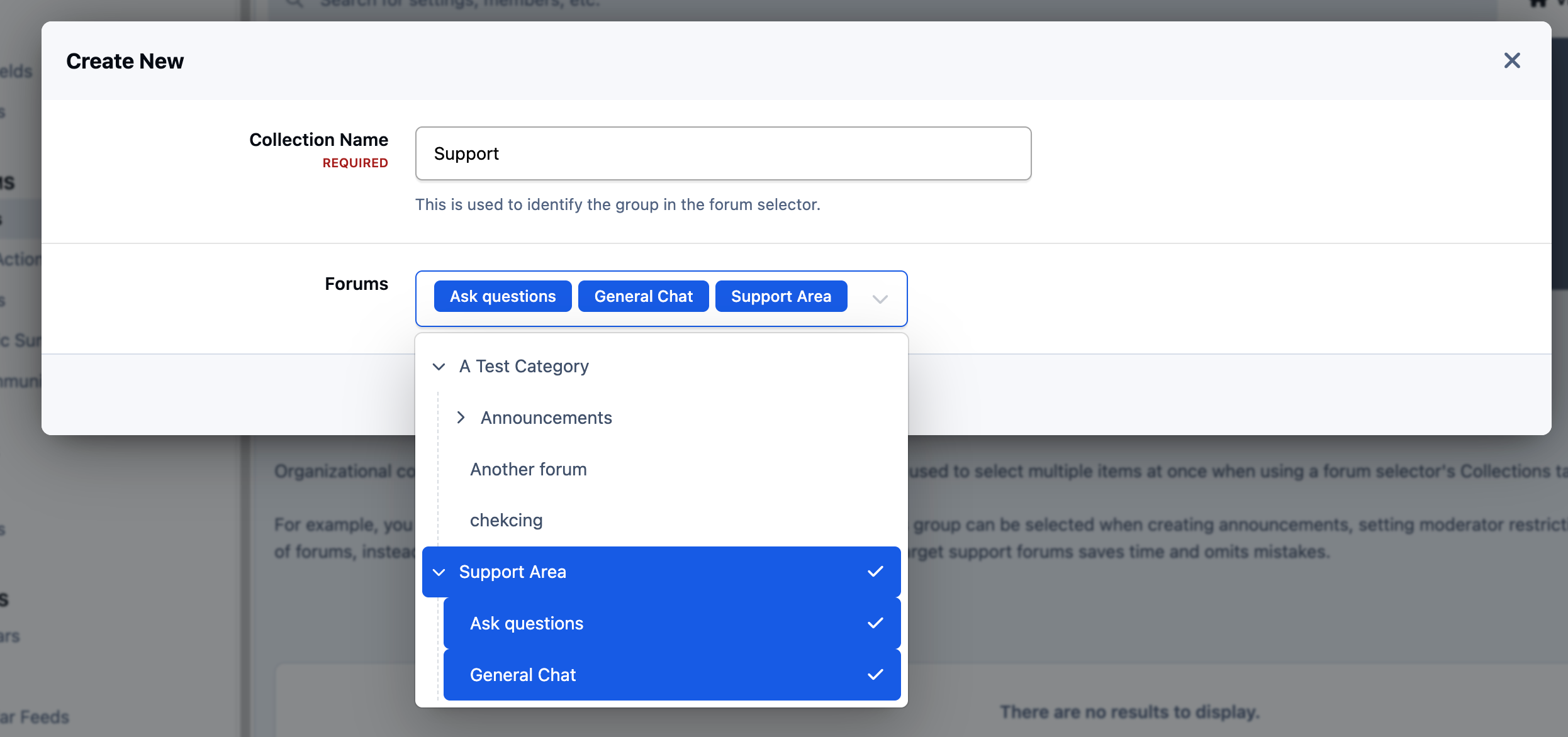
Give your collection a descriptive name, then select the forums you want to include in that group. In this example, we will create a Support Forums collection and add all of the support-related forums. Once saved, this collection can be selected wherever the forum selector supports collections, removing the need to manually choose each support forum every time.
Creating Collection
Using Collections
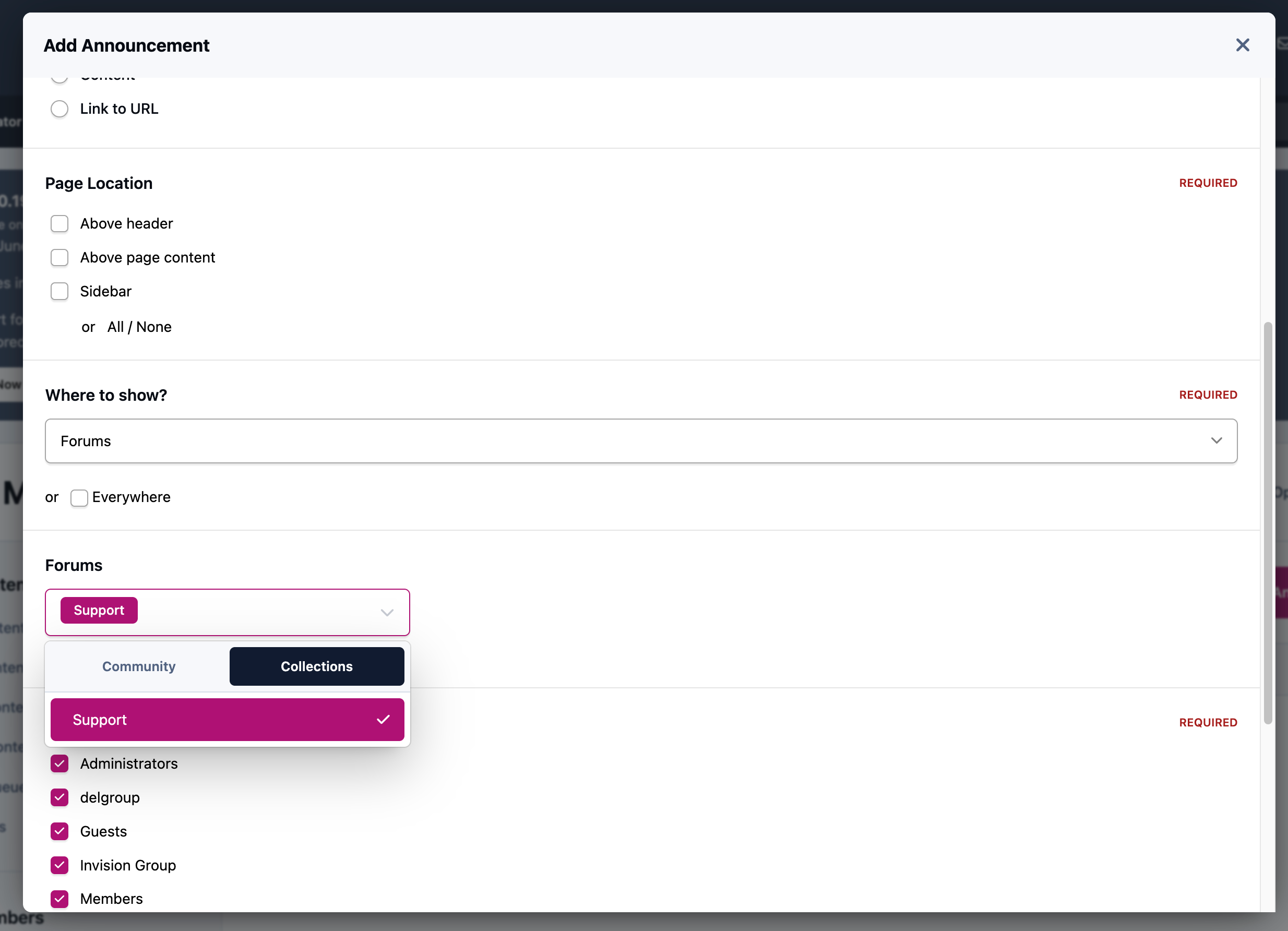
To demonstrate how collections are used, we'll create an announcement that is displayed only within our support forums. Rather than selecting each support forum individually, simply switch to the Collections tab in the forum selector and choose the Support Forums collection you created earlier.
For more information on creating announcements, please refer to the guide below.
When you select to show in forums, and select specific forums, you will see a collections tab. From here you can select the collection we just created.
Using a Collection




Recommended Comments