


Within the Events application, you can create and manage venues that can be reused by anyone who has permission to create events.
This is particularly useful if your community regularly hosts events at the same locations. For example, on a sports-focused site you might have recurring venues such as football stadiums or motor racing circuits. By setting these up in advance, members can quickly select the correct location when creating an event, rather than entering the details each time.
Setting Up Venues
Venues can be created and managed from the following location in your AdminCP:
Community → Events → Venues
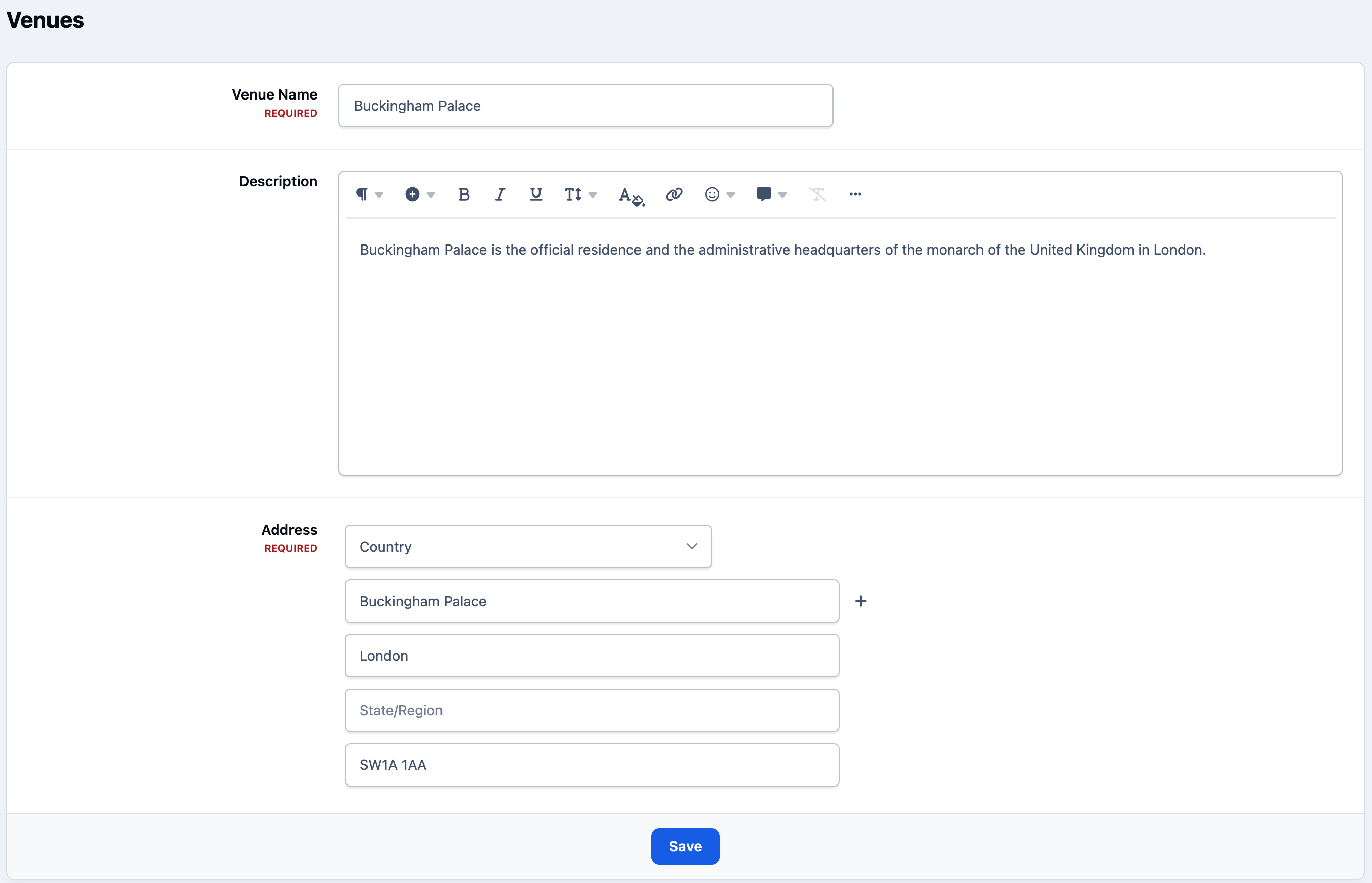
To create a new venue, click the “Create” button and enter the required details.
Creating a Venue
To use the venues you have created, you must first ensure that the venues feature is enabled within your calendar settings.
Using Venues
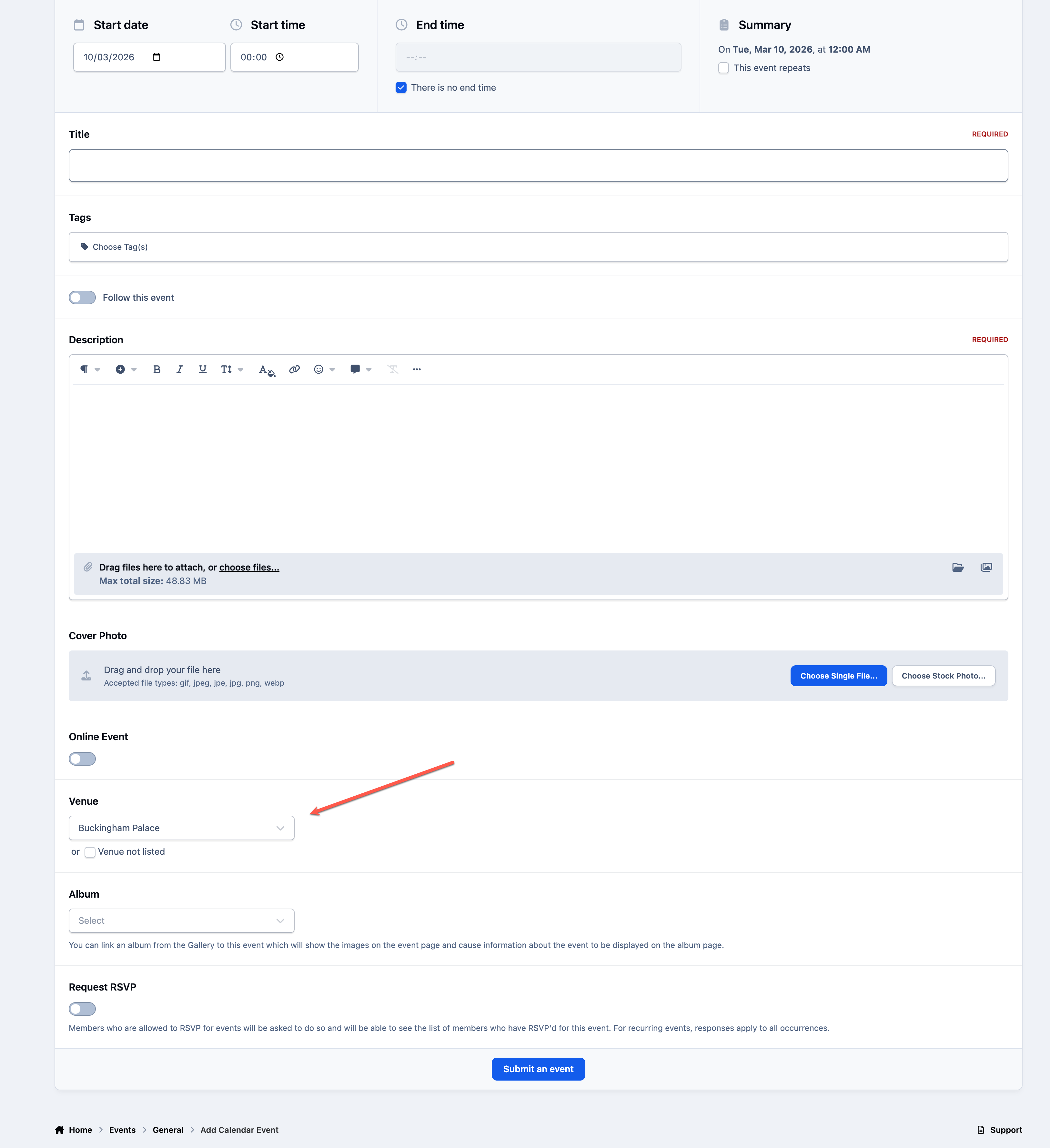
When creating a new event on the front end of the site, you will see an option to select one of the pre-defined venues from the dropdown list.
This does not prevent users from adding their own location. If the venue you need is not listed, you can select “Venue not listed,” which will allow you to enter the address manually as usual.
Using Venues
Recommended Comments