


Blogs can be created in several different ways, and there are a few types of blogs to consider depending on how you plan to use them within your community.
Blog Basics
A blog can be created from the front end by clicking the Create Blog button on the Blogs page.
Creating a New Blog
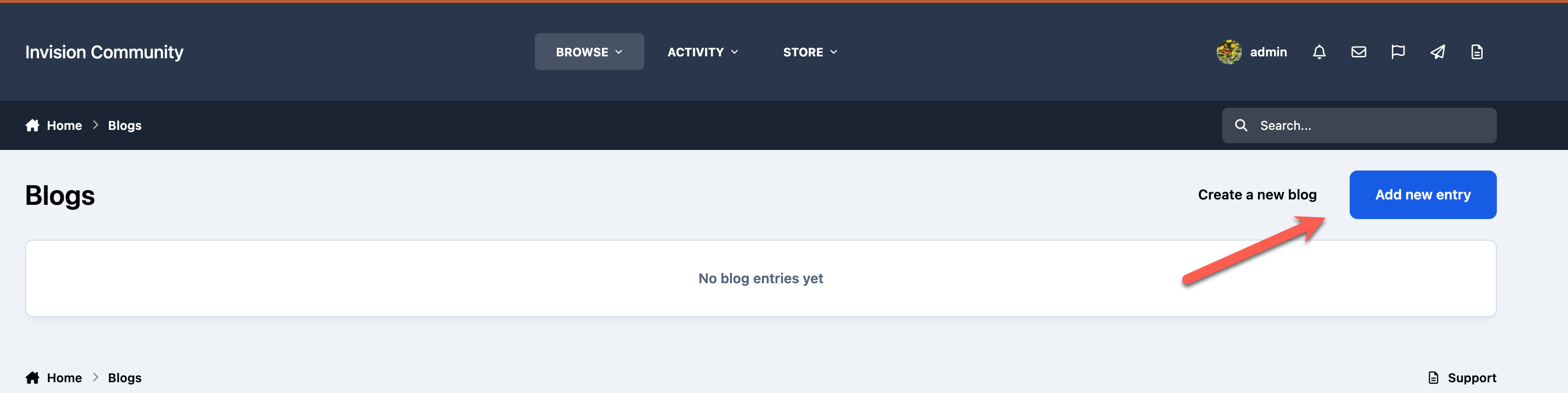
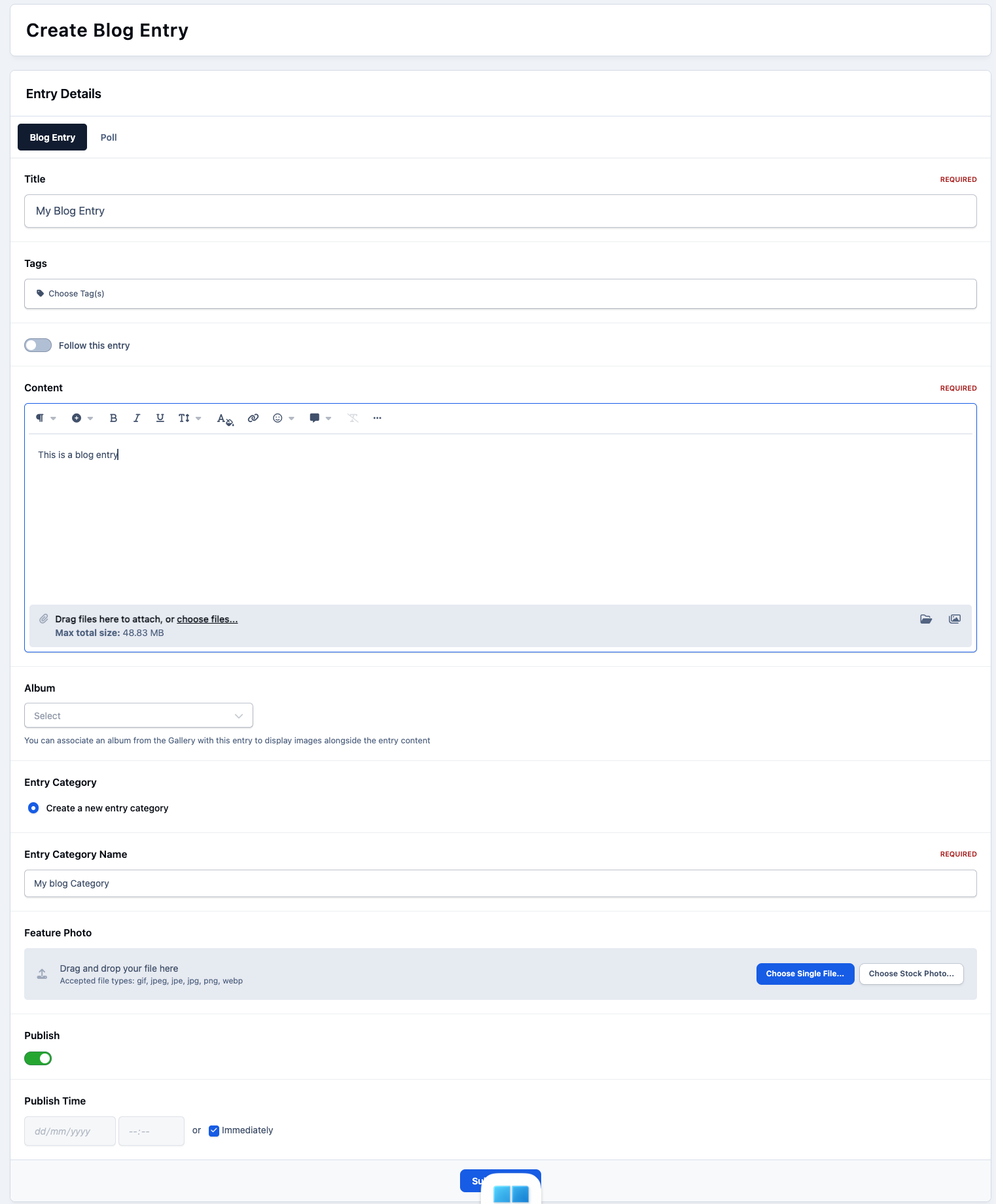
After selecting this option, you can enter the basic details for your blog, such as its name and the category it should belong to. Once the blog has been created, you can begin adding entries to it.
Blog Entry Form
Entries and Importing from Feeds
Once a blog has been created, you can begin adding entries to it. Another useful feature is the ability to automatically create blog entries from an RSS feed if needed.
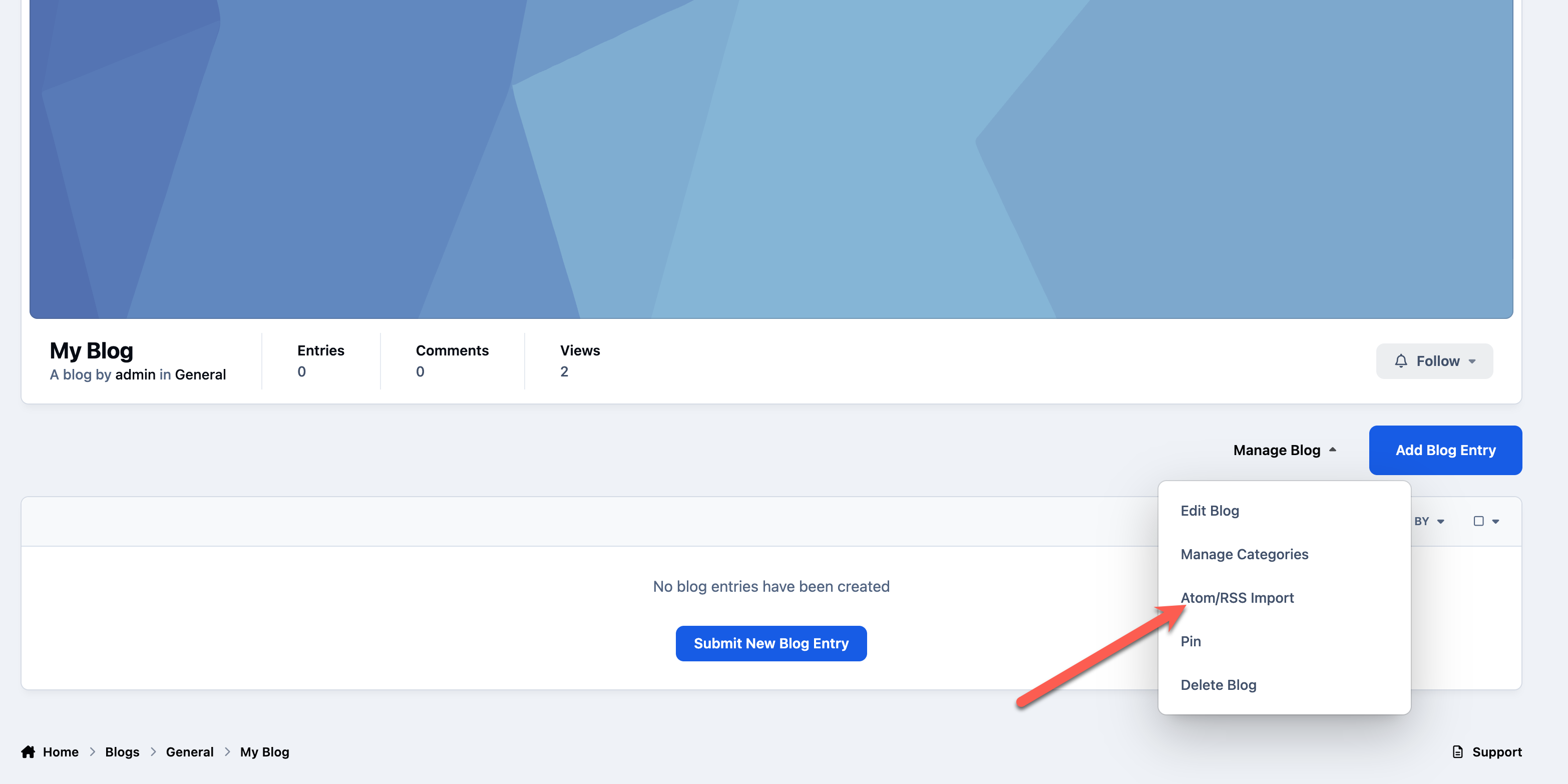
To set this up, open the blog, select Manage Blog, and then choose Atom/RSS Import, as shown below.
Feed Import Button
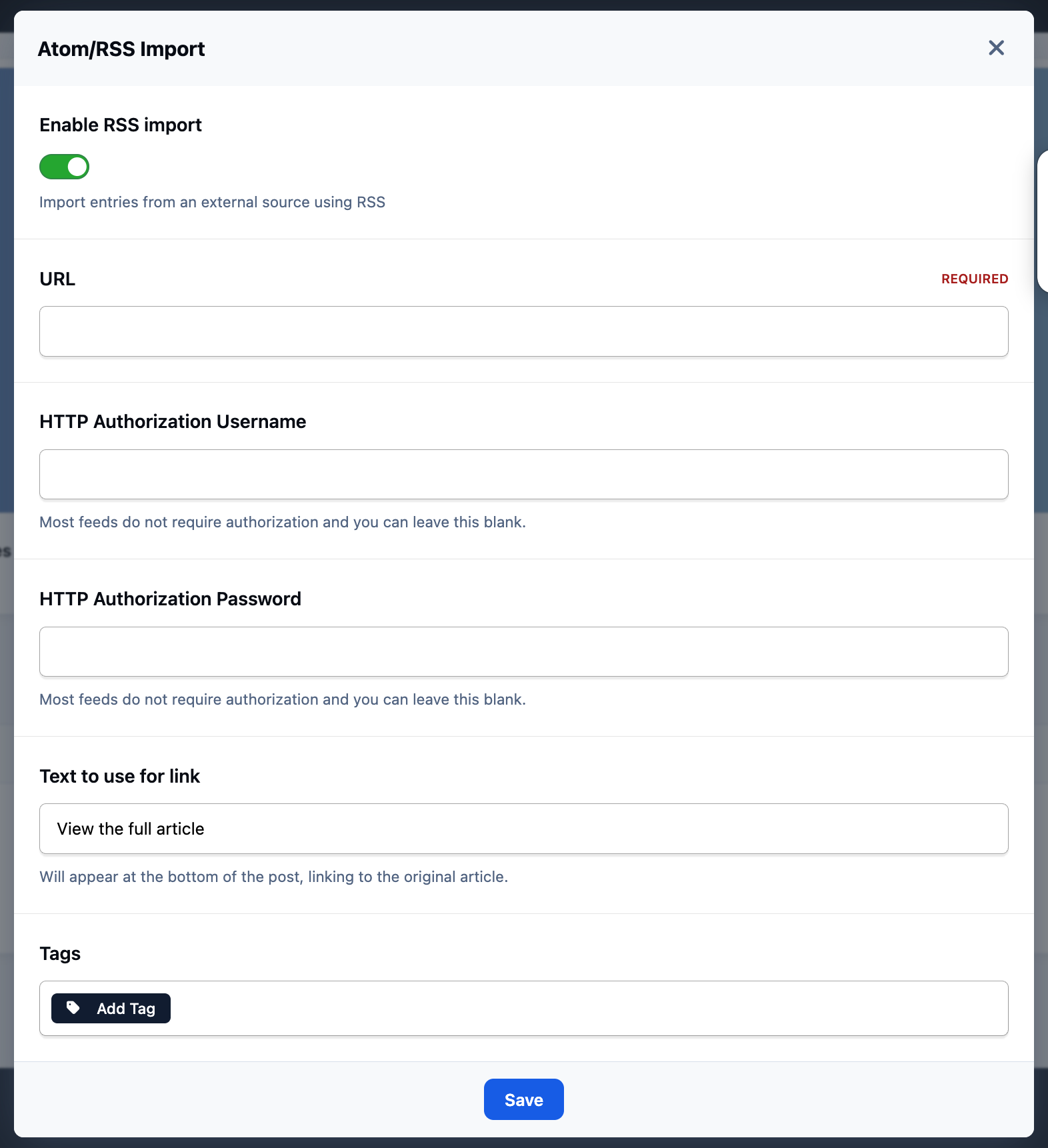
Once selected, you can enter the details of the RSS or Atom feed, and new entries will then be created automatically from that feed.
RSS Feed Import
Group Blogs
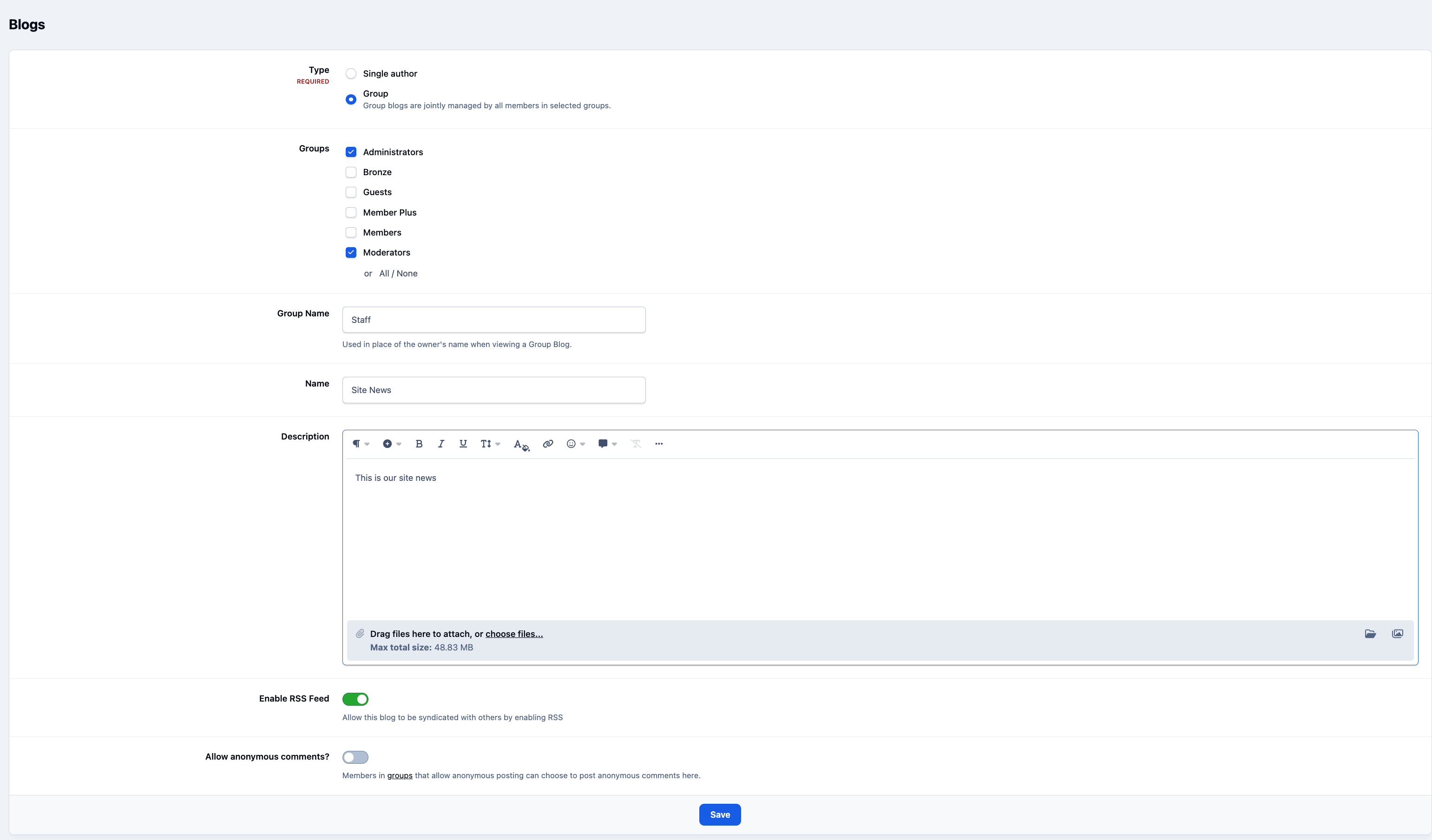
From the AdminCP, you can also create group blogs. These are blogs intended for use by specific member groups, but they appear as being owned by a group name rather than an individual member.
To create one, navigate to the following location in the Admin CP and click the Create Blog button
Community → Blogs → Blogs
You can then select which groups are allowed to use the blog and set the name that will appear as the owner.
Group Blog Creation - Admin CP
Recommended Comments