


Gift Card
Gift cards are an important part of many online stores, providing a flexible and convenient way for customers to purchase for others while helping to drive additional sales.
You can set up gift cards on the system, allowing your customers to purchase gift cards for others to use on your site.
To configure gift cards, navigate to the following location within your AdminCP:
Commerce → Store → Settings → Gift Cards
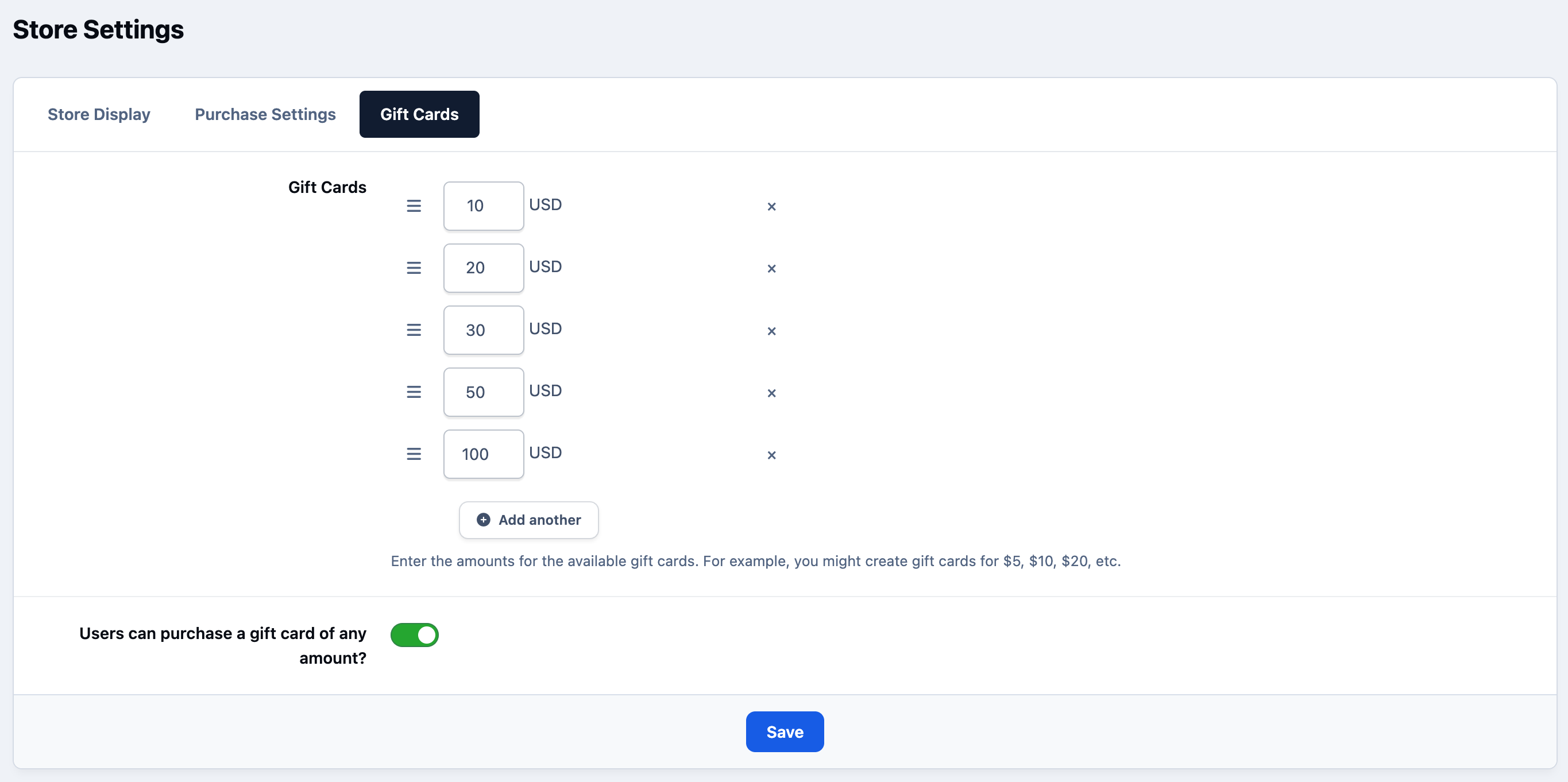
When visiting this area, you can configure the gift card amounts available for purchase. You can set predefined values for members to choose from, and optionally allow them to enter a custom amount if you wish.
An example of this setup is shown below.
Admin CP Gift Card Settings
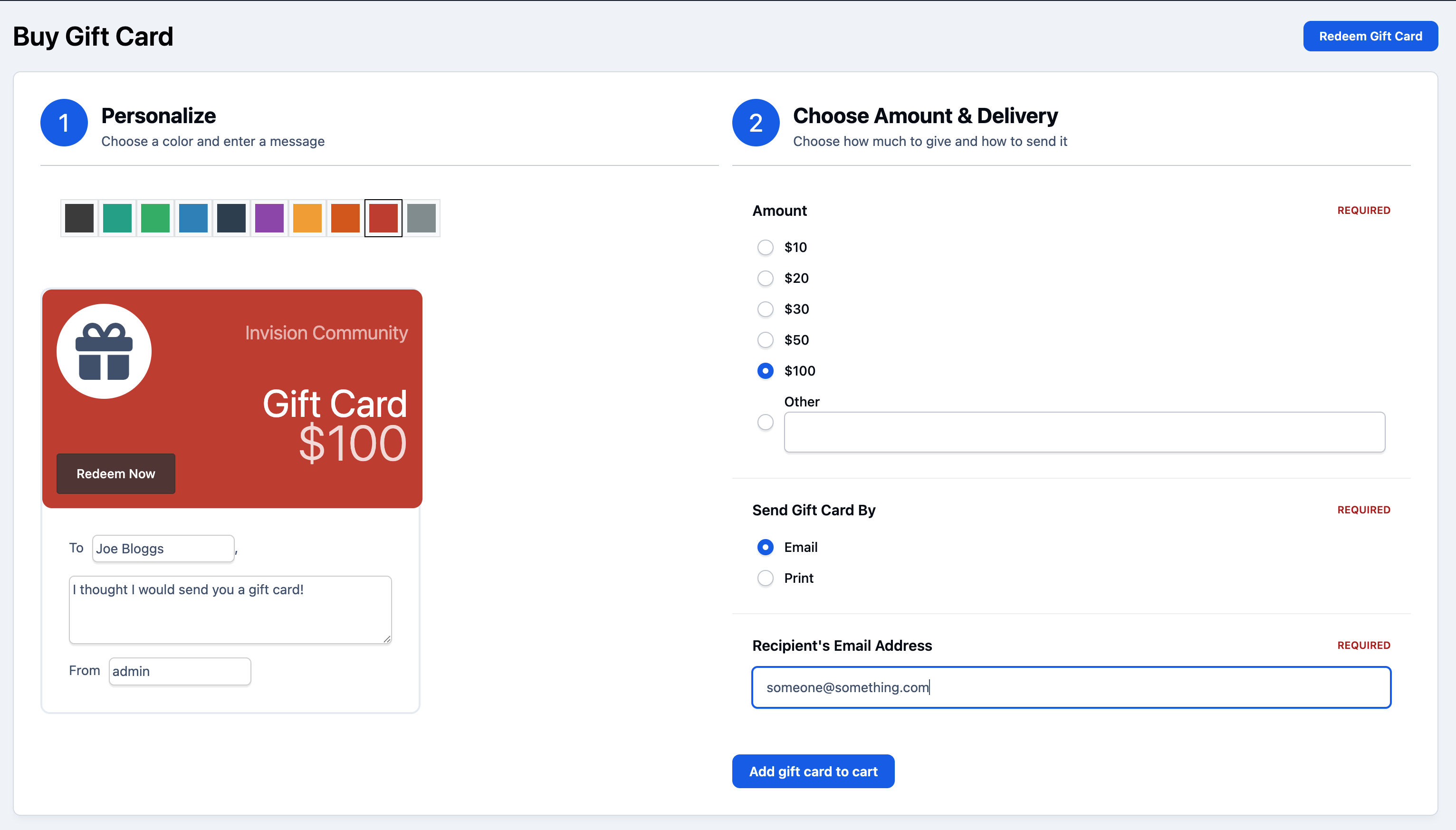
Your members can then purchase gift cards from the Gift Cards menu option. This is usually under the store menu, however the exact location of this option may vary depending on your menu configuration.
When choosing to purchase a gift card, you can select a design, add a personal message for the recipient, and customise the gift card as needed. You can then choose to either print the gift card or have it sent directly to the recipient via email.
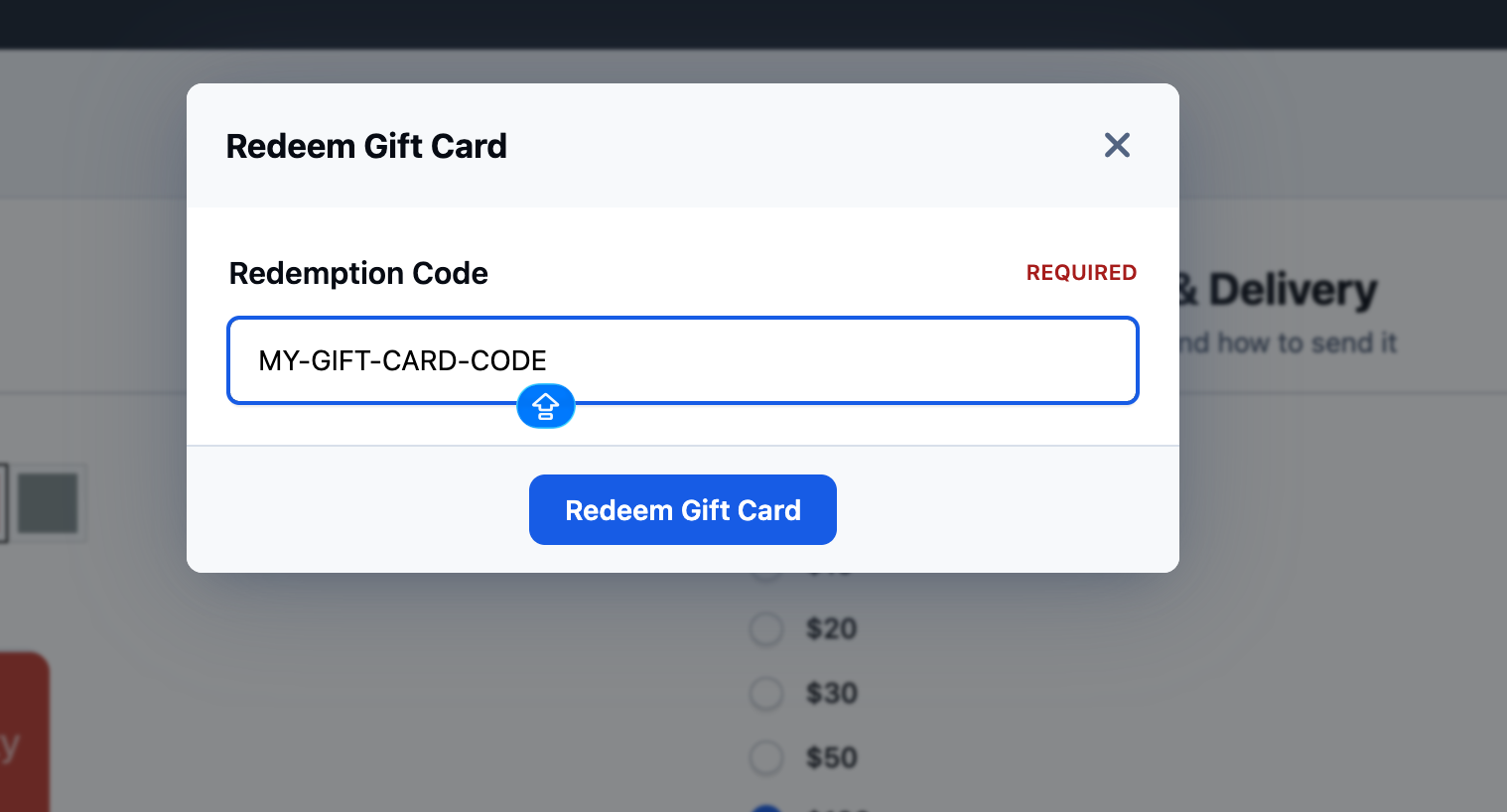
Your members can then redeem gift cards using the Redeem button shown in the image above (next to the buy button). They will then be prompted to enter the gift card code, which can be found on the gift card itself.
Coupons
Within Commerce, you can set up coupon codes to use in promotions across your store. These can be configured from:
Commerce → Store → Coupons
Once you visit this area, you can create coupon codes that offer either a fixed monetary discount or a percentage-based discount. You can also control how these codes are used by setting applicable products, expiry dates, usage limits, and other restrictions.
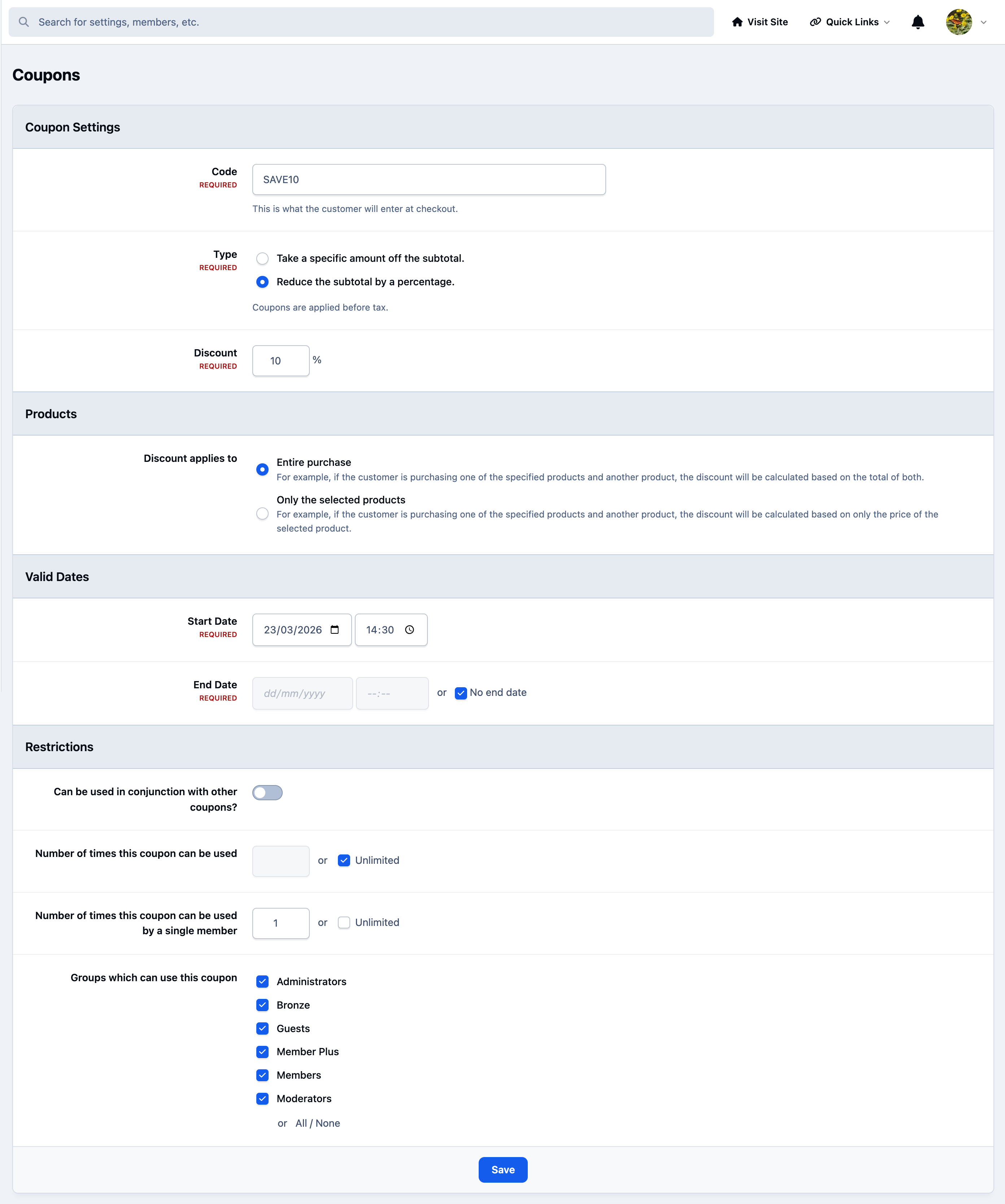
In the example above, a 'SAVE10' code has been created, which provides customers with a 10% discount on their purchase. This code can then be entered by the customer during the checkout process.
Recommended Comments