


Donations can be a quick and easy way to generate revenue towards the running costs of your site. Within Invision Community, you can create donation goals, for example, setting a goal for 'Running Costs' with a target amount, allowing members to contribute towards it.
Donation Goals
You can set up a donation goal within the following area of your Admin CP:
Commerce → Payments → Donations → Goals
Goal Setup
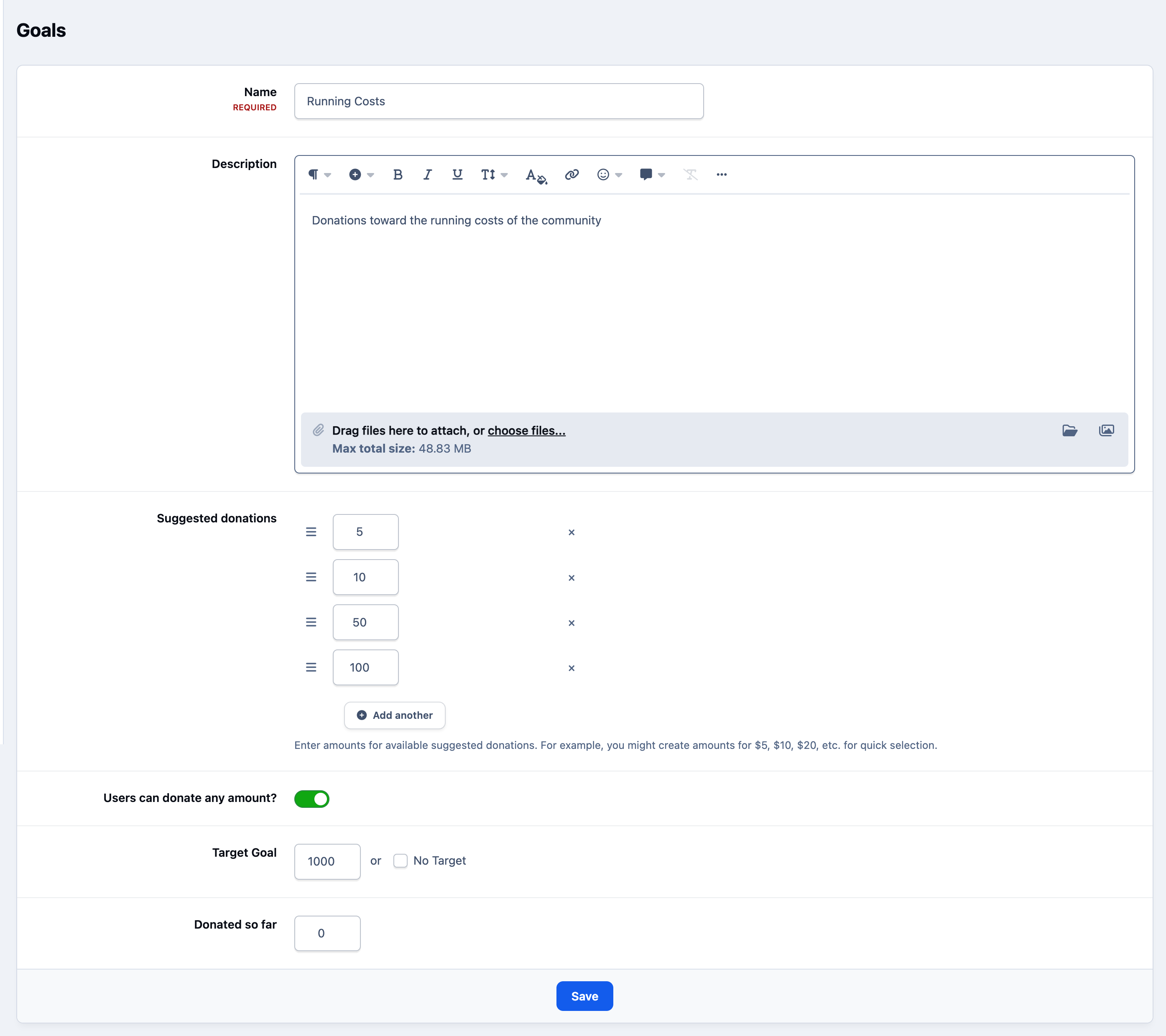
Here, you can set the target amount for your goal along with a description to explain its purpose to your users. You can create as many goals as you like, and these will be listed on the main goals page.
Admin CP Goals List

Donating
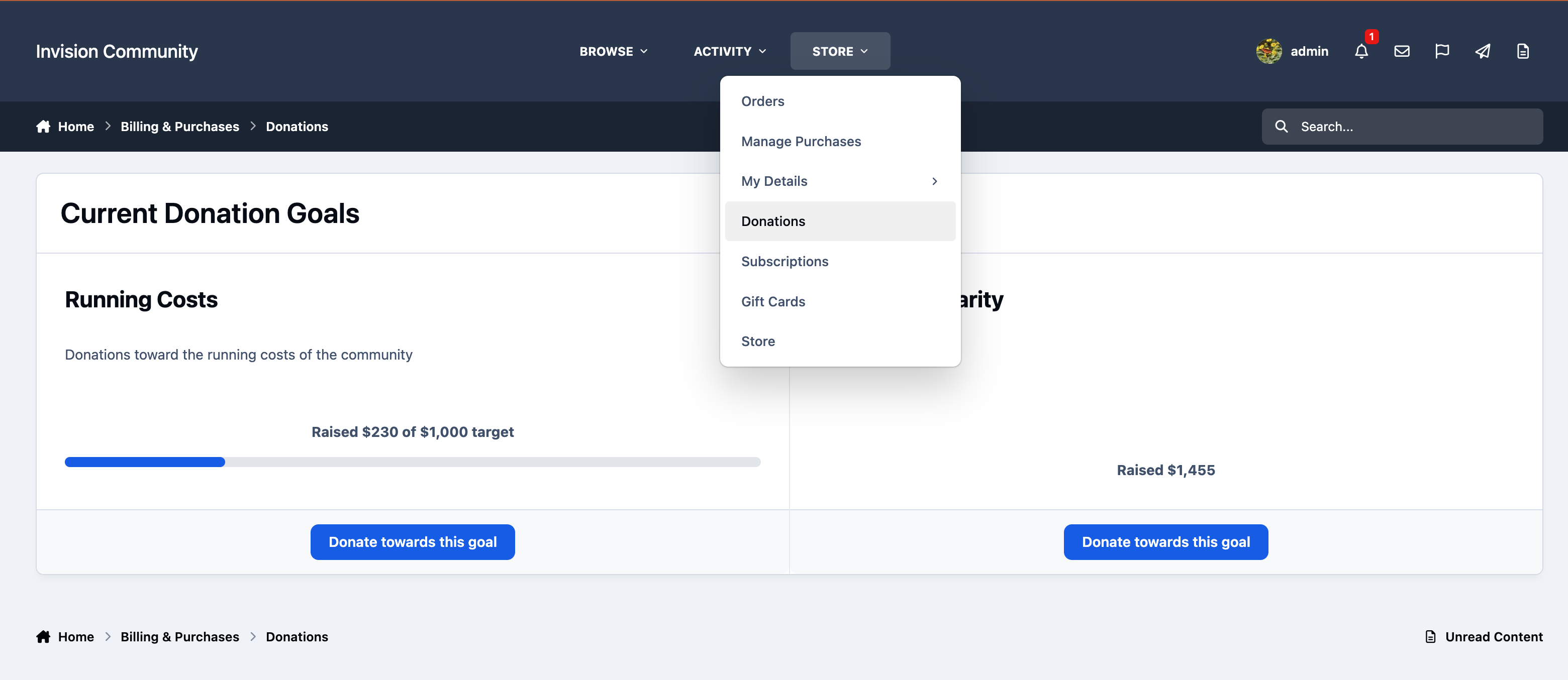
Your users can then donate towards these goals from the Donations page on the front end of your site. This appears by default as a submenu under the Store link, where users can choose and donate to any available goal.
Donations Page
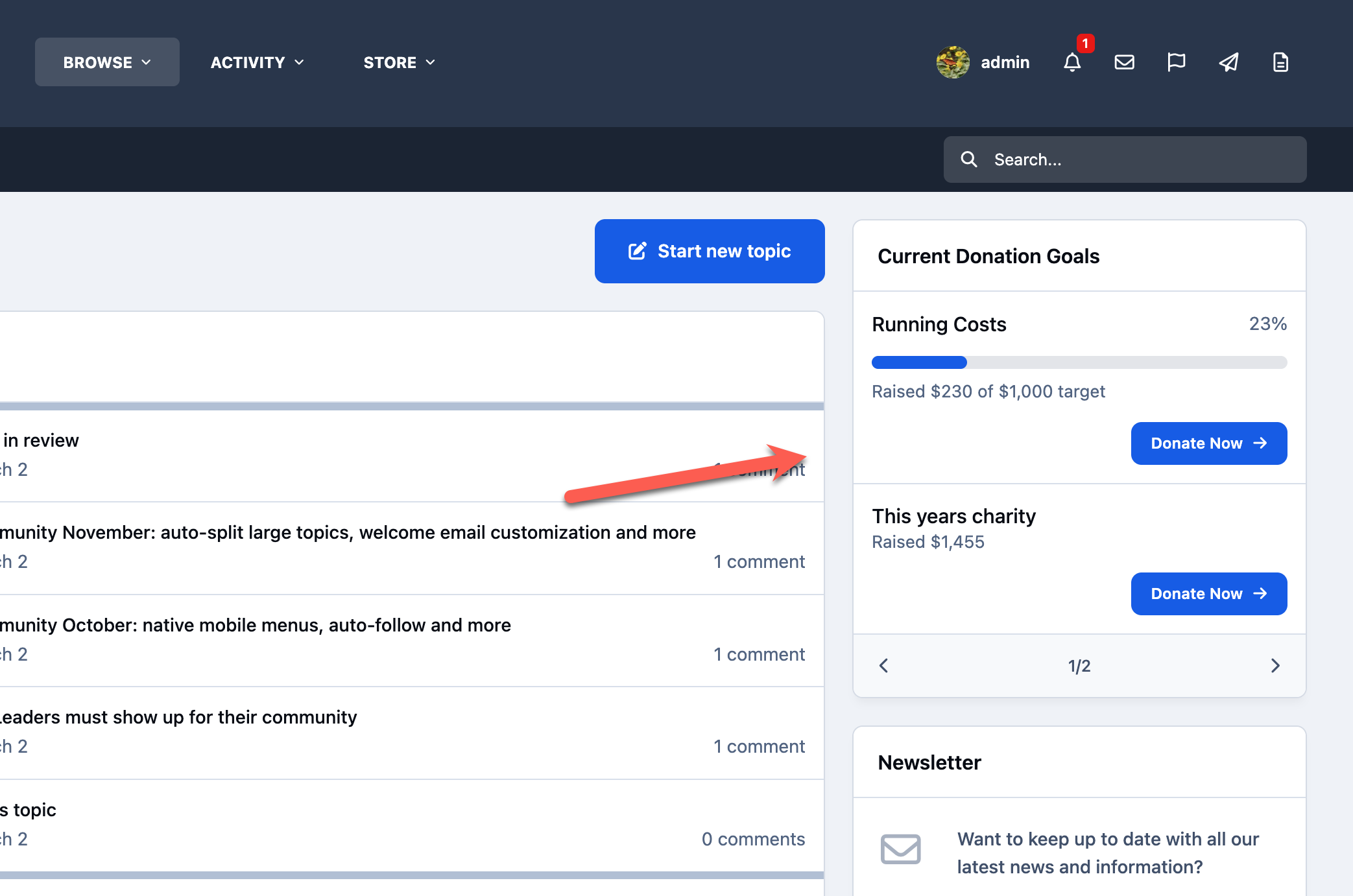
In addition to the main donations page, a block is available within the page editor, allowing you to highlight your donation goals anywhere on your site.
Donations Widget
Recommended Comments