


What are tags?
Tags provide a simple way to organise related content from across your community. Rather than being limited to a particular forum, category or application, a tag can bring together content from different areas into a single location.
For example, you may have a tag for a particular product you sell. Topics, blog entries, events, gallery images and other content relating to that product can all use the same tag, making it easier for members to find everything associated with it.
Each tag also has its own page, where members can browse tagged content, follow the tag and view any content you have chosen to feature.
Setting up tags
Tags are created and managed from the following location in your AdminCP:
System -> Content Discovery -> Tags
Admin CP Tags List
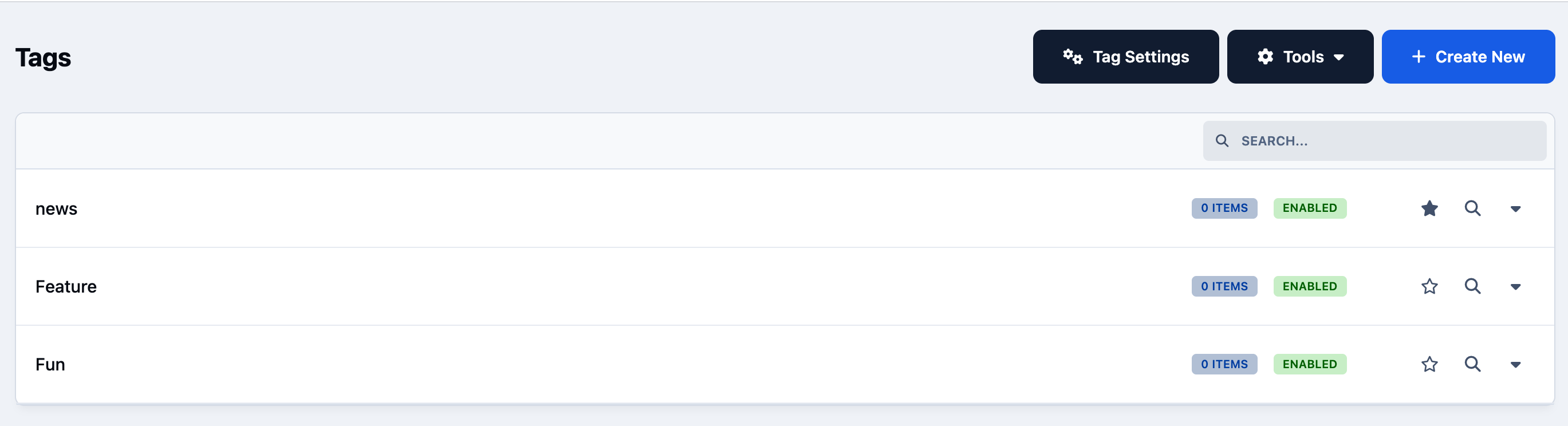
Tags are defined globally. Once you have created a tag, it can be selected anywhere tagging is available across your community.
To create a new tag, select Create New.
Creating New Tags
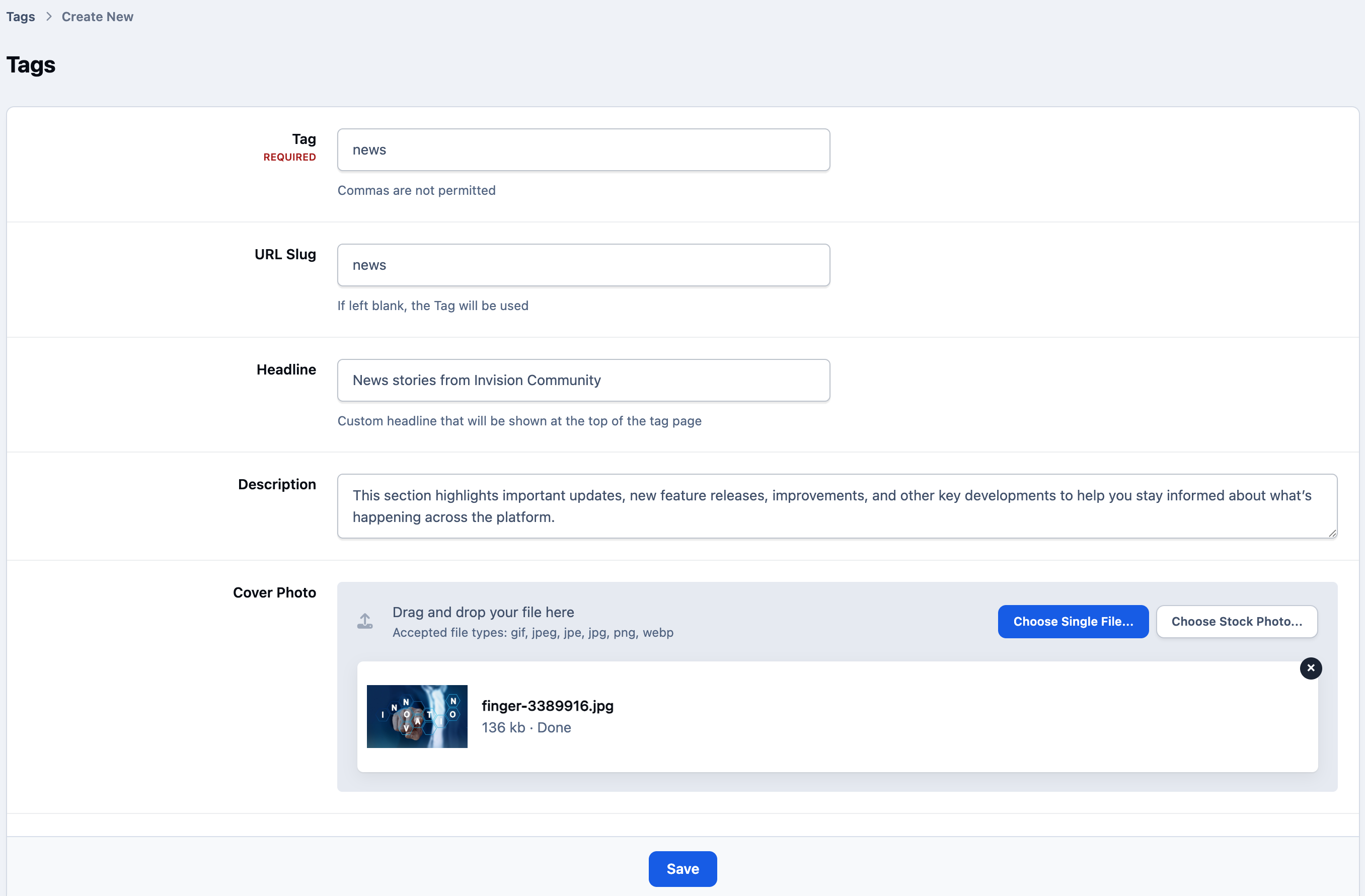
Enter the name you wish to use for your tag, along with any additional information you want to display on its tag page.
Restricting Use
Tags can be restricted in use, to only certain groups. These tags will be visible to all members, but will only be usable by the groups selected. So you may, for example, set staff to be able to tag items as "Top Tips" so you can have a top tips page
Restricting Tag Use

Adding tags to content
When creating or editing content, members can select one or more of the tags you have made available.
Tagging Content
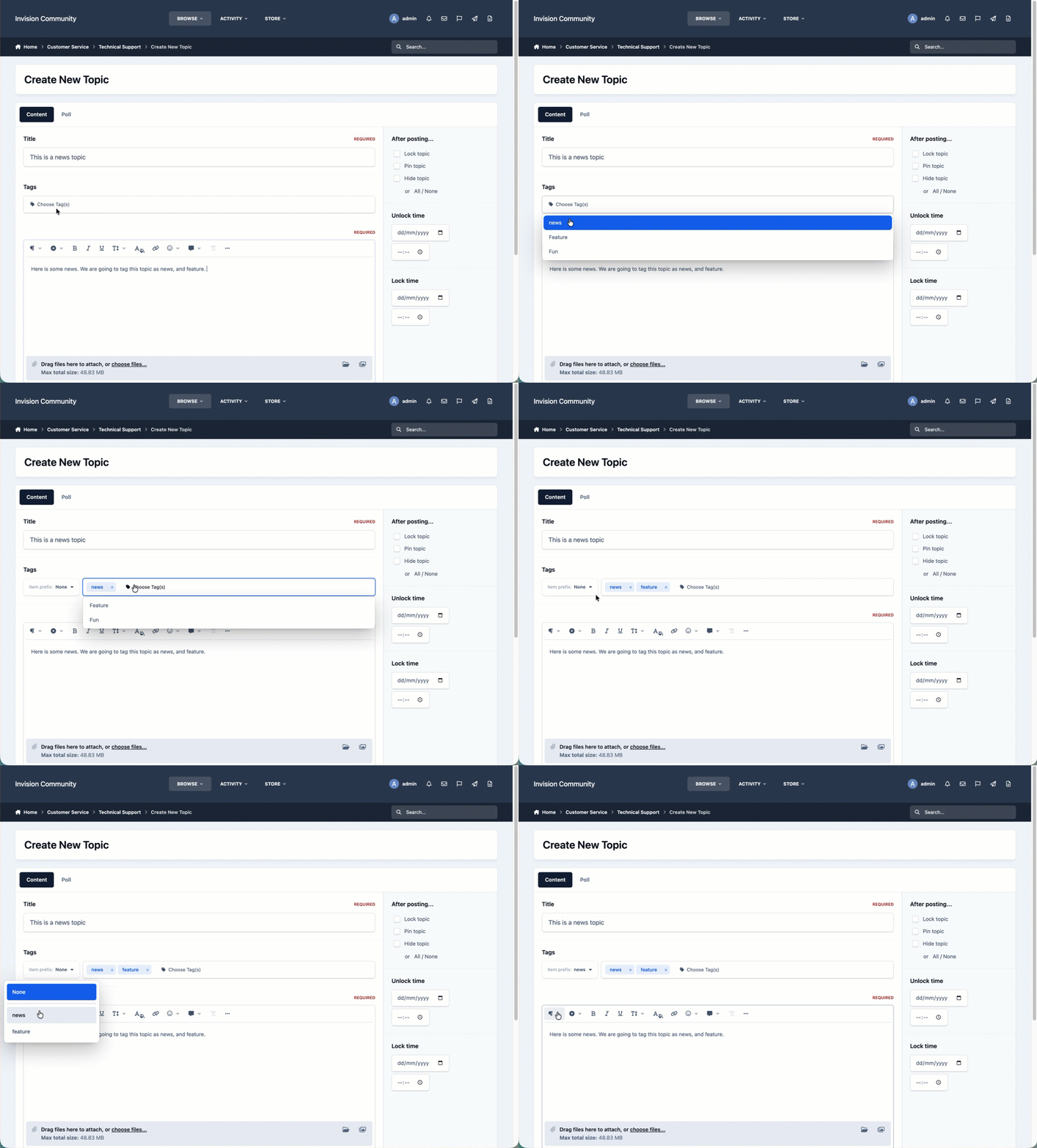
Selecting the tag field will display the available tags. Members can also search the list to quickly find the tag they need.
Because tags are shared across your community, the same tag can be used on different types of content.
For example, a tag named Product Updates could be added to:
A forum topic announcing a new feature
A blog entry explaining the feature in more detail
An event for a related webinar
Gallery content showing the new feature
All of this content would then be brought together on the Product Updates tag page
Recommended tags
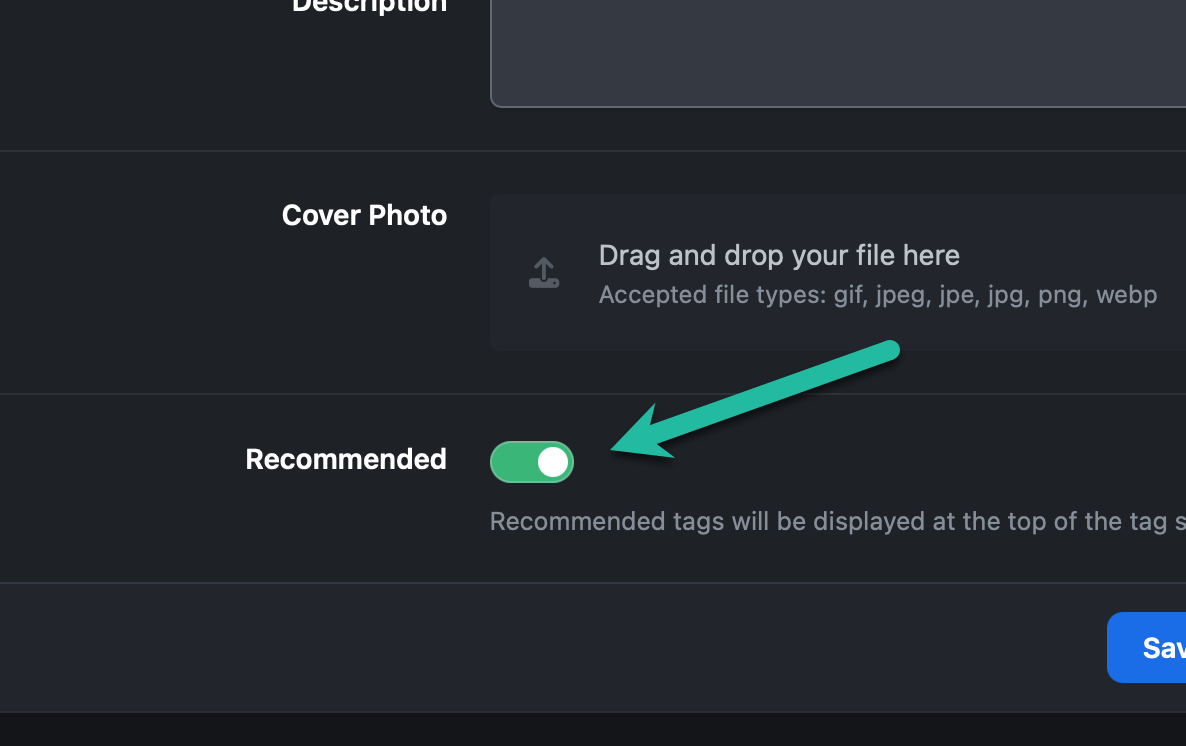
If you have a large number of tags, you can mark commonly used tags as recommended.
Recommended tags are shown towards the top of the tag selector when members add tags to their content. This can be useful for encouraging members to use a smaller, consistent set of tags rather than selecting less relevant alternatives.
Recommended Tag Flag
Tag pages
Every tag has its own page within the community.
Tag Page
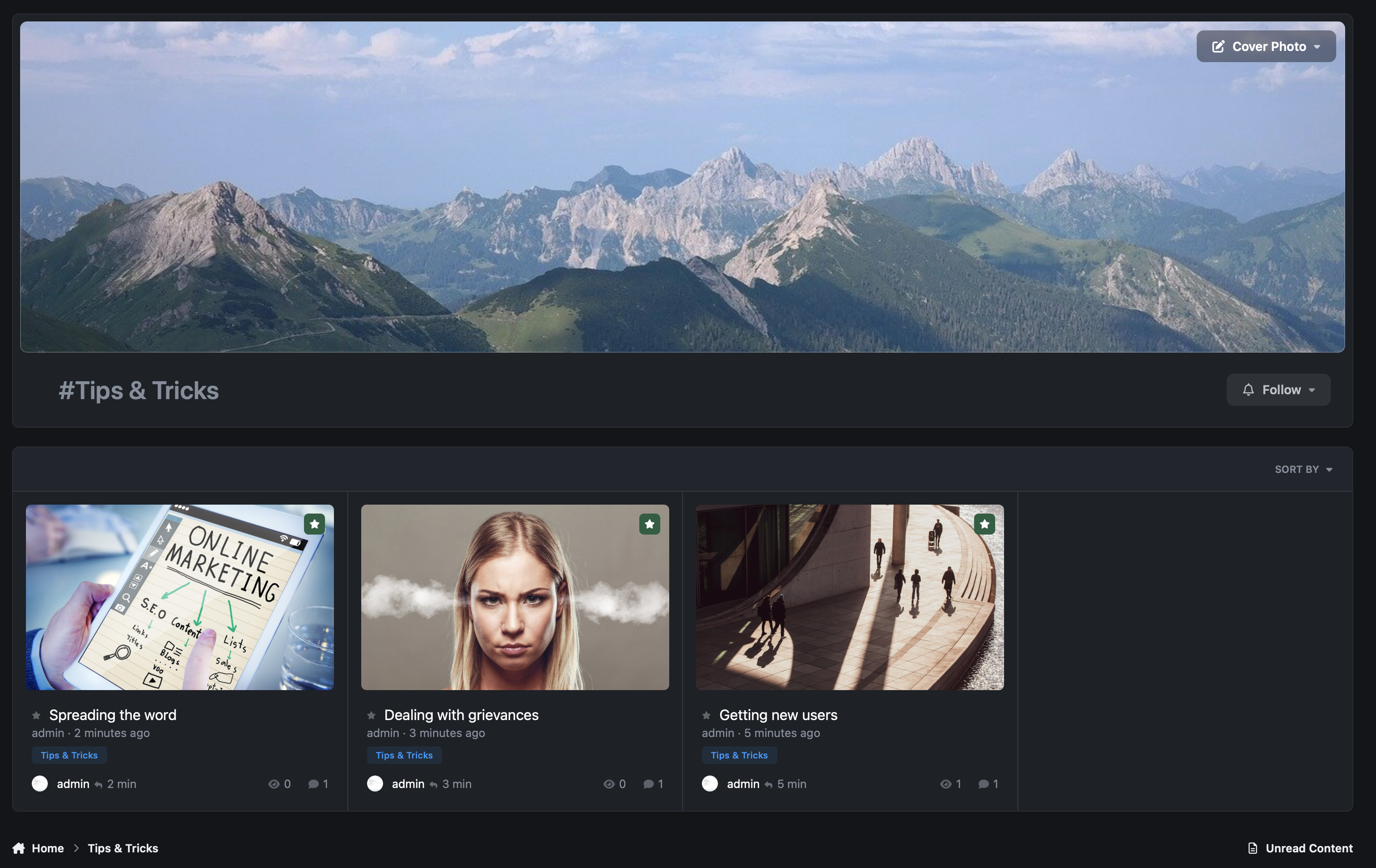
The tag page brings together content using that tag, regardless of where that content was originally posted. This provides another way for members to discover related content without having to browse individual forums, categories or applications.
If an item has more than one tag, it will appear on the page for each of those tags.




Recommended Comments