Jump to content
View in the app

A better way to browse. Learn more.

Invision Community

A full-screen app on your home screen with push notifications, badges and more.

To install this app on iOS and iPadOS
  1. Tap the Share icon in Safari
  2. Scroll the menu and tap Add to Home Screen.
  3. Tap Add in the top-right corner.
To install this app on Android
  1. Tap the 3-dot menu (⋮) in the top-right corner of the browser.
  2. Tap Add to Home screen or Install app.
  3. Confirm by tapping Install.
Documentation categories

Documentation

In this article..

In this article..

    Mapbox

    What is mapbox?

    Mapbox integration provides mapping capability to enhance displaying location data such as in the IP address lookup tools.

    Setting things up

    Setting up mapbox is as simple as obtaining an API key from mapbox, then adding it within your admin CP. You can create a new API key from the mapbox site here
    No image preview

    Mapbox | Maps, Navigation, Search, and Data

    APIs and SDKs for AI-powered maps, location search, turn-by-turn navigation, and geospatial data in mobile or web apps. Get started for free.

    Note

    For further information on how to set up a key on mapbox, please refer to mapbox documentation.

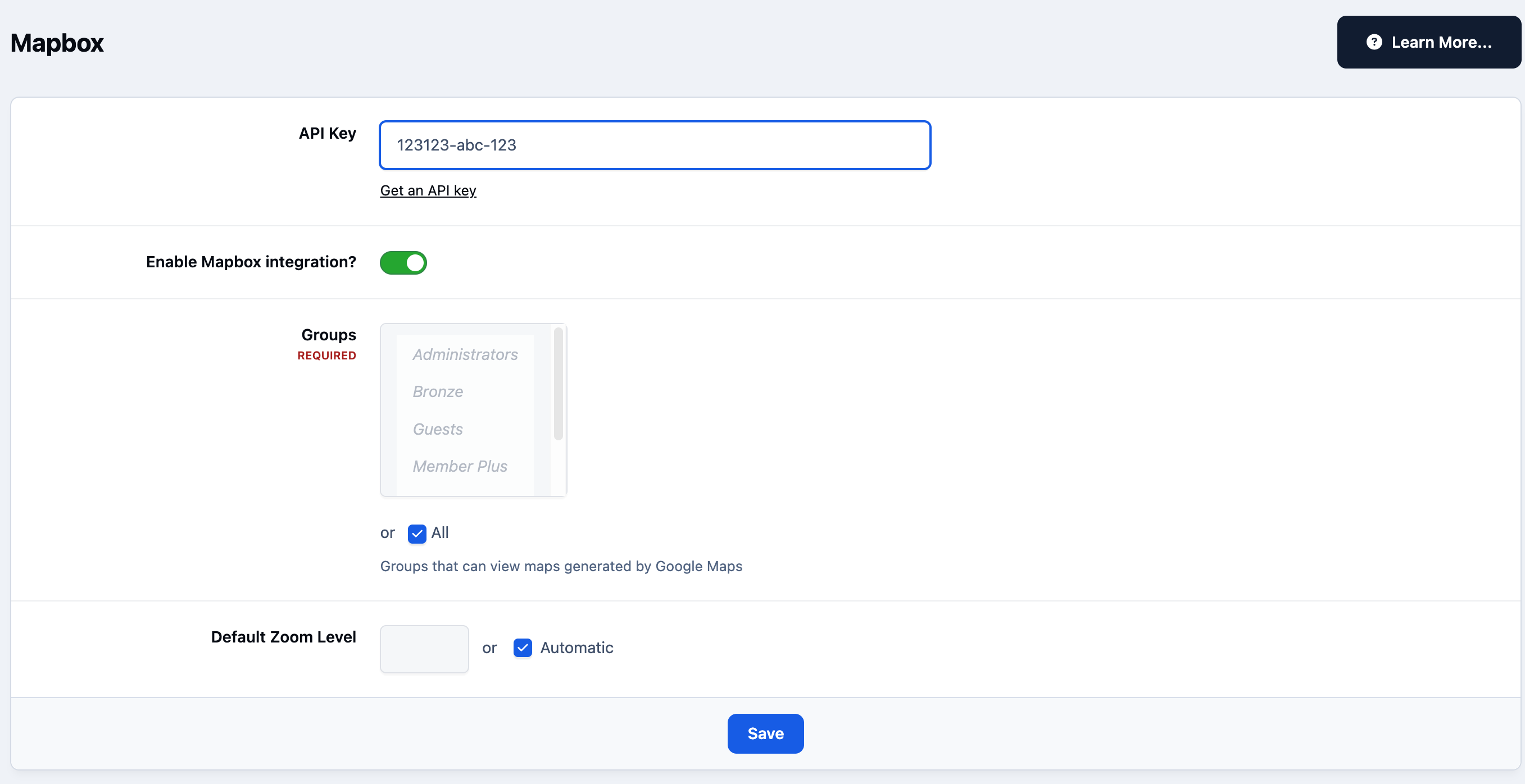
    Once you have obtained your API key, you can select "Enable" next to mapbox, and enter your API key, in the following location

    System → Site Features → Integrations

    Enabling the API after entering this key, will allow you to select groups that can use this, and a default zoom level

    Mapbox Admin CP Setup
    integrations_mapbox.png

    User Feedback

    Recommended Comments

    There are no comments to display.

    Account

    Navigation

    Search

    Search

    Configure browser push notifications

    Chrome (Android)
    1. Tap the lock icon next to the address bar.
    2. Tap Permissions → Notifications.
    3. Adjust your preference.
    Chrome (Desktop)
    1. Click the padlock icon in the address bar.
    2. Select Site settings.
    3. Find Notifications and adjust your preference.