Jump to content
View in the app

A better way to browse. Learn more.

Invision Community

A full-screen app on your home screen with push notifications, badges and more.

To install this app on iOS and iPadOS
  1. Tap the Share icon in Safari
  2. Scroll the menu and tap Add to Home Screen.
  3. Tap Add in the top-right corner.
To install this app on Android
  1. Tap the 3-dot menu (⋮) in the top-right corner of the browser.
  2. Tap Add to Home screen or Install app.
  3. Confirm by tapping Install.
Documentation categories

Documentation

In this article..

In this article..

    Mamoto

    What is Mamoto?

    Matomo is a web analytics platform that allows you to track and understand how visitors use your website. It provides insights into user behaviour, such as page views, visit duration, and navigation paths.

    It is often used as a privacy-focused alternative to other analytics tools, giving you greater control over your data while still helping you measure performance and improve your community.

    How to set up

    To set up, first of all log into your Matomo account, click your username in the top-right and click Settings. Click Tracking Code in the left menu to locate your tracking code snippet.

    Copy and paste the snippet in its entirety above to add the tracking code to your community, when enabling Mamoto at the following location:

    System → Site Features → Integrations

    We will automatically register a page view with Matomo when new content is dynamically loaded into the page.

    Admin CP Setup
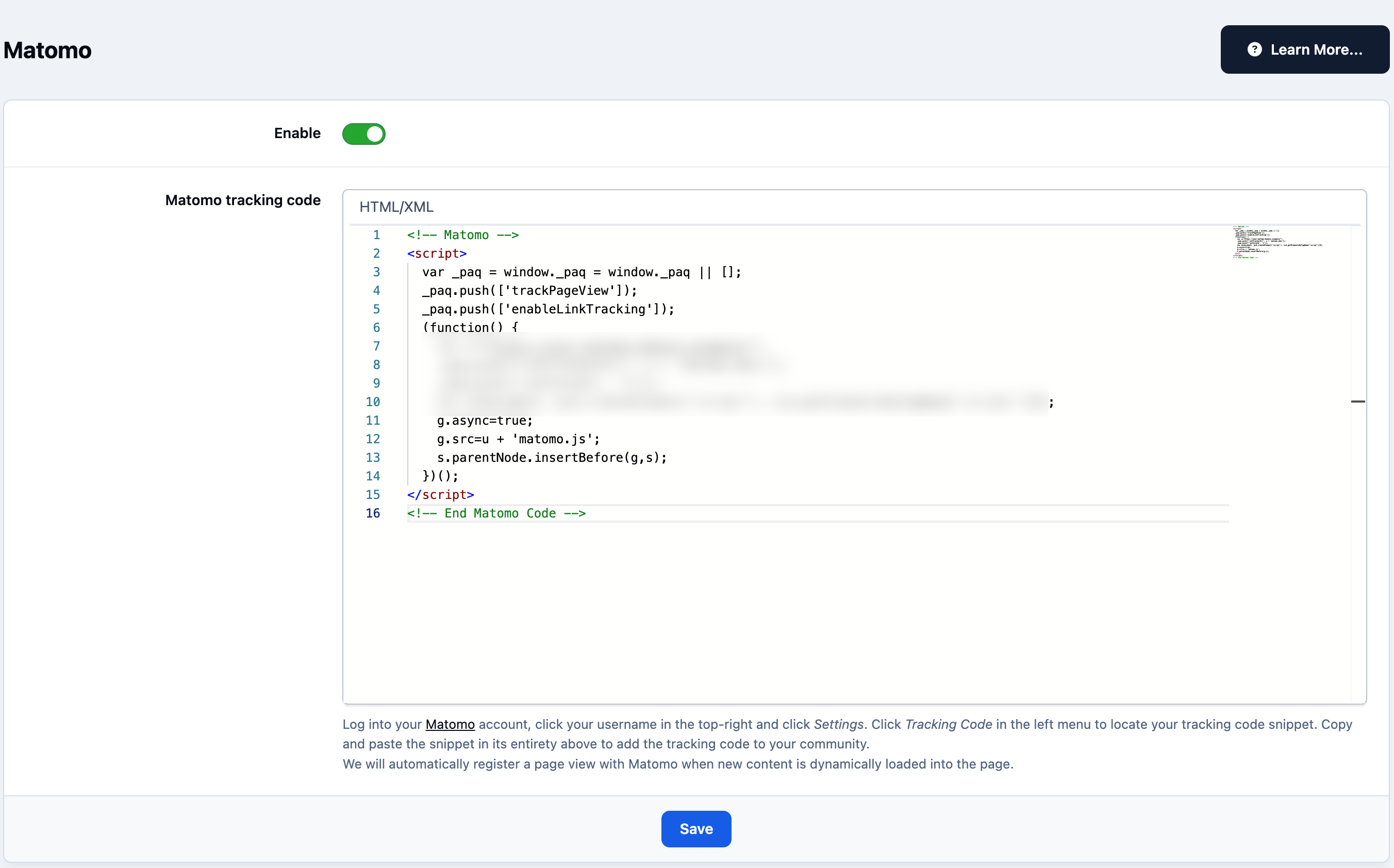
    integrations_mamoto.png

    User Feedback

    Recommended Comments

    There are no comments to display.

    Account

    Navigation

    Search

    Search

    Configure browser push notifications

    Chrome (Android)
    1. Tap the lock icon next to the address bar.
    2. Tap Permissions → Notifications.
    3. Adjust your preference.
    Chrome (Desktop)
    1. Click the padlock icon in the address bar.
    2. Select Site settings.
    3. Find Notifications and adjust your preference.