Jump to content
View in the app

A better way to browse. Learn more.

Invision Community

A full-screen app on your home screen with push notifications, badges and more.

To install this app on iOS and iPadOS
  1. Tap the Share icon in Safari
  2. Scroll the menu and tap Add to Home Screen.
  3. Tap Add in the top-right corner.
To install this app on Android
  1. Tap the 3-dot menu (⋮) in the top-right corner of the browser.
  2. Tap Add to Home screen or Install app.
  3. Confirm by tapping Install.
Documentation categories

Documentation

In this article..

In this article..

    Indexnow

    What is IndexNow?

    IndexNow is a service that allows your site to instantly notify search engines when content is created, updated, or deleted. Instead of waiting for search engines to crawl your site and discover changes, IndexNow proactively sends a notification so updates can be indexed much faster.

    While search engines traditionally rely on periodic crawling, this can lead to delays in reflecting new or updated content in search results. IndexNow removes this delay by pushing changes directly to participating search engines such as Microsoft Bing and Yandex.

    This helps ensure your content is discovered and updated more quickly, reduces unnecessary crawling on your site, and improves overall efficiency in how your content is indexed across the web.

    Setting Up

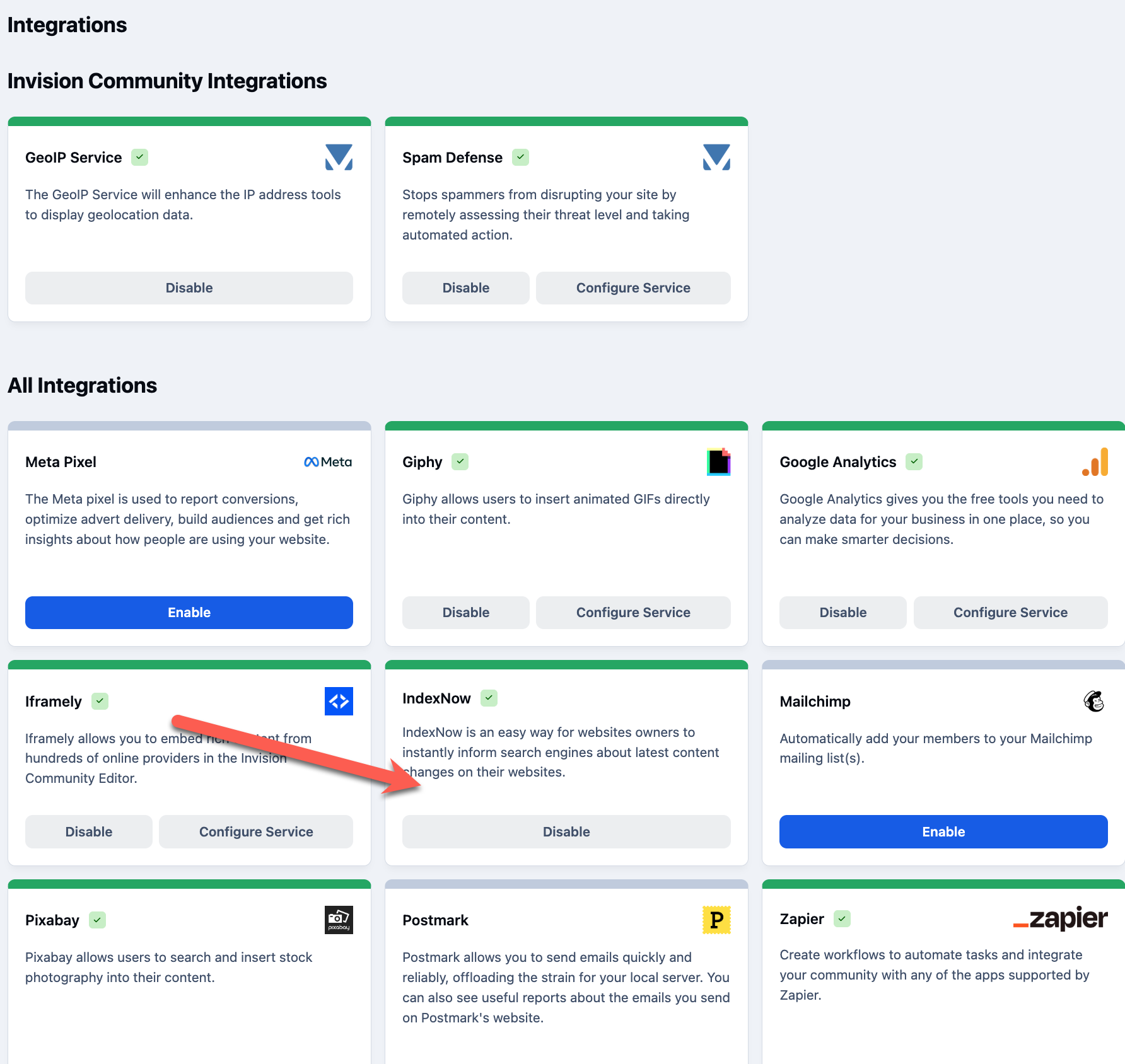
    IndexNow setup can be done at the click of a button, within the following location

    System → Integrations

    Locate IndexNow, and click Enable. Once done, your site will begin notifying, with no further setup required

    Integrations Section of Admin CP
    indexnow.png

    User Feedback

    Recommended Comments

    There are no comments to display.

    Account

    Navigation

    Search

    Search

    Configure browser push notifications

    Chrome (Android)
    1. Tap the lock icon next to the address bar.
    2. Tap Permissions → Notifications.
    3. Adjust your preference.
    Chrome (Desktop)
    1. Click the padlock icon in the address bar.
    2. Select Site settings.
    3. Find Notifications and adjust your preference.