medbena
Clients
-
Joined
-
Last visited
Everything posted by medbena
-
Hi Marc, Are believed to be up to date I use php 8.1 Just note; when recovery mode is set in constants ; it return : Hi Marc! An error occurred (500 Error) We're sorry, but a temporary technical error has occurred which means we cannot display this site right now. Unknown column 'css_added_to' in 'where clause' You can try again by clicking the button below, or try again later. Try again and when recovery mode is removed and trying to login forums/admin a mapbox login appear to enter my infos after that this error in blank page appears [[Template core/admin/global/globalTemplate is throwing an error. This theme may be out of date. Run the support tool in the AdminCP to restore the default theme.]] And login to forums: Sorry, there is a problem Something went wrong. Please try again. Sorry for the delay, I just came from work
-
No recent web server errors exist and no suEXEC events exist Also my problem was reported by another member
-
No recent web server errors exist for your domain
-
unfortunately for me, it didn't work. I tried three times with the Cpanel file manager All elements under forums are updated as of today except SYSTEM, OAUTH AND THEME which date between 2018 and 2022 Also there are no third party applications or plugins that all database tables are innodb When I try to connect to /forums/admin it gives a blank page with the error: [Template core/admin/global/globalTemplate is throwing an error. This theme may be out of date. Run the support tool in the AdminCP to restore the default theme.]]
-
Hello TeraByte I was using paid and/or free ftp client since 2007, never had any problem but lately FileZila seems not to work well. Yes I will do as you recommend. Thanks and have a nice day
-
Hi Now I was able to view the forum, but still unable to continue the upgrade, unable to connect to the admin cp I also have a theme problem : [[Template core/admin/global/globalTemplate is throwing an error. This theme may be out of date. Run the support tool in the AdminCP to restore the default theme.]] I contacted the host because there are also a PHP configuration problems. PHP 8.0 PHP 8.1 Also I suspect FileZilla is causing me problems...is this possible? Thank you


-
In that case, then it's correct, on TeraByte's suggestion, I've rolled back to 4.7.4 for the time being to try again with IPS 4.4.0 which is the only backup I have . currently i am on PHP 8.1 Thanks to everyone who tried to help me
-
Looking at the error log, I have had the following error for a few days: [28-Jan-2025 18:18:44 UTC] PHP Parse error: syntax error, unexpected ':', expecting ')' in /home/oasisalg/public_html/forums/applications/blog/Application.php on line 89 ligne 89: \IPS\Output::i()->sendOutput( $document->asXML(), 200, 'text/xml', array(), TRUE, parseFileObjects: FALSE );
-
Sorry, it's true it's confusing. monsite_forus is only to hide oasisalg on this topic, not a capture from database
-
Hello, Yes both are tried I did it same problem Too bad, I think I have no choice to do a new install when it is released
-
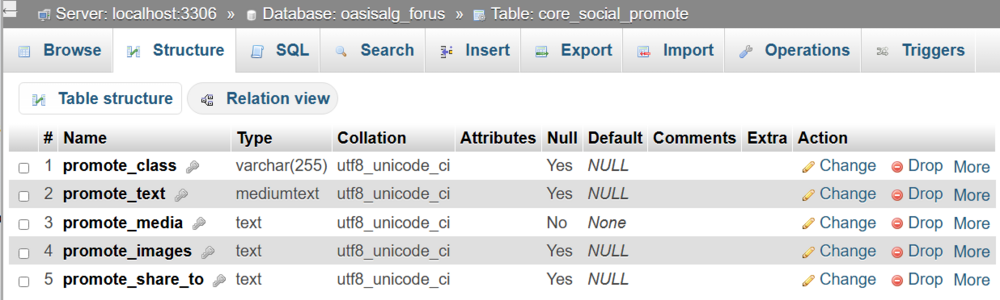
Hi I added today the core_social_promote witjh five columns. I'm not sure if this is correct, because I got this error when trying to continue the upgrade: Incorrect table name '' /home/oasisalg/public_html/forums/system/Db/Select.php::465 SELECT count(*) FROM `` line 465= $this->runQuery(); I'm at the end of my patience, I think I'll stop, what a waste of time. Thank you Miss_B

-
May not, since neither in blog nor in cms there is no content (never used)
-
Hi I don't know which table is missing, but if it is ''core_social_promote". there are two in the database, namely: "core_social_promote_content" and "core_social_promote_share" The first one has no rows [ MySQL returned an empty result set (i.e. zero rows). (Query took 0.0001 seconds.)] the second one has 25 rows and seems correct ..Maybe the problem is there
-
I'm sorry to bother you and thank you for your help!
-
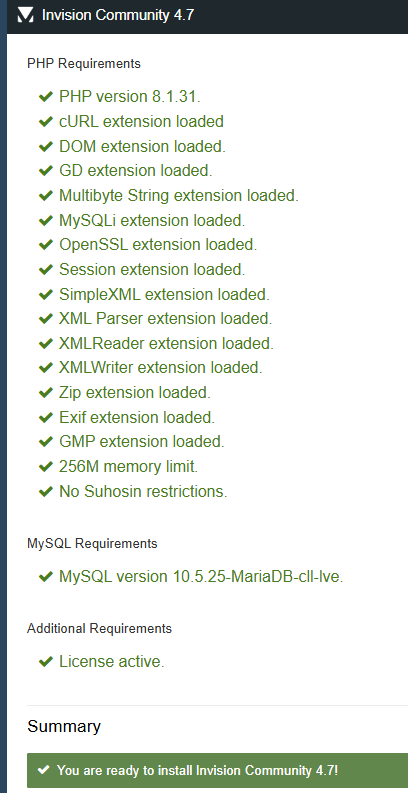
Merci Yes I did all that, but how to run it too see the content in green? if from forums/admin/upgrade, does not work for me I always thought that requirements check is this:
-
I How to perform the requirement checker for 4.7.19 ?
-
I just forgot to mention that version 7.4 return HTTP ERROR 500, I tried it twice
-
All PHP 7 version are deprecated Yes, everything was checked, I didn't see anything wrong, I had only one remark, saying that PHP version 8.3 would be better but version 8.1 is compatible. the host does not offer version 8.35
-
I had the full backup downloaded from cpanel and uploaded by it , and only the 4.4.0 which supposedly works I think PHP version is 8.1, I tried 8.0 and it didn't change anything.
-
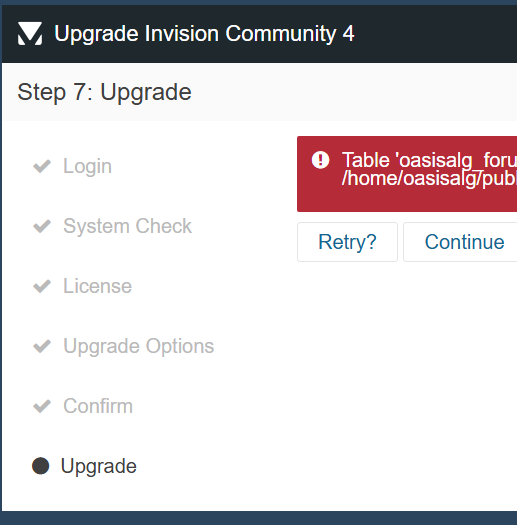
Hi The only backup I was able to successfully upload is from version 4.4.0, all others return the message: Error: SyntaxError: Unexpected token '<', "<!DOCTYPE "... is not valid JSON Yes, I am trying upgrading to version 4.7.19 which I downloaded just yesterday. but the upgrader stops and cannot go further You have an unfinished upgrade from 01/23/25 13:41
-
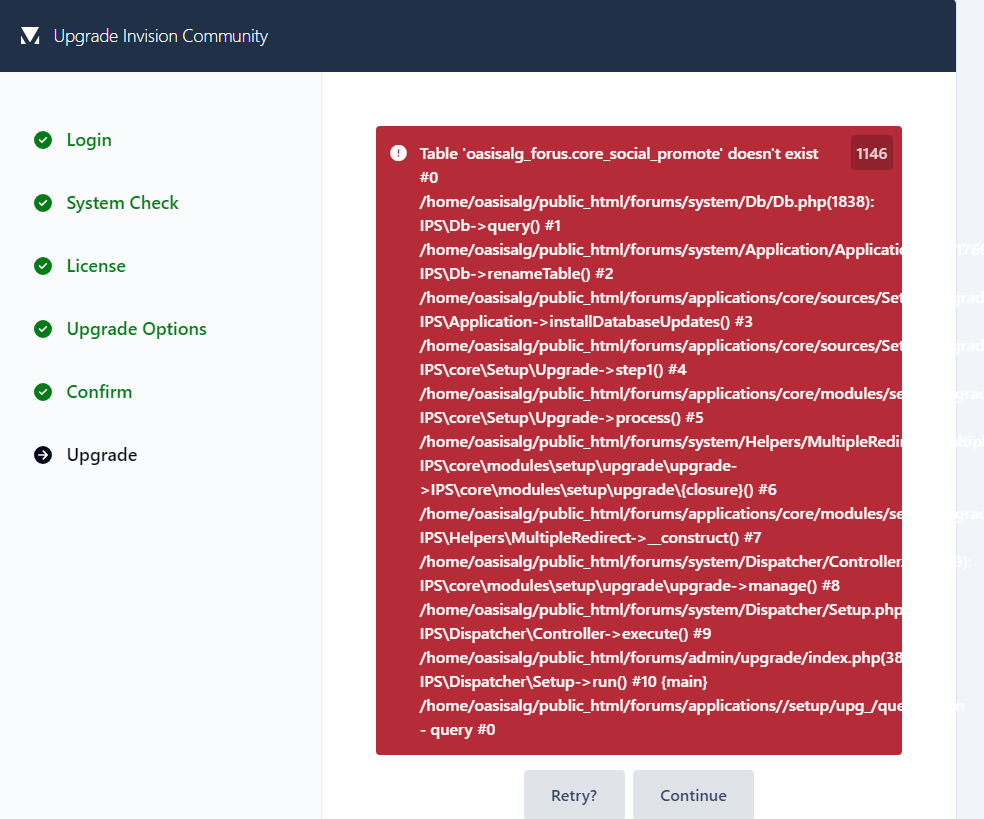
I am still not able to solve my problem, I have asked my host many times but does nothing, he thinks it is a problem with the software vendor. I was able to upload the backup of version 4.4.0, and deleted all third-party apps and plugins, all tables are in innoDB and in dynamic format, there are two core_social_promote [content and share] in the database still unable to upgrade to version 4.7.19 giving the same error message: Table '********_forus.core_social_promote' doesn't exist /home/*******/public_html/forums/applications//setup/upg_/queries.json - query #37 Is there anyone who can guide me or help me? Thanks in advance
-
Yes I forget to disable third party apps. How to disable apps when I can't access to adminCP Yes I tried to go back but could not restore any backup giving this error message: Error: SyntaxError: Unexpected token '<', "<!DOCTYPE "... is not valid JSON Thanks to all
-
the upgrade from IPS 4.7.19 to 5.0 beta 10 hangs at the beginning of the process and generates an error message. I can neither retry nor continue the upgrade, nor can I go back to version 4.7.19 by uploading a buckup. here is the error Table 'monsite_forus.core_social_promote' doesn't exist #0 /home/monsite/public_html/forums/system/Db/Db.php(1838): IPS\Db->query() #1 /home/monsite/public_html/forums/system/Application/Application.php(1766): IPS\Db->renameTable() #2 /home/monsite/public_html/forums/applications/core/sources/Setup/Upgrade.php(565): IPS\Application->installDatabaseUpdates() #3 /home/monsite/public_html/forums/applications/core/sources/Setup/Upgrade.php(369): IPS\core\Setup\Upgrade->step1() #4 /home/monsite/public_html/forums/applications/core/modules/setup/upgrade/upgrade.php(60): IPS\core\Setup\Upgrade->process() #5 /home/monsite/public_html/forums/system/Helpers/MultipleRedirect/MultipleRedirect.php(104): IPS\core\modules\setup\upgrade\upgrade->IPS\core\modules\setup\upgrade\{closure}() #6 /home/monsite/public_html/forums/applications/core/modules/setup/upgrade/upgrade.php(90): IPS\Helpers\MultipleRedirect->__construct() #7 home/monsite/public_html/forums/system/Dispatcher/Controller.php(139): IPS\core\modules\setup\upgrade\upgrade->manage() #8 /home/monsite/public_html/forums/system/Dispatcher/Setup.php(261): IPS\Dispatcher\Controller->execute() #9 /home/monsite/public_html/forums/admin/upgrade/index.php(38): IPS\Dispatcher\Setup->run() #10 {main} /home/monsite/public_html/forums/applications//setup/upg_/queries.json - query #0